iDRAC interface: "always accept certificates" option
0 vote

Hello,
inside iDRAC web gui settings there's no "Always accept certificates" option to bypass self-signed ones.
I think that could be a good improvement adding it.
Thanks.
All Comments (13)
Hello Nicola,
Let me transfer this feature request in the proper forum thread. That said, as a workaround you can use the Web Browser entry.
Regards,
David Grandolfo
Hello Nicola,
Let me transfer this feature request in the proper forum thread. That said, as a workaround you can use the Web Browser entry.
Regards,
Opss! Sorry for wrong posting.
I know but having more compact sessions list is great, so having it within the same entry is a good practice for me.
Just for you know about it.
Thanks!
Hello,
We've opened a ticket to add this option for the entry.
Regards,
Hubert Mireault
Glad to know, thanks.
Hi Nicola,
We are looking to adjust the iDrac entry and if we compare with a Web Browser (chrome) entry is the option missing is Ignore certificate authentication?
Could you confirm by creating a Web Browser entry, select the browser type Google Chrome and then check the option that accepts the certificate.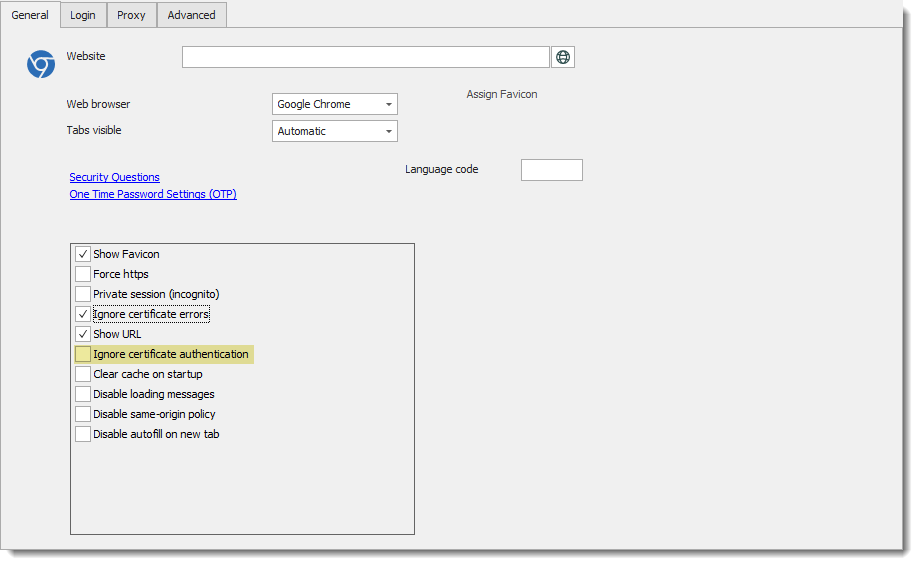
Regards,
David Grandolfo
iDrac_certificate.png
Thinking about that, I'm quite sure that this feature can be moved/linked to a standard Chrome/Firefox tab, because some other features can be useful like incognito mode, clear cache first, etc...
Can be an idea mirror a web session configuration for this? This could result in having "Remote Management" subentry of another but with all the web features like a standard web entry.
In this way custom input fields detection could be possible (GUI change in time).
Thanks.
Copying Web Browser fields to the Drac entry remove the "easy usage" of the Drac entry itself. Why not just using the powerful Web Browser entry in this case. It's only my input and I will transfer the comment to the engineering department.
That said, as we are looking to simplify the iDrac entry do you confirm that "Ignore certificate Authentication" do the job for the certificate prompt?
Regards,
David Grandolfo
I see your point David, probably using a standard web entry is a better approach, but then I don't see the meaning of a special subentry for web management.
About certificate, I don't have "Ignore certificate Authentication", I always receive the warning.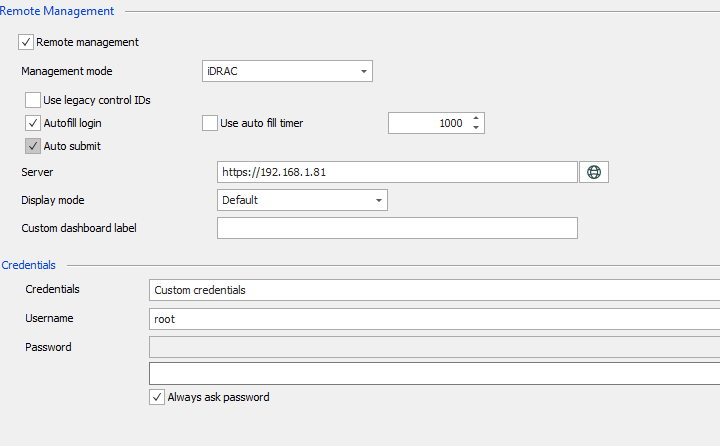
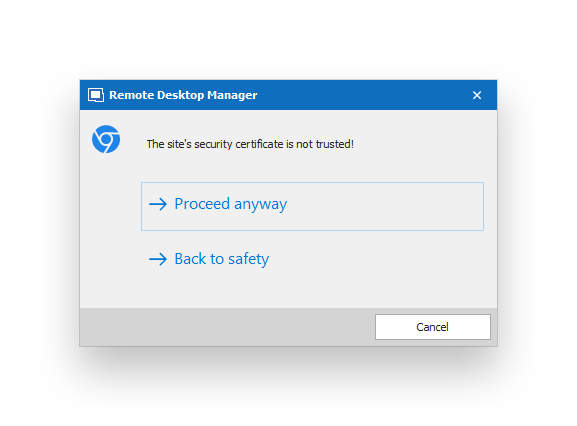 If you mean from a standard web entry, yes, all works fine.
RemoteDesktopManager64_2020-05-13_19-36-38.png
2020-05-13_19-36-00.png
The ignore certificate option is currently only available on a Web Browser entry. As we tested over the ticket and the other thread. Please test this option in a Web Browser entry and if this works fine we will look to adjust the iDrac entry.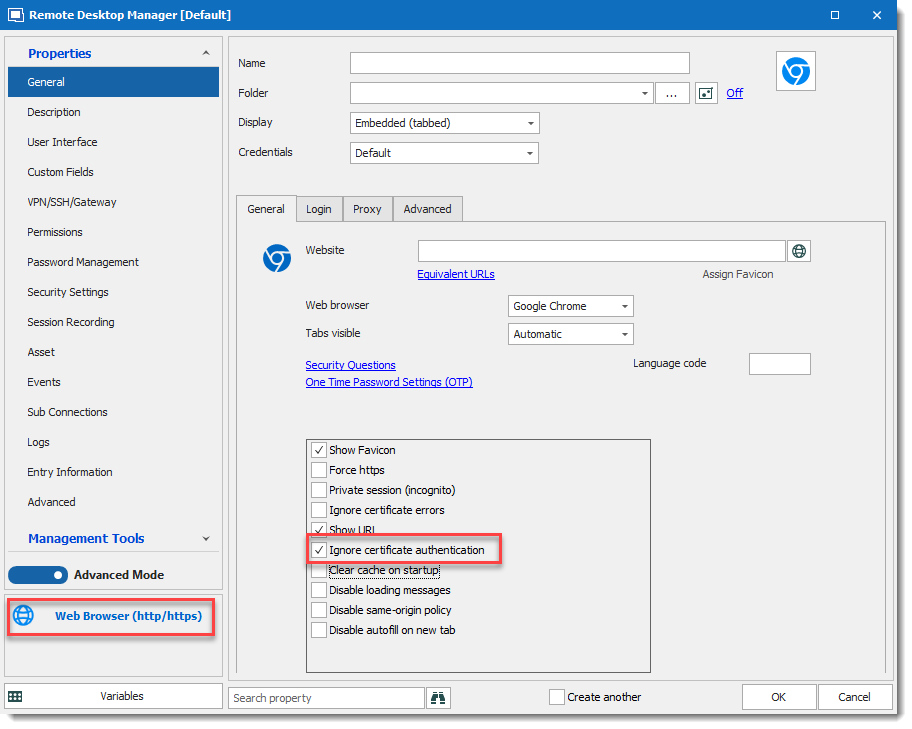
Regards,
David Grandolfo
WebBrowser_certificate.png
As stated in the previous post, with a standard web entry the "ignore certificate authentication" works.
Thanks for the confirmation
David Grandolfo
Hi Nicola,
The issue has been fixed in the latest release of RDM (2020.2.11.0).
Please let us know if they're still having any issue.
Regards,
David Grandolfo
Great, thanks.