Protocol error

Hi,
I am using RDM version 2020.1.20.0 64-bit
When i try to connect to some remote servers i get error message which is attached as screenshot. Whenever i try to connect to those servers trough mstsc or RDC manager there are no problems. I have exported connections from RDC manager and imported them into RDM . Any thoughts why is this happening or what is causing this issue ? I have added Diagnostics from the RDM .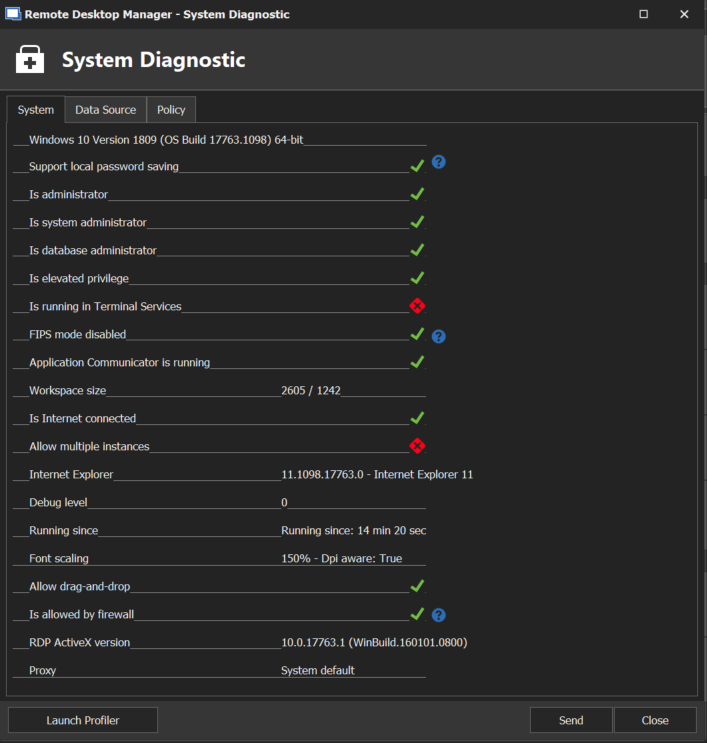
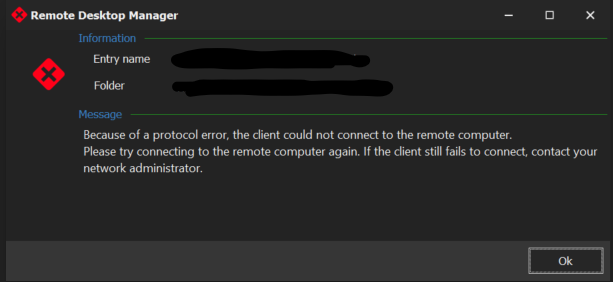
Capture1.PNG
Capture.PNG
All Comments (24)
Hello,
Could you refer to this Help topic : https://help.remotedesktopmanager.com/troubleshooting_protocolerror.html
Best Regards,
Etienne Lord
Hello,
I have tried all the solutions provided here : https://help.remotedesktopmanager.com/troubleshooting_protocolerror.html but none of them helped. Any other ideas ?
Hello,
Does it work if you launch it in External mode?
Also, if you head over to File - Options - Types - RDP and change the RDP engine to RDP (FreeRDP Latest), does it work?
Best Regards,
Etienne Lord
Hi ,
What do you mean by external mode ? Also the RDP type change didnt work. I tries all of the availible types in the menu neither of them worked. Also what is strange in the log of the session it just says : Opened session but theres no info about the error message i got.
Hello,
Does it work if you launch it in External mode?
Also, if you head over to File - Options - Types - RDP and change the RDP engine to RDP (FreeRDP Latest), does it work?
Best Regards,
So I have googled what external mode is and actually yes it works in external mode.
Hello,
So, just to confirm, after changing the engine to Free RDP, you restarted RDM and when you launched your connection, it didn't do anything at all?
Best Regards,
Etienne Lord
Hello,
So, just to confirm, after changing the engine to Free RDP, you restarted RDM and when you launched your connection, it didn't do anything at all?
Best Regards,
Exactly, but the error message have changed. You can see it attached 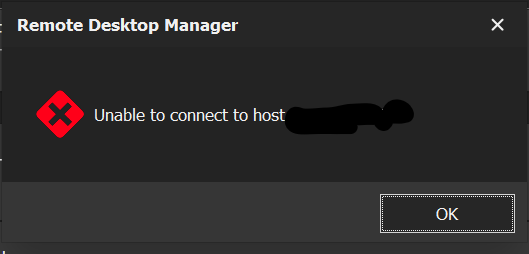

Capture1.PNG
Capture.PNG
Hello,
Could you try the steps below:
- Close RDM
- Navigate to %localappdata%\Devolutions
- Move the RemoteDesktopManager folder to your desktop
- Restart RDM
This will recreate your configuration folder for RDM. Hope this will help resolving your error message.
Best regards,
Jeff Dagenais
Hello,
Could you try the steps below:
- Close RDM
- Navigate to %localappdata%\Devolutions
- Move the RemoteDesktopManager folder to your desktop
- Restart RDM
This will recreate your configuration folder for RDM. Hope this will help resolving your error message.
Best regards,
Hello,
I have tried this together with previous suggestions, but sadly with no success. I still get the same error message .
Hello,
Could you create a functional .rdp file outside RDM and import this file inside RDM and test the connection with this new import?
Is it working?
Best regards,
Jeff Dagenais
Hello,
Could you create a functional .rdp file outside RDM and import this file inside RDM and test the connection with this new import?
Is it working?
Best regards,
Hello,
Sorry for late answer i was out of office. So I have tried making whole new functional RDP file outside of RDM and outside of RDC manager. Sadly with no success. I still get the same error.
EDIT: Sorry at first i missed this , but with this new imported file i get new error message which is attached . I have found that the message wont popup when i turn on CredSSP support.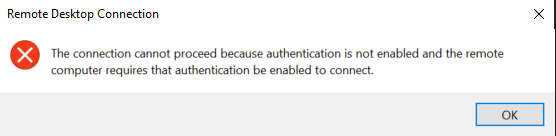
Capture.PNG
Hello,
As you see, the title of the box indicate Remote Desktop Connection, which usually means that the error message is associated with the Microsoft ActiveX that we use in embedded mode.
Could you try to check/uncheck the NLA option located under the Connection tab in the properties of the session?
Best regards,
Jeff Dagenais
Hello,
As you see, the title of the box indicate Remote Desktop Connection, which usually means that the error message is associated with the Microsoft ActiveX that we use in embedded mode.
Could you try to check/uncheck the NLA option located under the Connection tab in the properties of the session?
Best regards,
Hello ,
I have tried with disabled and enabled NLA however still no changes.
Hello,
I am puzzled right now.
Is this occurs on all your RDP sessions or just a few?
Have you tried to recreate the session in RDM?
Best regards,
Jeff Dagenais
Hello,
I am puzzled right now.
Is this occurs on all your RDP sessions or just a few?
Have you tried to recreate the session in RDM?
Best regards,
Hello,
Strange is that it occures only on some servers (connections). I have tried making new connections in RDM, importing them from RDC manager, importing them from manualy created RDP files. RDC connects without any issues , RDP client connect without any issues as well. If i enable External mode in RDM it works but it is really inconvinient . Its really sad becouse RDM is superior to any other manager i have tried.
Hello,
In some cases, and sometimes depending on the host OS, the credSSP setting may interfere... Can you try to change its value? (In Session property -> General Section -> Advanced Tab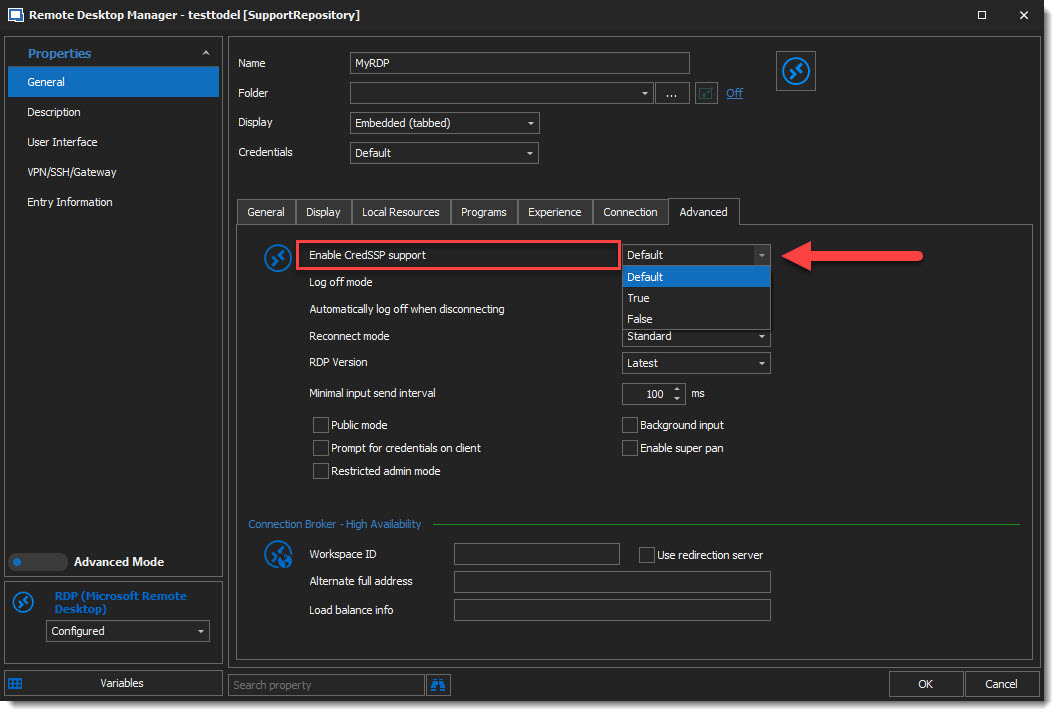 Thanks for keeping us in touch!
Best regards,
Alex Belisle
2020-05-22_9-50-20.jpg
Hello,
In some cases, and sometimes depending on the host OS, the credSSP setting may interfere... Can you try to change its value? (In Session property -> General Section -> Advanced Tab
Best regards,
Hello,
I have tried both enabled/disabled property, with no luck . Is there any way how i could help you get some diagnostic data or anything that could help you with solving this ? Thank you
Hello,
Are you still receiving the protocol error message or it's a different error?
We can try enabling some logs. Go in Help -> Profiler -> Debug Level and set the Debug Level to 1.
Reproduce the error message and send us the logs.
Best regards,
Jeff Dagenais
Hello,
Are you still receiving the protocol error message or it's a different error?
We can try enabling some logs. Go in Help -> Profiler -> Debug Level and set the Debug Level to 1.
Reproduce the error message and send us the logs.
Best regards,
Hello again,
The error message is same . Here is the log . I have tried it with CredSSP default/true/false
SecurityDataSource.IsSupported is False, exiting Devolutions.RemoteDesktopManager.Business.DataSources.SQLiteSecuritySubDataSource
Opening in Console / Admin mode
Because of a protocol error, the client could not connect to the remote computer.
Please try connecting to the remote computer again. If the client still fails to connect, contact your network administrator.
RDP - Disconnect:14340 / exDiscReasonNoInfo
SecurityDataSource.IsSupported is False, exiting Devolutions.RemoteDesktopManager.Business.DataSources.SQLiteSecuritySubDataSource
Opening in Console / Admin mode
Because of a protocol error, the client could not connect to the remote computer.
Please try connecting to the remote computer again. If the client still fails to connect, contact your network administrator.
RDP - Disconnect:14340 / exDiscReasonNoInfo
SecurityDataSource.IsSupported is False, exiting Devolutions.RemoteDesktopManager.Business.DataSources.SQLiteSecuritySubDataSource
Opening in Console / Admin mode
Because of a protocol error, the client could not connect to the remote computer.
Please try connecting to the remote computer again. If the client still fails to connect, contact your network administrator.
RDP - Disconnect:14340 / exDiscReasonNoInfo
Hello,
Could you try to check/uncheck the Open Console option and see if the error message disappear or is still the same.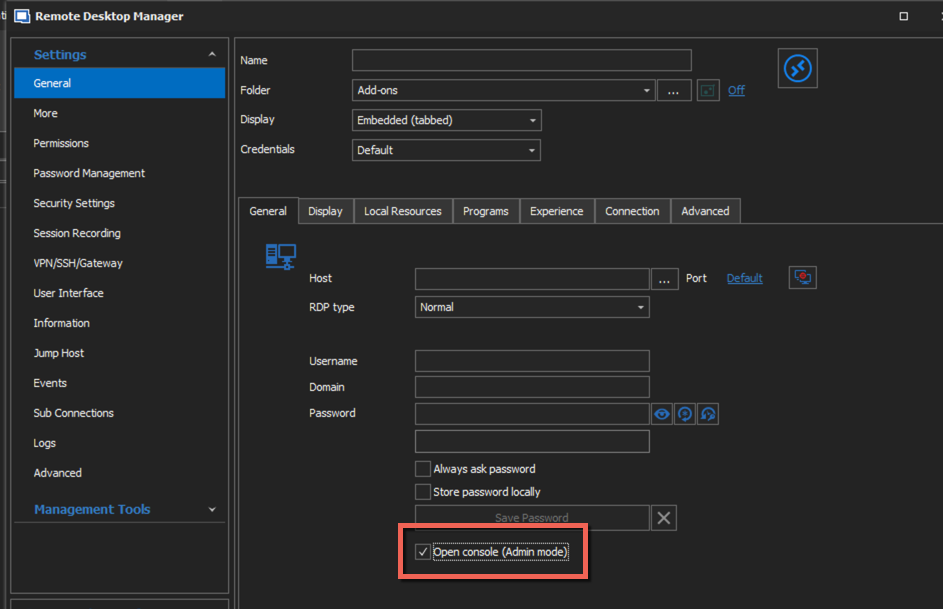
Best regards,
Jeff Dagenais
2020-05-27_08-06-22.png
Hello,
Could you try to check/uncheck the Open Console option and see if the error message disappear or is still the same.
Best regards,
Hello, so i have just tried it and it is still the same error message
Hello,
Is there other users in your organization with this issue?
If another user connects on your computer, does he have the same issue?
Best regards,
Jeff Dagenais
Hello,
Is there other users in your organization with this issue?
If another user connects on your computer, does he have the same issue?
Best regards,
Hello , sadly iam the only one who uses RDM. Others are using ASG remote desktop
Hello,
What is the remote computer OS? Is it Windows Server 2008?
Best regards,
Jeff Dagenais