Adding role gives "The save was successful but the folowing commands failed" for every user added
Adding role gives "The save was successful but the folowing commands failed" for every user added

Hi,
When I create a Role in RDM 2020.1.20 and add users to it, I receive this error for every user added:
The save was successful but the following commands failed.
REVOKE VIEW SERVER STATE TO [DOMAIN\user] CASCADE;
GRANT VIEW SERVER STATE TO [DOMAIN\user];
REVOKE ALTER ANY LOGIN TO [DOMAIN\user] CASCADE;
Please make sure the user performing this action has the required privileges.
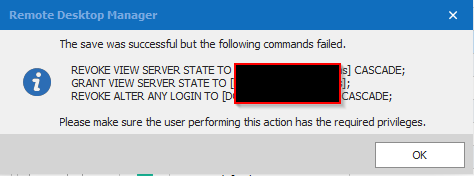
At the end the users are added to the role and when I give permissions to that role the sessions can be executed by the user as it should be.
2020-04-22 10_28_14-.png
All Comments (14)
Where is your database located? Local, Azure, AWS or other hosted environment?
Best regards,
Stéfane Lavergne
It is located on a on-premises SQL server
So every time a user is saved RDM will recheck and grant/deny/revoke any missing or miss-configured database rights (same as using the Fix SQL Login (hammer button)).
In this case the RDM user that performed the assignment does not have the proper rights to perform the 3 mentioned actions.
How to fix it?
Log into RDM with an admin user, preferably a dbo ("sa" for example) and use the Fix SQL Login button to regrant/deny/revoke any/all missing rights. You can actually perform this for every user in RDM and make sure all users are properly provisioned.
-- The long explanation --
How can that be it worked before? SQL Server rights are chained so say you start with "sa" and you create "admin 1" RDM grants all the required rights. This all works because "sa" is dbo and has all the rights. Now "admin 1" creates a new user "admin 2" and the chain continues and all is good. If ever, for any reason, "admin 1" is deleted or its admin rights revoked, then this will cascade down to "admin 2" and any other users created by "admin 2". These uses will be partially granted, this is where the "Fix SQL Login" comes into play, it will re-grant/deny/revoke any/all missing rights.
Best regards,
Stéfane Lavergne
I'm unable to find this button even though I'm logged on as SA to the datasource. I also ran RDM as domain admin but the button still is unavailable.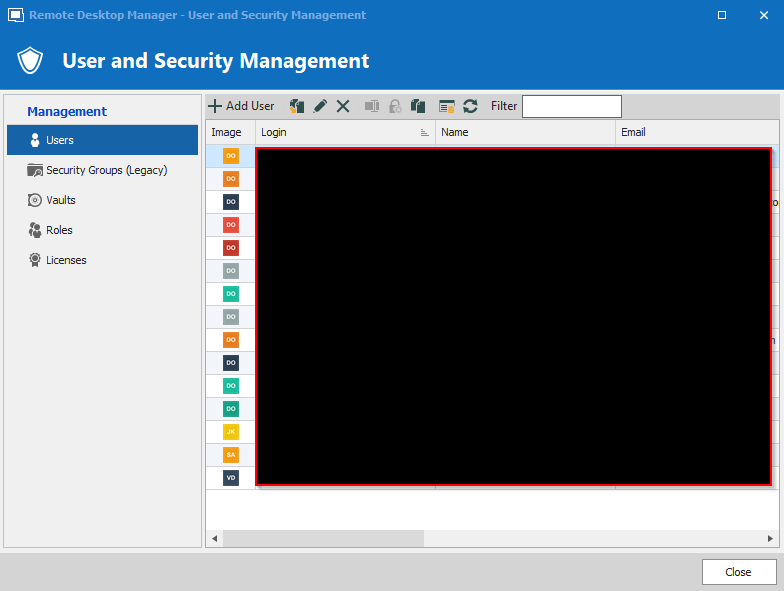
Issue 04.png
Hello,
What type of authentication are you using to authenticate on the database? Integrated Security?
In that same windows, there's an Authentication type column. Your users should be set to Database. Is it the case?
Best regards,
Jeff Dagenais
I have created two almost identical data sources. One is set to Intergrated Security which is the default used by all users. The other is set to SQL authentication with the SA account and has been created just for this case.
As you can see in the image below some of theme are database users, others are domain accounts. All users that were added to the role are domain accounts. Database users are only created for incidental cases.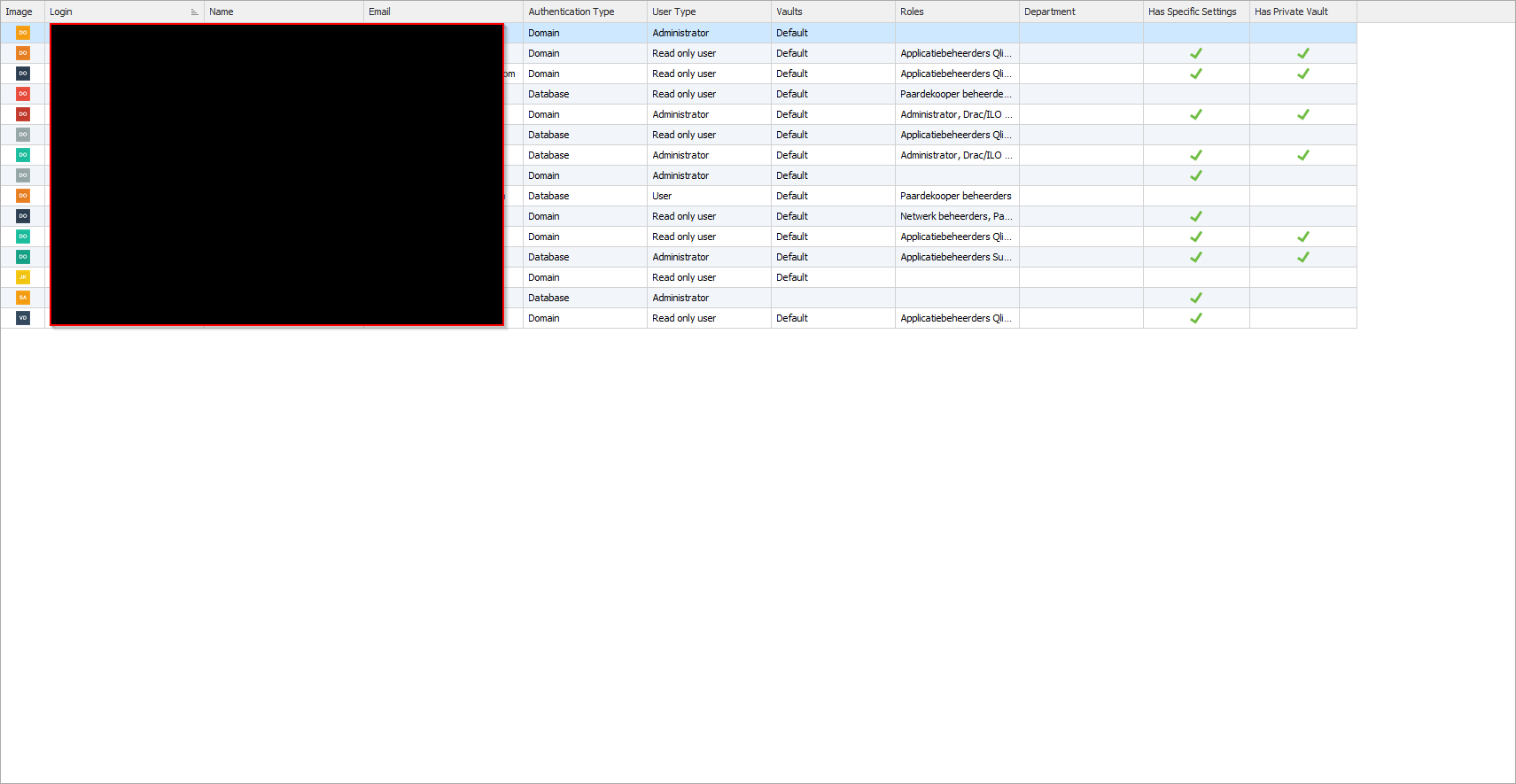
Issue 05.png
Ok, for users that have been granted rights via a domain groups, make sure you check "Disable database user management". This stops RDM from checking if the user exists and testing the SQL server rights.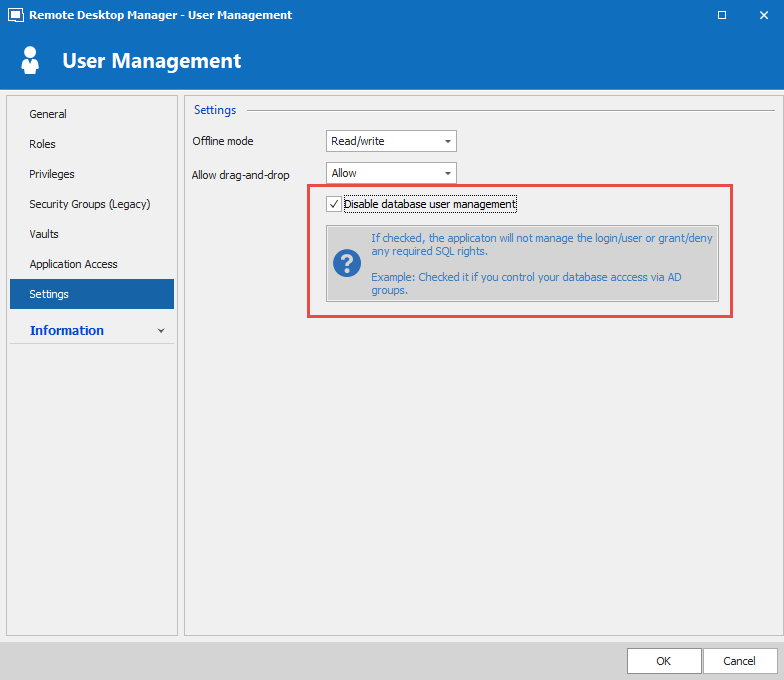
Stéfane Lavergne
2020-04-23_14-24-56.png
This checkbox isn't available too.
Jasper,
You shouldn't have any users with Authentication Type = Domain. This is a very old bug where we used to guess the authentication type, in your case we guessed wrong. With the SQL Server data source, the only options are Database or Custom. Yes, domain users are supported but should be flagged as "Database + Integrated Security" and not domain.
I will send you (via private message) an SQL script that will fix the issue for you. Once the script executed you will be able to toggle the check box.
Best regards,
Stéfane Lavergne
Thanks, Stéfane. All is fixed now.
Hi Stéfane
I'm also experiencing the same issue. I have a user that I'm trying to add to a role and am seeing the database error in the first post as well as I have users who have authentication type Domain. This is for users that (like myself) have been using Remote Desktop Manager for many years. Could you please also send me the script so I can fix this?
Here is the SQL to fix the "Domain". Warning! Only to be used with SQL Server data source.
UPDATE dbo.UserSecurity SET AuthenticationType = 2 WHERE UserType = 0 AND AuthenticationType IN (3, 5);
What version of RDM are you running? The latest RDM release shouldn't show the error message when assign roles.
Stéfane Lavergne
Thank you Stéfane. We are using SQL Server as a data source. We're using version 2020.1.20.0 64 bit. Does a more recent version fix this issue? If so then I'll backup the database and then run the update to fix it.
That explains it v2020.2.16.0 (available here, requires database upgrade) will solve the assign roles issue but you will still get the warning message when edit a user unless you check "Disable database user management" for users that have already been granted rights via an AD group (by your database admin).
Best regards,
Stéfane Lavergne