Server level settings overwirtes user/local level setting Embedded
Server level settings overwirtes user/local level setting Embedded

Hi,
I’m having an issue with RDM from the very beginning of it and I’m getting tired of it.
What I want is really simple: I just want to have my RDP sessions opened Embedded – always.
No matter how it’s configured at server level, always open embedded.
I’ve turned on all settings that could possibly do something to open it embedded:
[1] BatchEdit – userSettings-Set all embedded
[2] User Specific settings – general

[3] Open Embedded by Default

[4] Local Specific Settings

But still, when someone configures the server to open external (some people prefer that), it just opens externally and not embedded.

Even if I select Open with Parameters -> Open Embedded/tabbed … it opens in full screen!

Best regards,
Rok B
All Comments (3)
Hello Rok,
Thank you for contacting us on that matter!
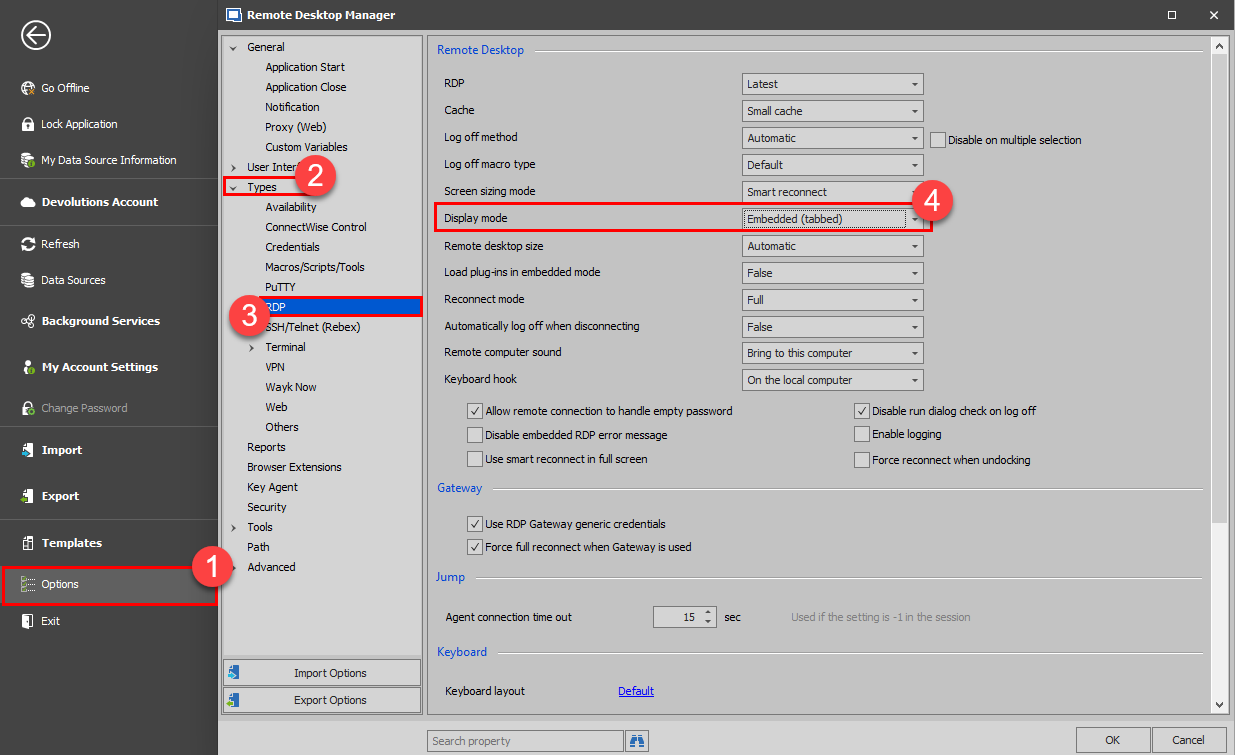
Could you please go under File -> Options -> Types -> RDP and make sure that the "Display Mode" is set to "Embedded (tabbed)" ?
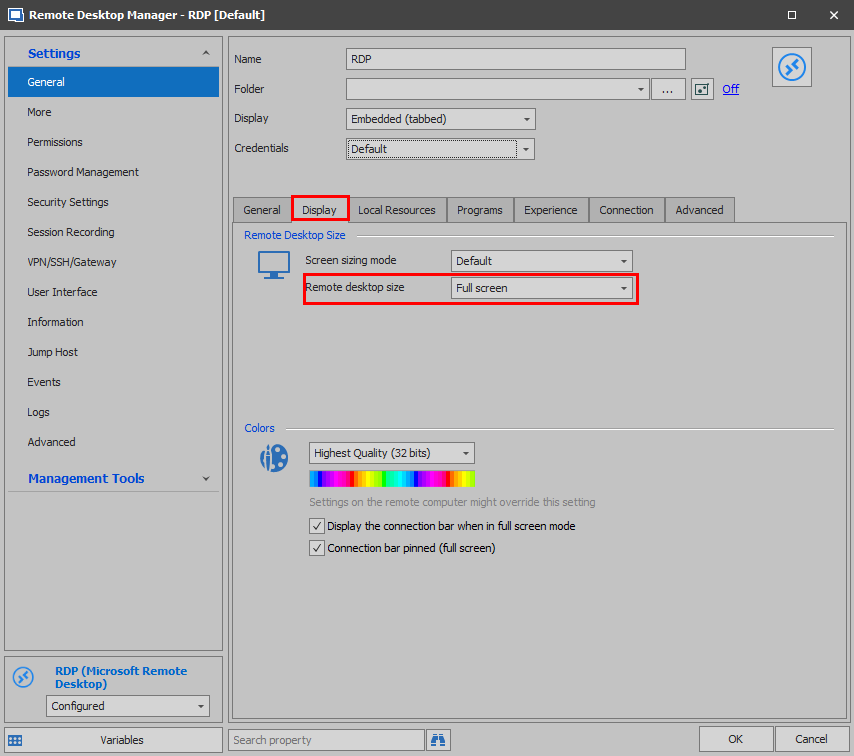
Also, do you experience this issue with every entries? If not, I suspect that the "Remote Desktop Size" under the "Display" tab of your RDP entry might be set to "Fullscreen" causing the connection to open in fullscreen regardless of the entry being set to open in "Embedded" or in "External" mode.
Best regards,
James Lafleur
Hi,
General Settings:

Connection settings:

The request is quite simple: regardless of the Server Configuration (Tabbed/Embedded, external, undocked) RDP's should always open Embedded/tabbed.
But still, when someone configures the server to open external (some people prefer that), it just opens externally and not embedded.
Sorry, nevermind, you already pointed out that Full Screen is overriding that setting and that is what is causing it! Thank you for your help!
Best regards,
Rok B