SSH Shell - run command on BEFORE DISCONNECT

Hello to the Team !
For CISCO (or HP) devices, switches, routers,..I try to run specific commands BEFORE DISCONNECT on SSH Shell within RDM.
these commands are meant to be used by our support, without having doing them manually.
A simple example would be:
copy running-config tftp://192.168.194.75/$IP$-$DATE_TEXT$.txt
If I put this command in the POST-LOGIN tab, this is working well
but not in the BEFORE DISCONNECT tab :/
I ran many checks and I see that commands in BEFORE DISCONNECT tab are working well IF you open 2 sessions of the same SSH Shell (heu)
mayday :)
___________________
Another very coooool feature would be able to add a list of command like this example
sh interfaces status
sh version
sh log
wr mem
This seems to be forseen in this BEFORE DISCONNECT tab but this is not working
___________________
We are running RDM Enterprise 2019.2.24.0 64BIT.
Can you help us ?
MANY Thanks for your follow-up !
Michael
All Comments (12)
Hi Michael,
Thank you for contacting us, I will do some test at the. Before disconnect features and come back to you soon.
Regarding, the new features, just to not mixed issues and feature I will recommend posting them at https://forum.devolutions.net/forums/17/remote-desktop-manager--feature-request
Regards,
David Grandolfo
Sadly, I wasn't able to reproduce the issue.
Could you do two tests for us?
The first one is to remove the TFTP call in the command line. Probably we send the command but we are not waiting long enough for the file transfer. So please try the command
copy running-config $IP$-$DATE_TEXT$.txt
The second test will be to enable the Verbose and Logs and the Printable Output and look at the logs file if the command is send properly.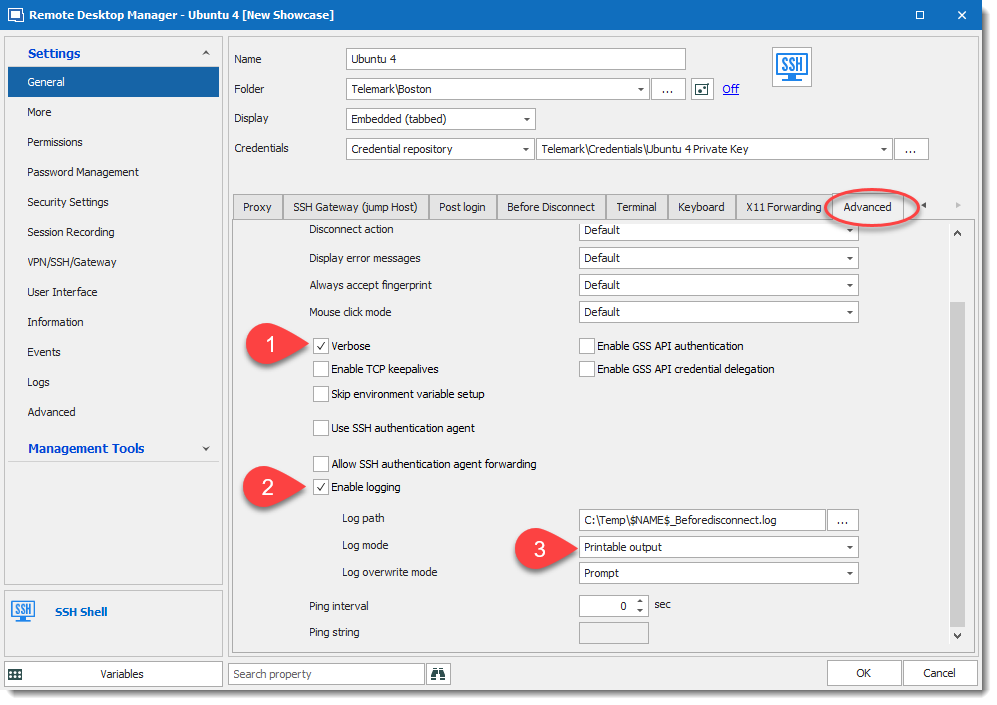 Regards,
David Grandolfo
SSH_BeforeDisconnect_Logs.png
Hi David,
Thanks for your quick reply !
Here are my screenshots (i tried with several commands without success...)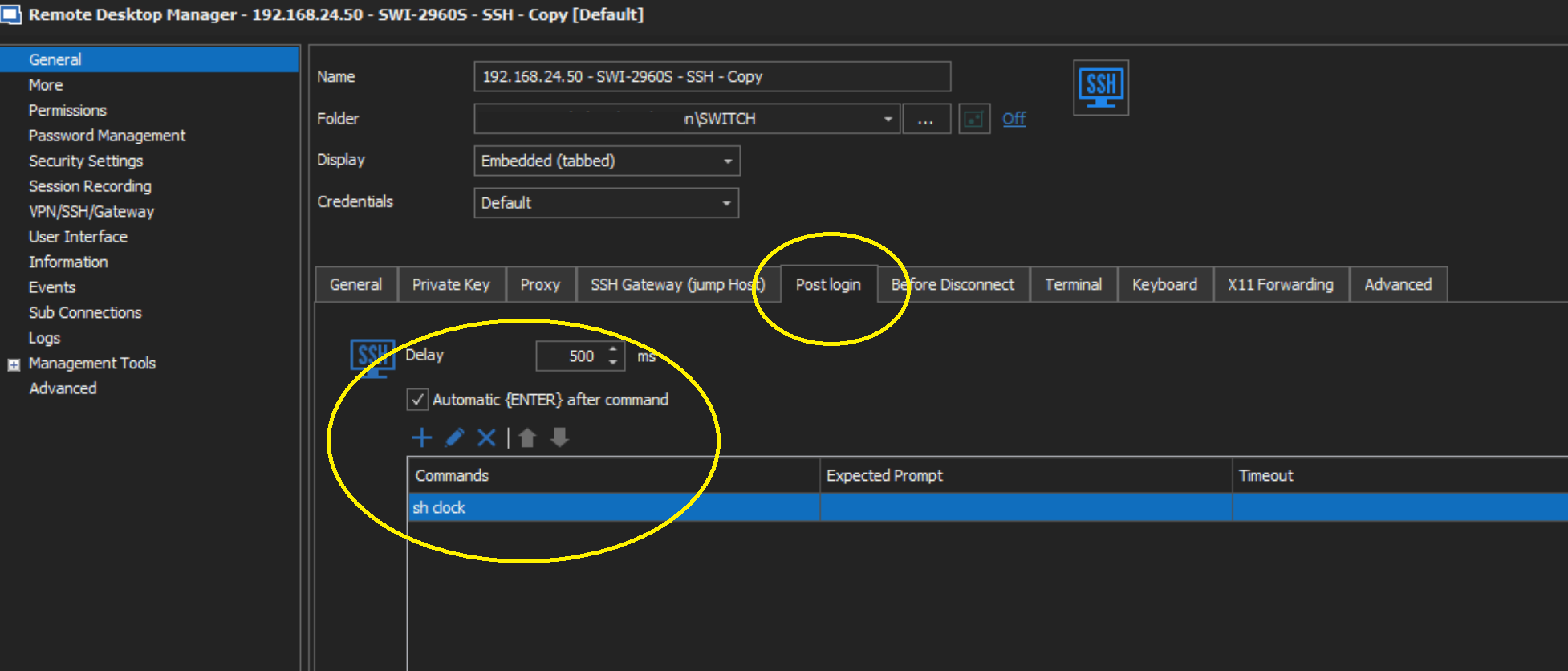
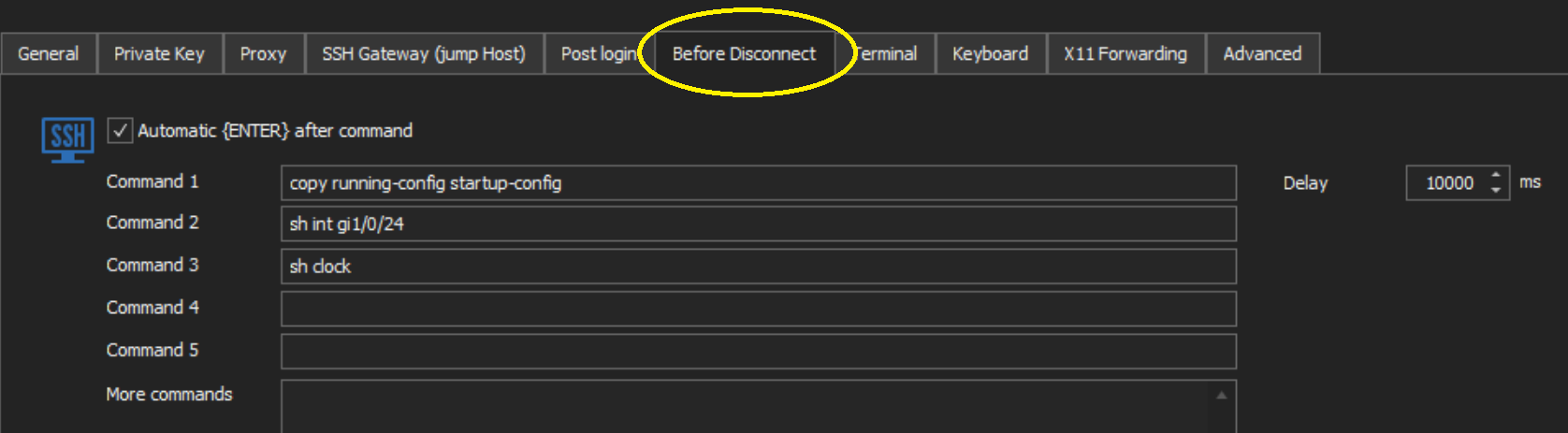

And here is the output of the "verbose" file...not really verbosed :/
=~=~=~=~=~=~=~=~=~=~=~= Terminal log11:30:02 =~=~=~=~=~=~=~=~=~=~=~=
Using username "admin".
SWI-2960S-MMi#sh clock
12:30:01.665 CDT Thu Mar 26 2020
SWI-2960S#
SWI-2960S#POST LOGIN OK !
^
% Invalid input detected at '^' marker.
SWI-2960S#
SWI-2960S#exit
I wil ltry with the latest version of RDM
Thanks again !
Michael
RDM2-Annotation 2020-03-26 112319.png
RDM1-Annotation 2020-03-26 112332.png
Hi David,
The same goes with the latest version:
2020.1.19.0 64 BIT
The output file is the same....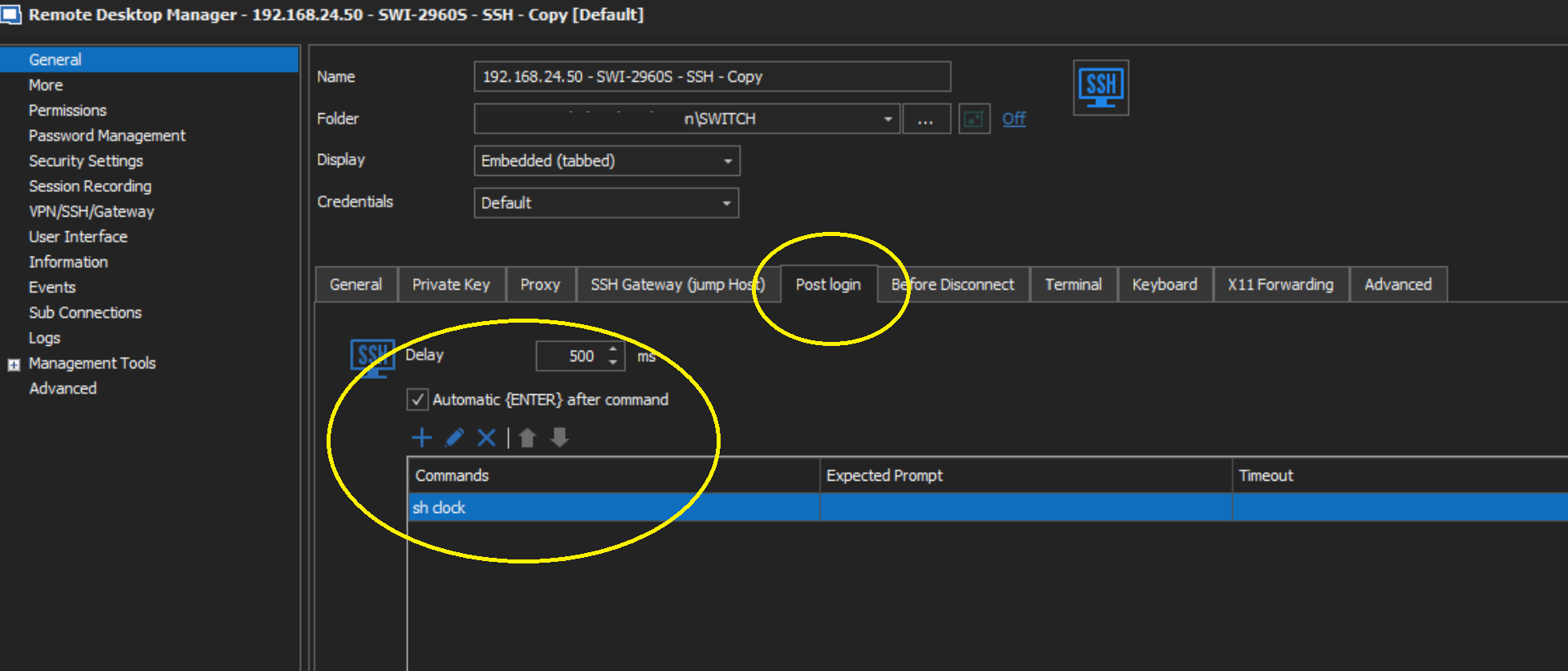
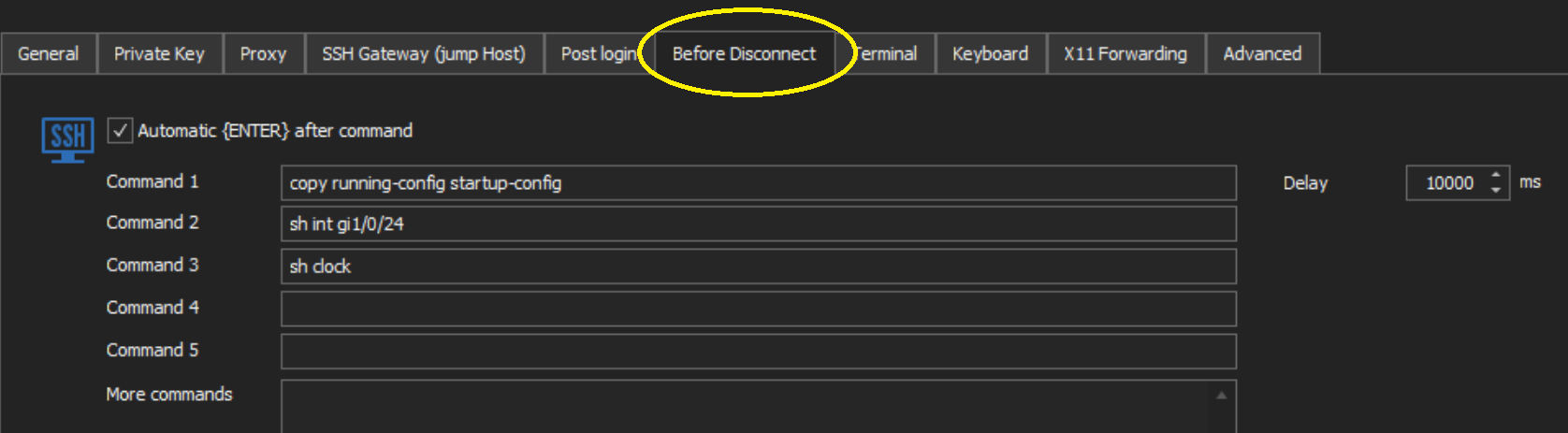
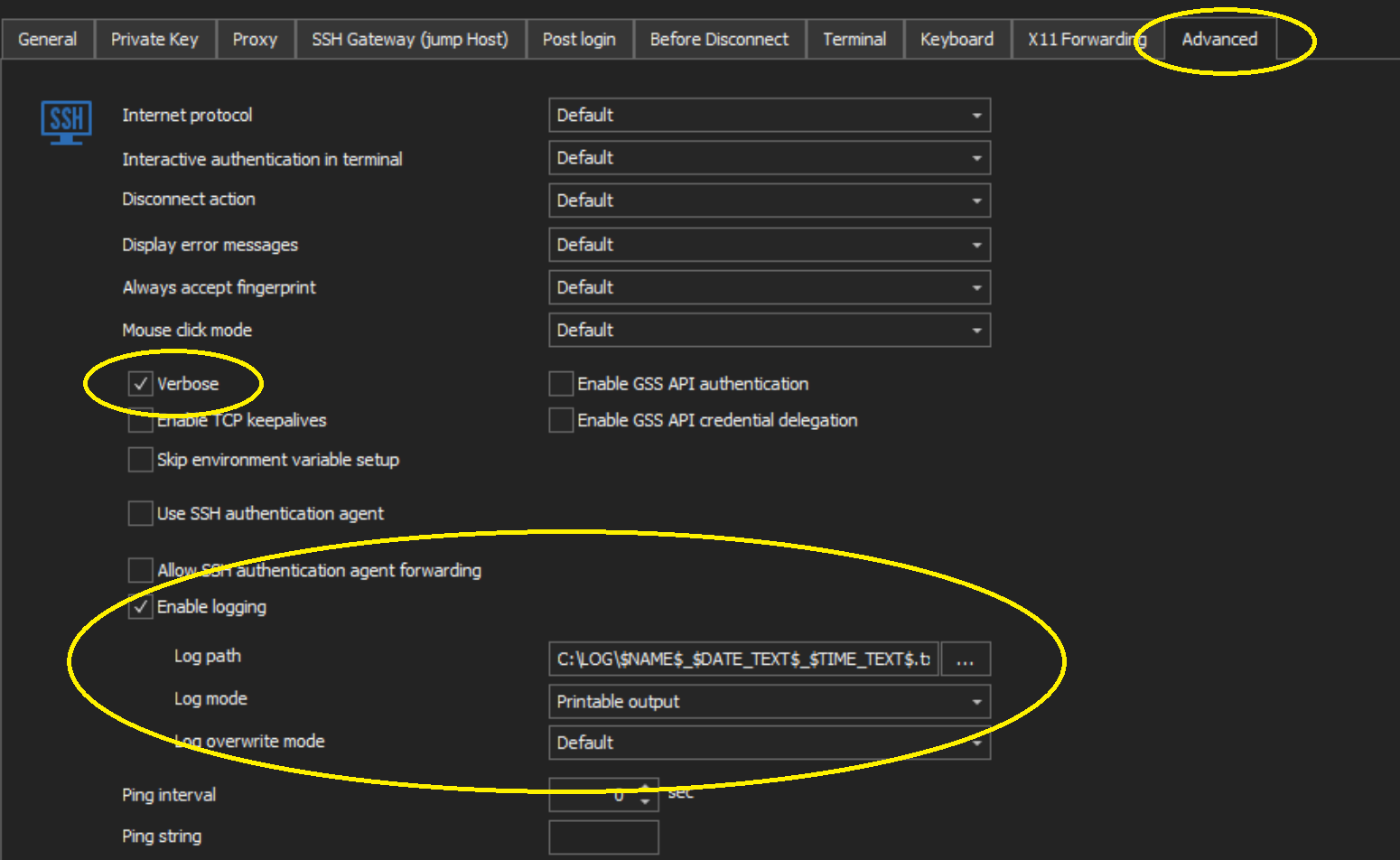
RDM1-Annotation 2020-03-26 112332.png
RDM2-Annotation 2020-03-26 112319.png
RDM3-Annotation 2020-03-26 112305.png
Hi,
Thanks for the tests and print screens, I was able to reproduce the issue. I will open a ticket with the engineering department.
As soon as this issue is fix we will inform you.
Regards,
David Grandolfo
Thanks David,
looking forward for your reply then :-)
Regards,
Michael
Hi David,
FYI, this issue is still present in version 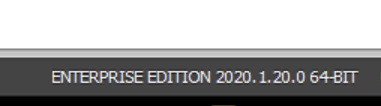
:s :/
Regards,
Michael
Annotation 2020-04-10 153658.png
Hi Michael,
The task is still in our to-do list, we will inform you as soon as it fixed.
Regards,
David Grandolfo
Hello,
We've just made some changes to the way we handle before disconnect commands which should resolve your problem. They will be introduced with version 2020.1.21.0.
Please tell us if you have any remaining issues with this functionality.
Regards
Jonathan Del Signore
Thanks Jonathan for your feedback !
Hello to the Team,
this issue seems to be solved in the release v2020.2.12 !
Thank you very much !
Michael
Thanks Michael for the follow-up.
We are glad that everything works well for your team.
Regards,
David Grandolfo