100% CPU usage

Hi,
after a few minutes of usage, using multiple RDP sessisons, the CPU usage skyrockets, while killing the battery. The only solution is just closing the app. If I try some third party CPU limiter, and set it to 25%, which should be 1 thread on a 2015 MBP, the app is very laggy.
I use the latest 2020.1.7.0
All Comments (10)
Hello,
Are you running the Free or the Enterprise edition of RDM Mac?
What type of datasource are you using?
Best regards,
Jeff Dagenais
Hello,
I'm running the free version, and I use SQLite. I previously tried xml as well, but it was the same
Hi,
Firstly, I just want to mentioned that the % CPU shown in Activity Monitor is the proportion of usage of 1 core, not the entire CPU. If you see an application using 100% CPU it means that it uses the equivalent of an entire core and not the entire CPU. Hence why you can also see an application using 200% CPU, meaning that it use the equivalent of two CPU cores.
That being said, a constant 100% CPU usage is not normal. How many sessions are you running conjointly?
Are they running anything (even without interaction) that updates either the display (what needs to be rendered) or the clipboard?
With my test, on idle, with 10 opened RDP sessions opened, Remote Desktop Manager runs around 10-15% CPU usage.
That's excluding the external processes for each RDP sessions (FreeRDPSandboxed) that each runs around 0-10% CPU usage each.
With about 7 opened session, 4 of which running videos, RDM run around 20-30% CPU usage with spikes to 50-55%.
As I'm working from home and my VPN as been having some disconnection issues. I couldn't run very long tests though. How long would you say it take for your CPU usage to reach this level (100%)?
Best regards,
Xavier Fortin
Hello,
this is my current activity. I have 1 session opened right now, but I had opened 3 others where I hit the restart after windows update. Nothing else were going on the screen.
I use ssh tunnel for rdp connections
Screenshot 2020-03-18 at 5.44.44.png
Hi,
What is your macOS version?
Can you confirm that the RDP Engine in your Preferences is set to Modern and that the Sandboxing is on? Can you also confirm that the same values in your sessions config are set to Default?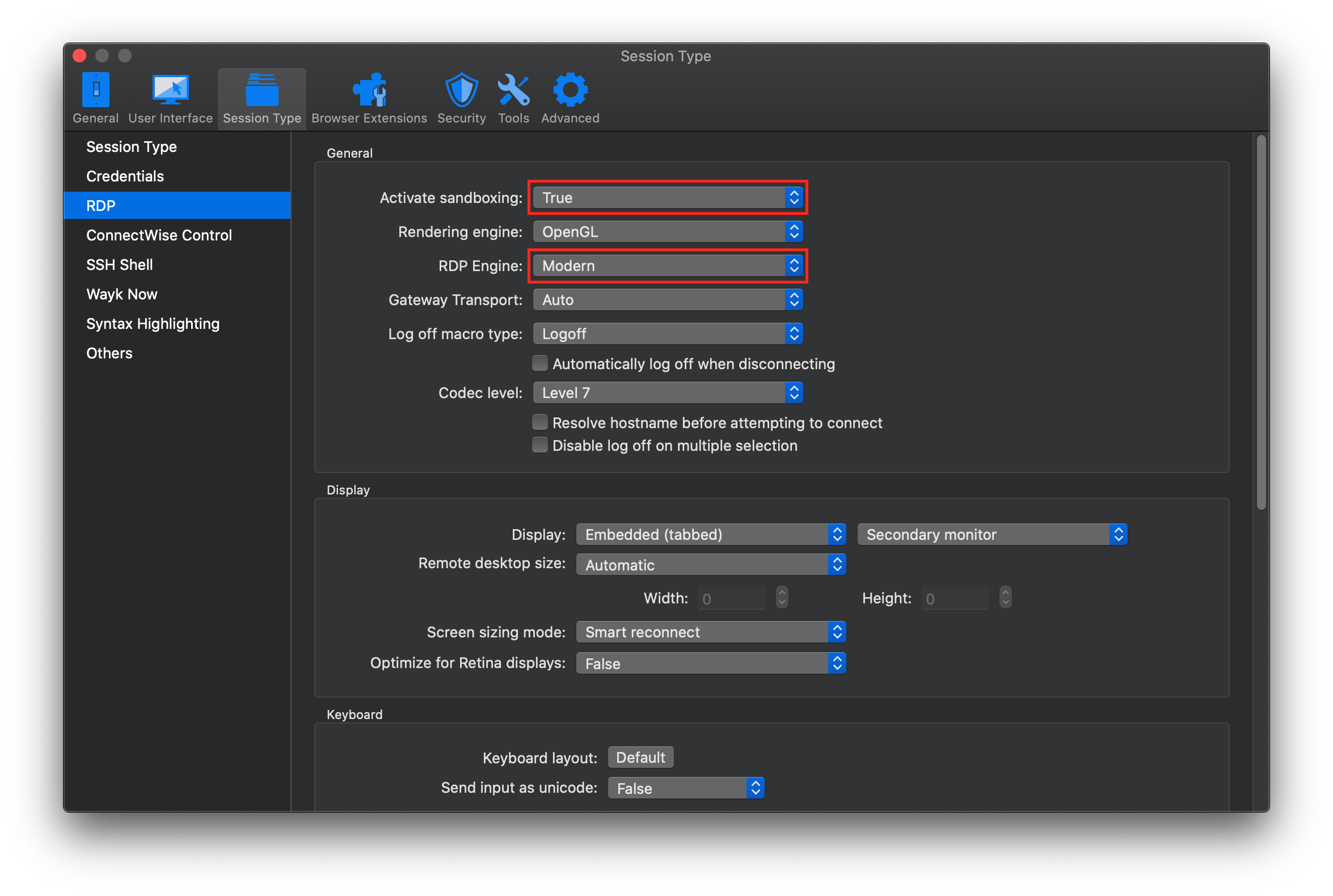
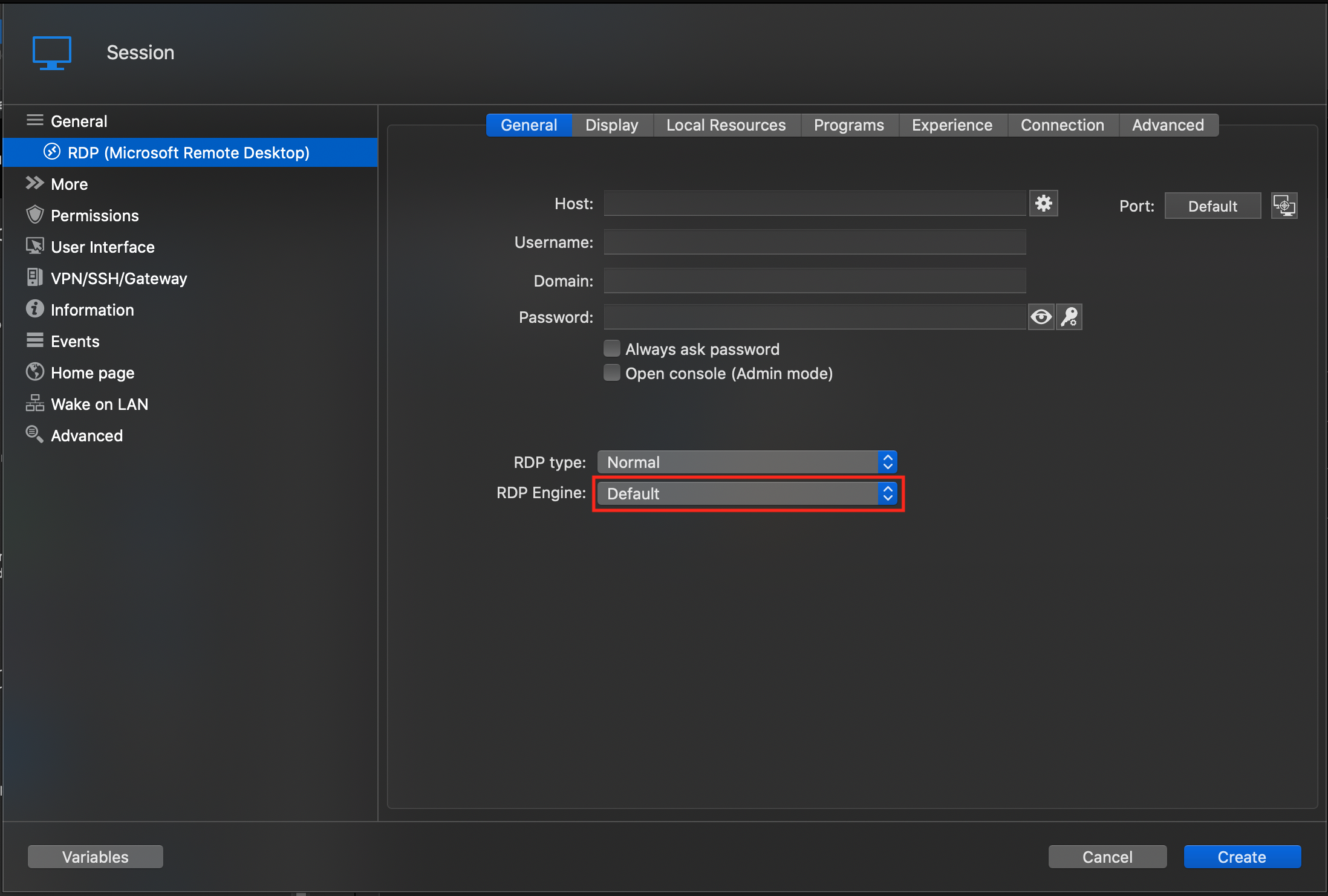
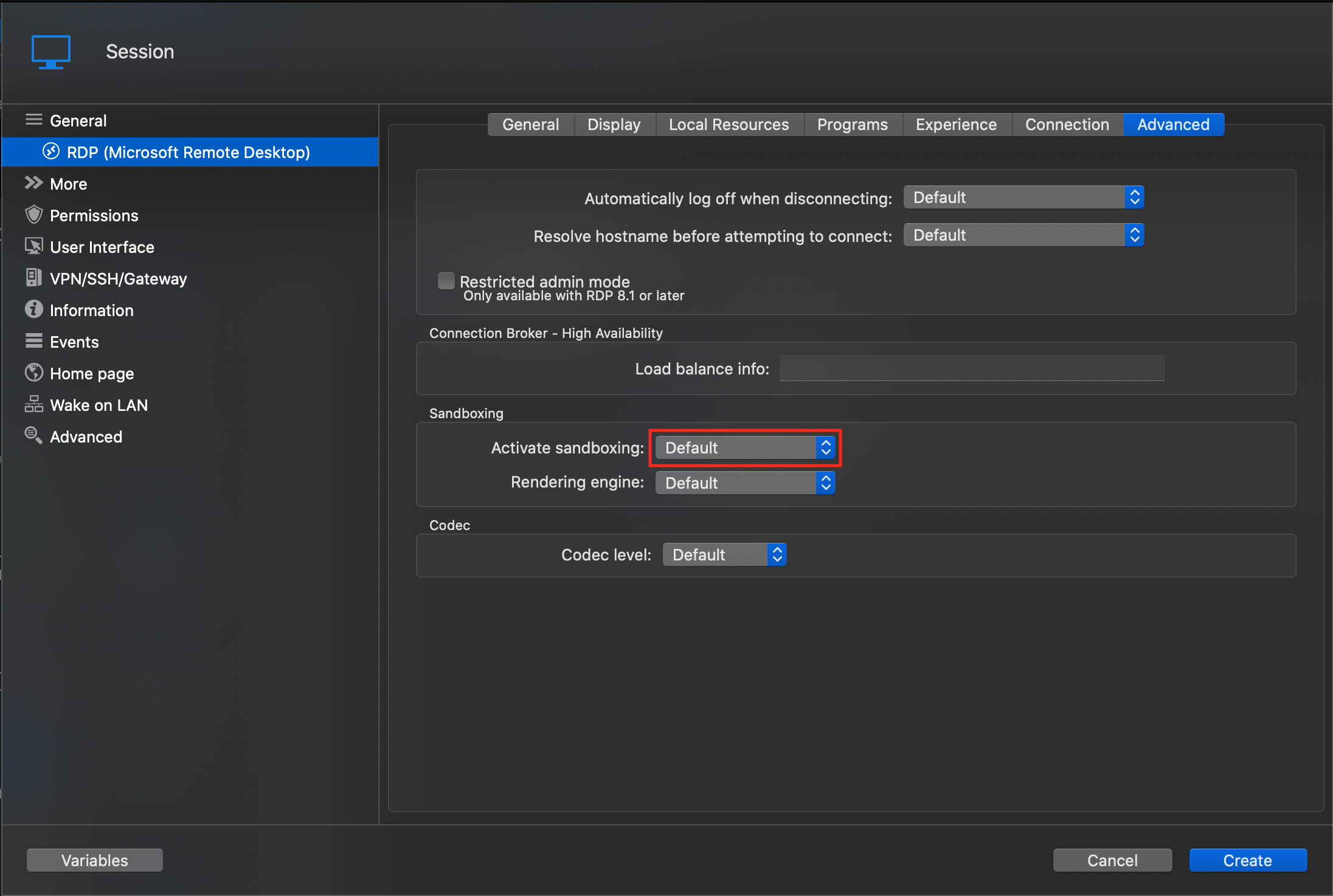
Best regards,
Xavier Fortin
RDPConfig2.png
RDPConfig1.png
RDPPreferences.png
Hi,
My macos version is the latest 10.15.3, rest of the system information is below
I can confirm, that the highlighted settings are the same on my end, only my rendering engine is set to Metal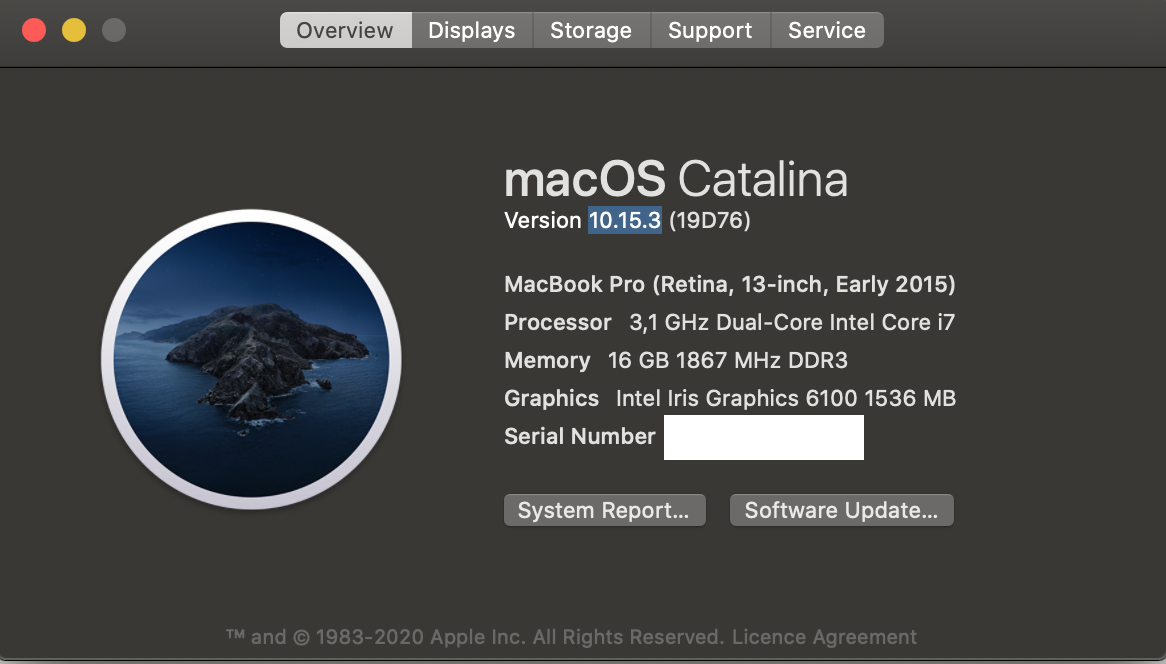
Screenshot 2020-03-19 at 7.58.45.png
Hi,
Another information I'd like to know, if you close the opened sessions, does the CPU usage go down?
As of yet, I am unable to reproduce your issue. I'll open an issue for us to investigate further, we might need additional information in the future.
Best regards,
Xavier Fortin
Hi,
sorry for the lat reply. In most cases the CPU usage goes down, but if the RDM app is open for a long time while using all the CPU it may "stuck" in that state, and I have to close the app to normalize the situation.
It can happen in cases if I have to go through many, 30+, rdp connections to do some tasks, closing, then opening another.
Hi,
just a quick update on the situation. I recently upgraded to an M1 Macbook Air, and the problem still presist. On some heavier workload, opening and closing RDP sessions one after other, mainly 2012 servers, the CPU usage in the activity monitor ramps up to atound 250% and stays there even if I close all my sessions, until I close RDM entirely.
Hi,
This is tricky to investigate, but the ticket was not closed.
Best regards,
Xavier Fortin