Transparent New or Edit Entry Window in RDM

I seem to be receiving a visual bug in the program when trying to create or edit existing entries. It seems that the background of the entry I'm trying to edit becomes completely transparent and anything showing behind the window visually interferes with my ability to edit the entry. This happens when I create a new entry, or edit an existing one. It does not matter what type of entry I select. Attached are screenshots of the behavior. If there's a way to turn off all transparency in the app, let me know. Thank you. 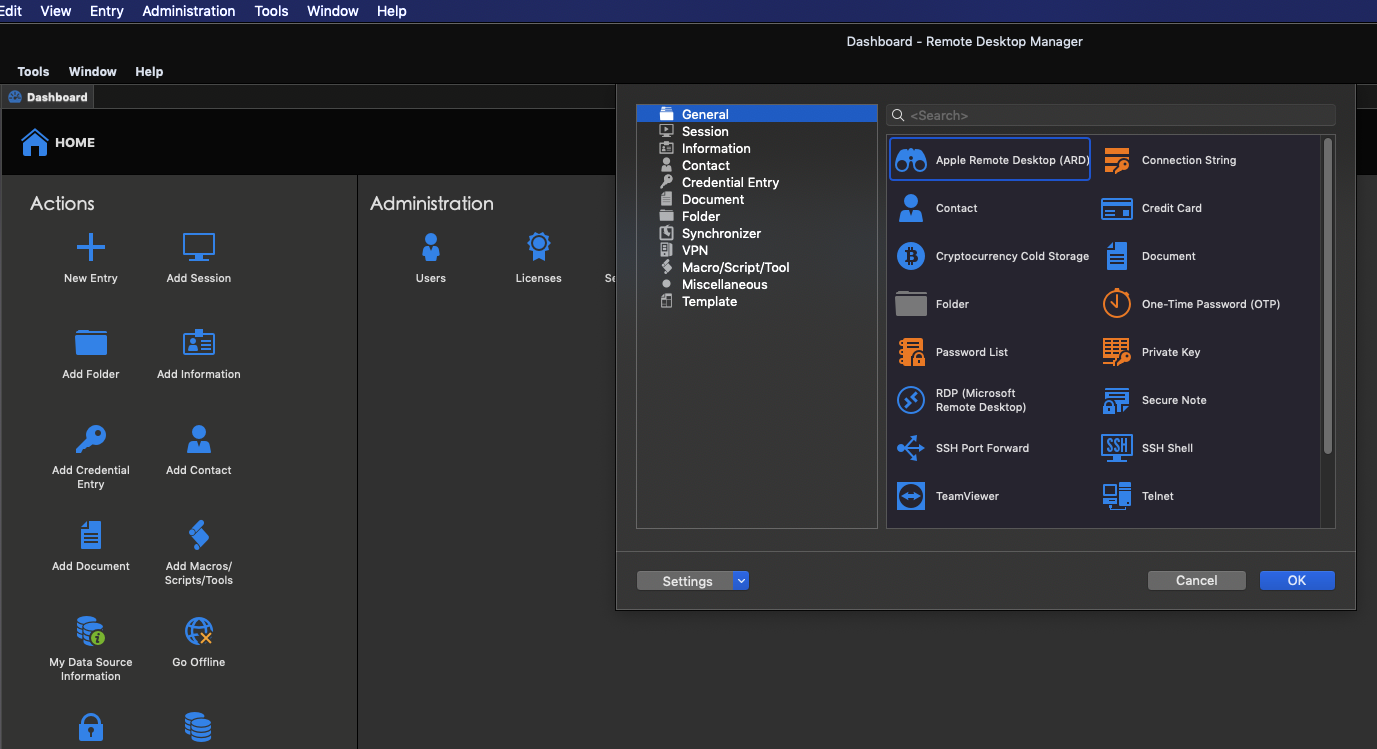
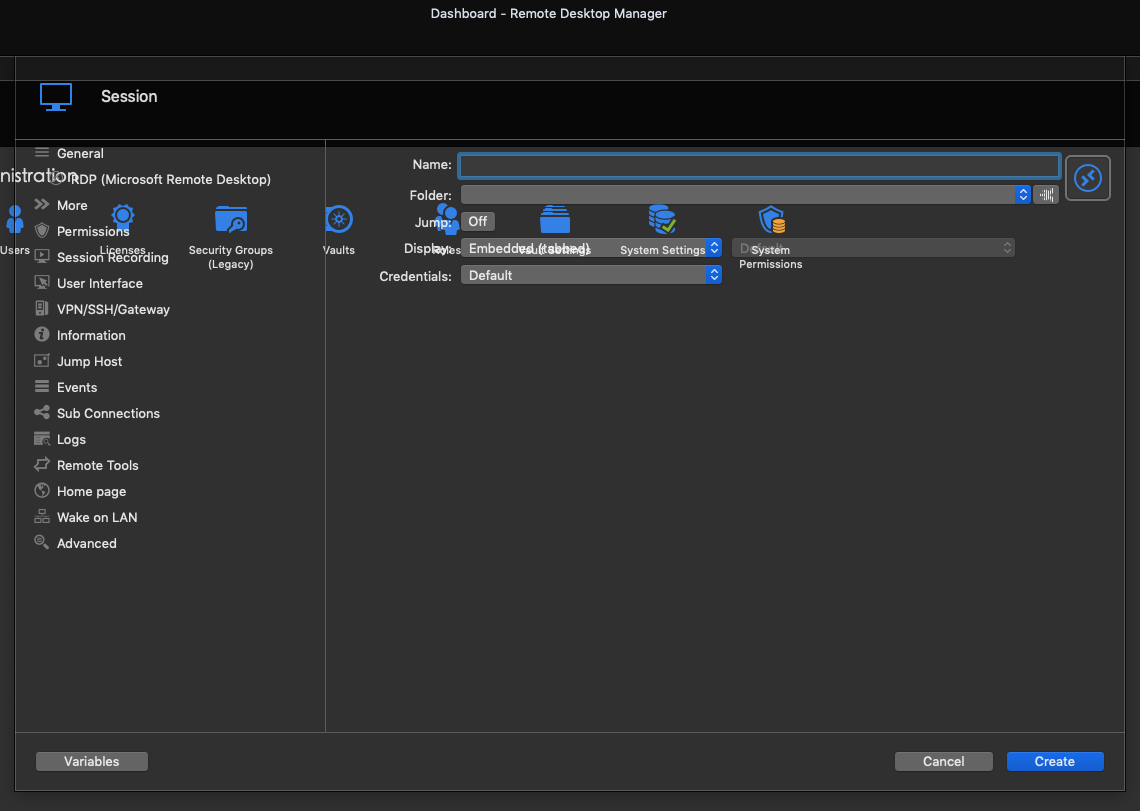
Screen Shot 2020-03-13 at 4.34.23 PM.png
Screen Shot 2020-03-13 at 4.34.03 PM.png
All Comments (2)
To follow up, I've mainly always used RDM on an external monitor, 1440p, connected through a DisplayPort cable into a Thunderbolt eGPU. When I move RDM to my laptop display, I no longer receive the transparency issue, but that is still a problem because I want the screen space provided by the larger display and higher non-scaled resolution compared to the scaled DPI on the laptop screen.
Hi,
What version of macOS are you running with?
I'm not aware of us using anything but macOS default controls and settings when displaying sheets (those views that scroll down and act as dialog windows). Especially nothing that could explains such an issue. If it occurs only on an external display through an external GPU, this might be more of an hardware/driver issues. Is RDM the only application with such an issue?
Best regards,
Xavier Fortin