RDM, "Alt + Enter" keyboard shortcut is not working in a opened Session
RDM, "Alt + Enter" keyboard shortcut is not working in a opened Session

Hi there,
we want to use the "Alt+Enter" keyboard shortcut funtion in opened RDM sessions.
But the function is not working. I´ve already checked "Files -> Options -> User Interface -> Keyboard", but i´am not able to find a solution there...
Can someone help?
regards,
Werner
All Comments (7)
Hello,
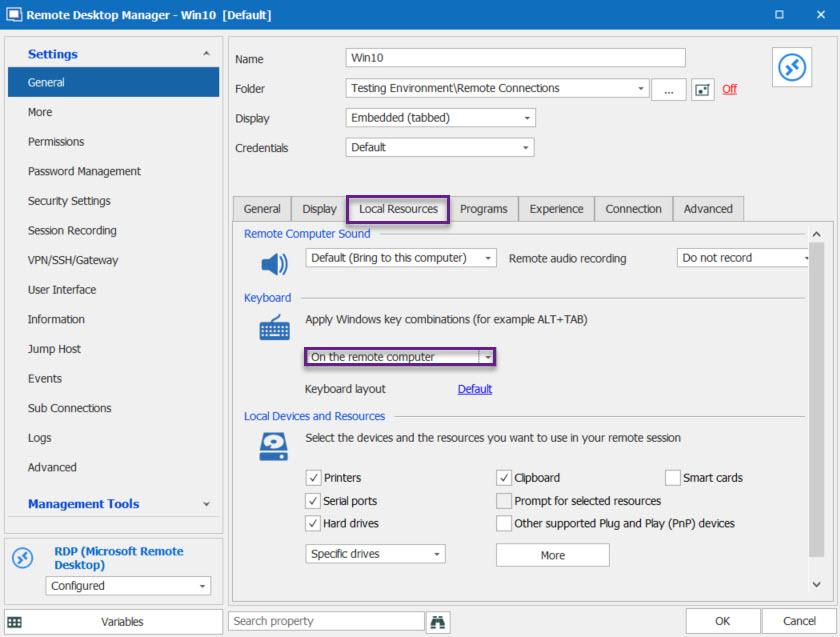
If you are try to send the shortcut in a RDP session, do you have the "Apply windows key combinations" option set to "On the remote computer" under the Local Resources tab of your RDP session?
Best Regards,
Etienne Lord
rdp.jpg
Hi Etienne,
this worked perfectly, great! :) Thanks.
regards,
Werner
Hello,
Glad that it's working now! Do not hesitate to contact us back if you have any other issues :thumb:
Best Regards,
Etienne Lord
Maybe one other short question, is it possible to set these setting as a "preset", for all new entries?
regards,
Werner
Of course!
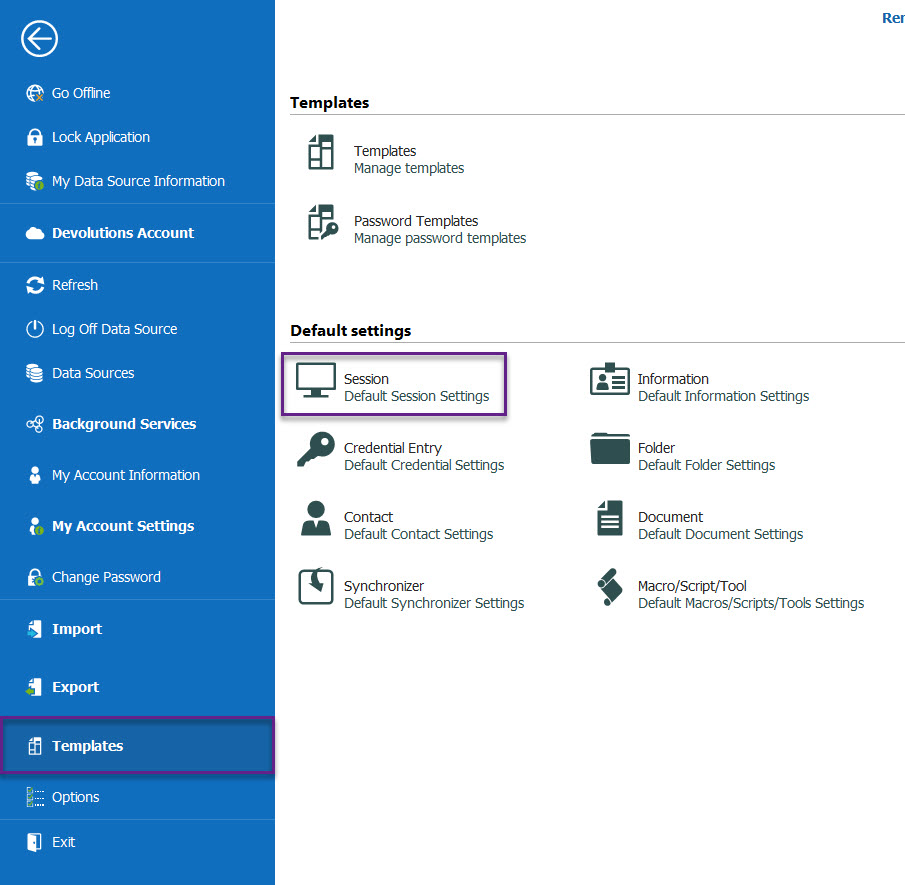
With the Enterprise edition, simply head over to File - Templates, under Default settings, choose "Session". From there, look for RDP (Microsoft Remote Desktop), you will then be able to set the option mentioned above in the Local Resources tab, the option will then be enable automatically for all new RDP sessions that you create :)
Best Regards,
Etienne Lord
template.jpg
Great, it is now a preset! That makes me happy!
Thanks again, Etienne.
regards,
Werner
My pleasure :D
Etienne Lord