Disabling credssp on RDP is not working

Hello,
When i select option to Disable support for CredSSP in RDP connection (set it to false) it's not working.
When i do that same thing using rdp file in system (editing by notepad) then its working.
I think that option not working properly on Remote Desktop Menager, and none selected option is working: false, true, default.
All Comments (15)
Hello,
What version of RDM are you running?
Could you try to create a functional .rdp file and import this file in RDM and see if it's working as expected?
Best regards,
Jeff Dagenais
Sorry for my delay but i didn't get notification that someone responded :/
When i create rdp file witch option and import it to RDM then it works but rdp session is opened in separated windows.
When i change to open in tab then it stoped working.
Most of serwer i have are windows 2012r2 and above (now mostly 2016/2019).
Hello,
After switching to embedded display mode with this new entry, when trying to connect, do you receive an error message?
Do you have something relevant in Help -> Application Logs?
Best regards,
Jeff Dagenais
Hi,
In order to correctly disable CredSSP in RDM, you have to modify two options. We have created a ticket to simplify this in the future.
1) In the "Connection" tab, uncheck "Activate network level authentication NLA (SingleSignOn). You probably also want to change "If the actual verification does not meet minimum policy requirements" to "Warn me" as "Connect and don't warn me" is unlikely to work with default system policies.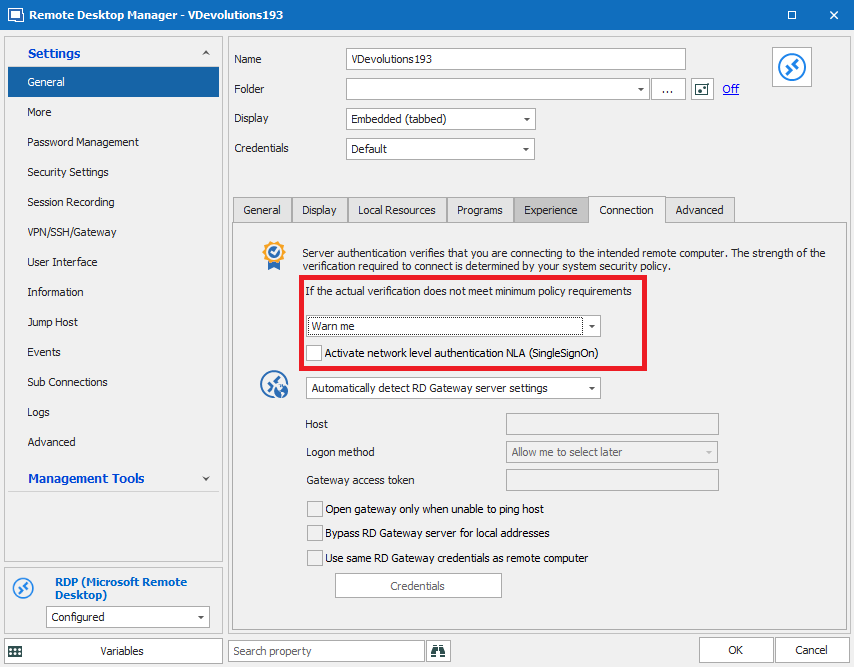
2) In the Advanced tab, set "Enable CredSSP support" to False. This is the part you have already done.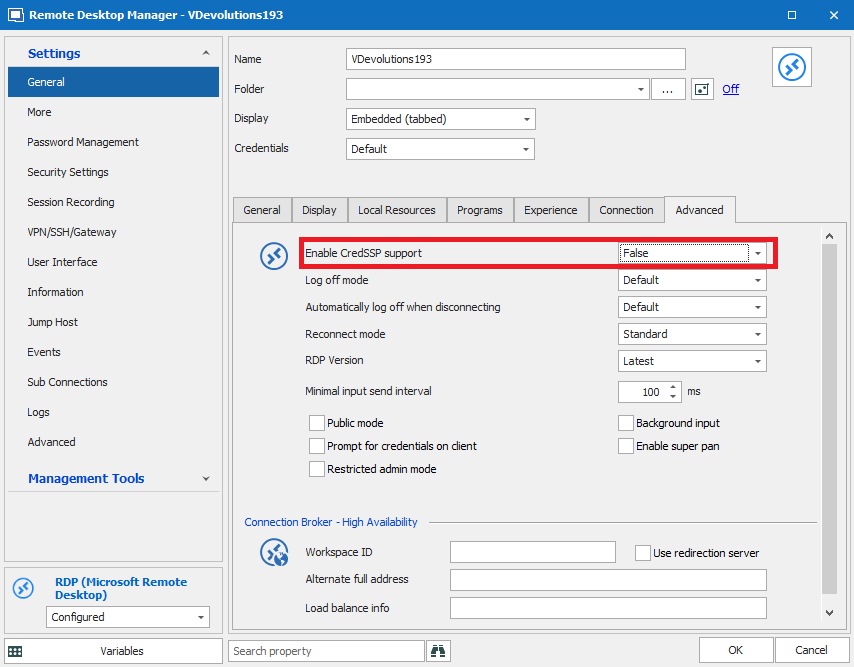
With those two options set to what is shown in the screenshots above, CredSSP should now be correctly disabled.
Best regards,
Marc-André Moreau
RDP_Tab_Advanced.PNG
RDP_Connection_Tab.PNG
Thank you,
i will try this tomorrow :)
I forgot to answer, sorry.
Everything working lik should :)
Again Thanks.
Sorry to bring back an old post...but I'm having this issue as well...except I'm trying to load up directly from .rdp files from CyberARK. Is there any place you can set up default settings for RDP connections in RDM, and not just for saved connections?
Hello,
We've actually had the same request from another user of CyberArk. We've added a new option to change the default NLA value in the options:
If you configure this value, it will change the NLA configuration used even when opening external .RDP files. Hopefully this will help solve your issue!
This will be available starting with RDM 2021.2.
Regards,
Hubert Mireault
Hi,
I have the problem that the registry-key setting CredSSP to vulnerable is set, but on domain controllers i can't logon via Devolutions Remote Desktop Manager
On the same server using mstsc is working without problems.
I tried just to activate and disable NLA but nothing changed.
I* m using RDM version 2023.01.22.0 64-bit
How can i configure RDM to access to DCs?
Regards
ALobis
Hi,
If you try launching the RDP connection in external mode from RDM, does it work?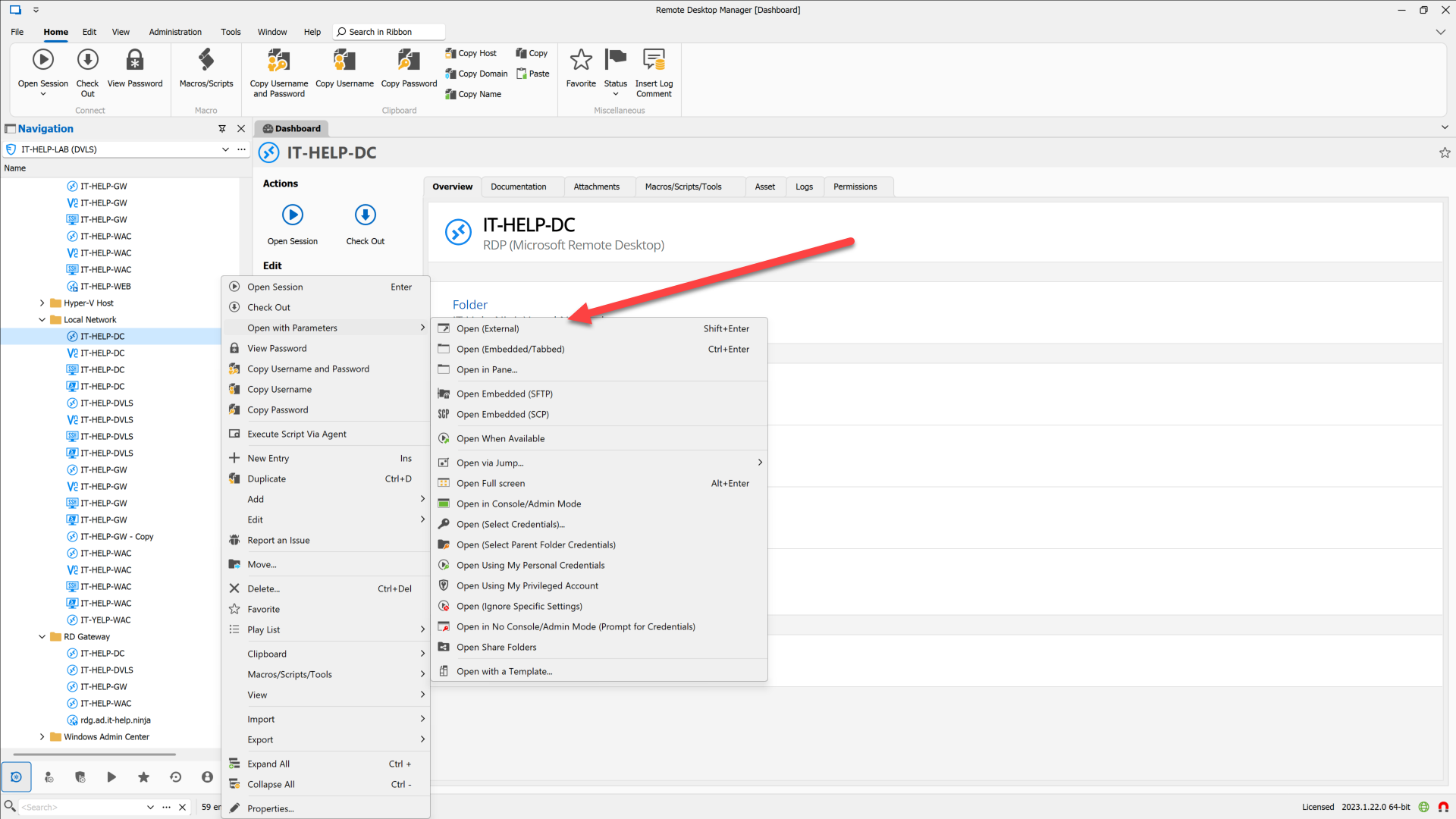
Also, is there a particular reason why you need to set the CredSSP vulnerable registry key?
Best regards,
Marc-André Moreau
1993a529-3028-4e22-a397-52de9d92acd3.png
Hi,
Thanks for the quick response.
Also with "Open (external )" same result.
How you can see, Parameter is set in registry
this are the connection Settings in RDM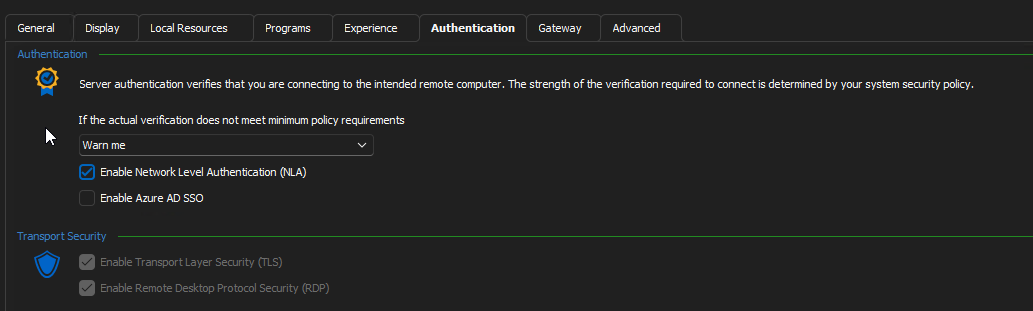
Without the NLA-Flag i get this error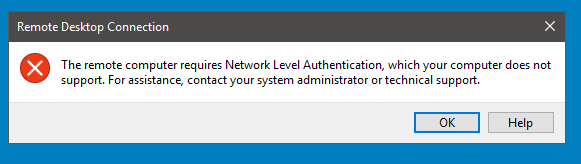
With the NLA-Flag i get this error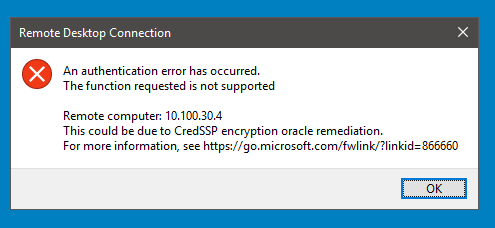
regards
Alobis
bad6359c-5ac6-4b83-b370-0ce77585c49e.png
0bcc676f-7acb-48aa-879a-300447fa06de.png
0654b884-addb-4ce3-98b8-90875fc05217.png
639fd0f8-e90c-4ff4-a860-e7097f320f71.png
Hi,
I'm a bit confused - you said earlier that mstsc on the same machine works, but from your screenshots, it looks like the target server you're trying to connect to enforces NLA, meaning you can't disable it in the RDP client. Did you successfully connect to the same server with or without NLA using mstsc?
Best regards,
Marc-André Moreau
Hi,
on mstsc i can't set not using NLA, there is only teh option "Do not connect", "Warn me", "connect and don't warn me"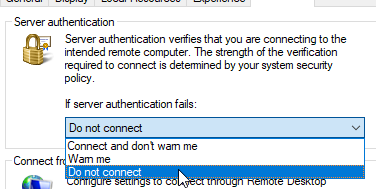
I flagged out the option on RDM and then i get the error "The remote computer requires Network Level Authentication ...."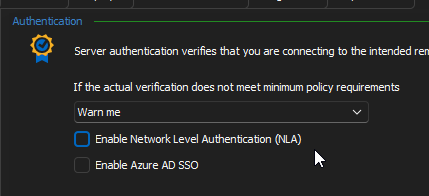
With NLA-Option flagged I get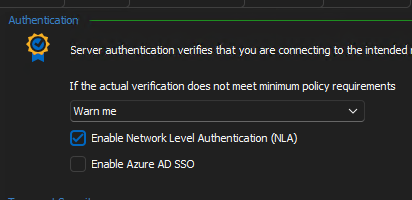
Regards
ALobis
2549e264-ef08-4470-93bc-e889aa3e54a6.png
64b6cf32-196c-4e71-9dac-2a8c0676eadb.png
7eea3ea2-61ca-4470-abd8-e9dc86cfea0d.png
Hi,
mstsc doesn't expose a way to disable NLA from the UI, you need to edit the .rdp file and all the following line:
enablecredsspsupport:i:0
If you didn't launch mstsc with an explicit .RDP file, it uses ~\Documents\Default.rdp - it's a hidden file, but you can edit it. Otherwise, you can save the file and open it later like this: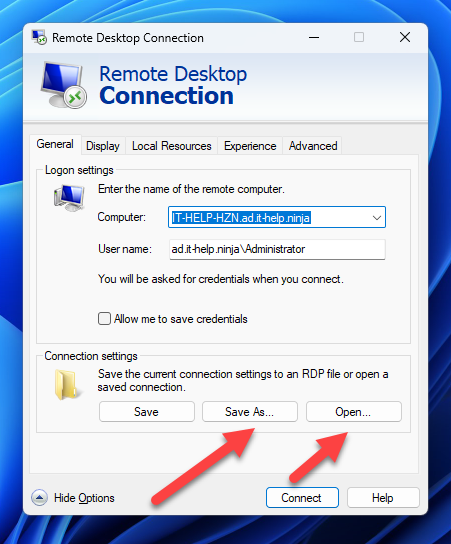
It is still unclear to me if mstsc can connect to the target RDP server in question from the same machine where it currently fails with RDM in both embedded and external modes. From what you just said, disabling NLA is not the issue, since NLA is enforced server-side, and you didn't know how to disable NLA with mstsc, so you can't have tested it with NLA disabled. When launching the RDP connection from RDM in external mode, it correctly exports enablecredsspsupport:i:0 in the .RDP file, which is why you could see "the remote computer requires Network Level Authentication" - you'll get the same error if you successfully disable NLA in mstsc manually through the .RDP file.
What I suspect happens here is really related to the CredSSP encryption oracle remediation, something which we don't control on our side, this is handled by Windows through the built-in CredSSP module, and RDM doesn't touch that part. If it works with mstsc, it should definitely work with RDM in external mode, and it should (normally) also work through the RDM embedded mode.
Best regards,
Marc-André Moreau
ca687d8f-2ae4-488f-a436-58cf5af90a9e.png
Hi,
with setting "enablecredsspsupport:i:0" in RDP-File i get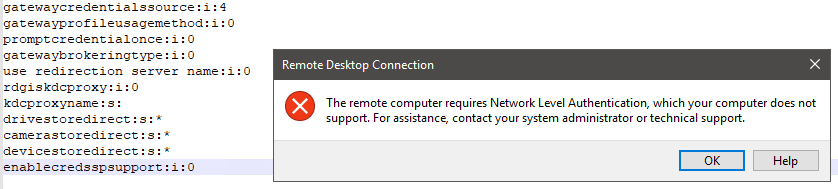
Without this setting or value set to "enablecredsspsupport:i:1" is working.
In the "default.rdp" there isn't set the value "enablecredsspsupport:"
I have tested without NLA from RDM only
Using RDM with external mode or also "Quick Connect", i get
Regards
Alobis
233c691f-aa93-41b4-ae58-aab0b58a285c.png
download.png