RDM Record ask for FFmpeg installation path

Disabled
Hi,
using RDM 2019.2.24 when we try to use record in HELP - Record. It's asking for FFmpeg installation path.
Regards
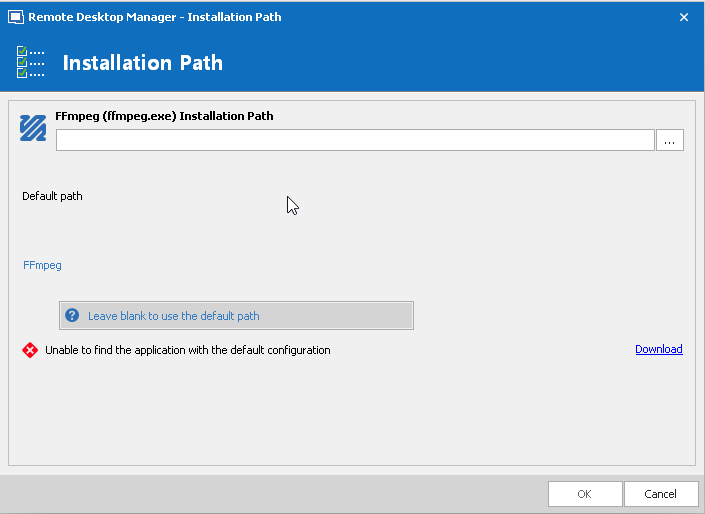
ffmpeg.png
All Comments (10)
Hello,
FFMPEG is no longer included in our package. You would need to download it manually.
https://www.ffmpeg.org/download.html
Best regards,
Jeff Dagenais
Disabled
Ok thanks
Hello,
Please take care that the existing link for downloading ffmpeg is not working anymore
ffmpeg.zeranoe.com will close on Sep 18, 2020, and all builds will be removed. If you're using Zeranoe FFmpeg Builds in your product, please ensure that you have a hosting strategy in place by the 18th. Thank you to everyone who supported the project along the way!
Hello,
Thanks for the heads up, we will be changing the direct download link to a working one. For now you can find a download to FFMPEG on their official site at https://ffmpeg.org/download.html
Regards,
Hubert Mireault
Hello,
Our documentation is up to date regarding the download link
https://kb.devolutions.net/rdm_record_ask_ffmpeg_path.html
Thank you for your feedback
Best regards,
Jeff Dagenais
Hubert,
Two others things regarding the recording :
- With a standard Win10, it seems that only wmv file extensions can be played with a standard user account. MP4 needs to use another player (like VLC) and to launch it with admin rights.
- The quality is really poor with the default settings. I think the compression rate is too high and you cannot set the pictures/second above 20
Is there any solution for at least improving the quality. I guess it depends which command-line is sent to ffmpeg ?
Hello,
For the first point, I'm not sure there's anything we can do about that. We simply call the ffmpeg command line to record / stop recording the video, as you mentioned. I suspect there might be restrictions on your user account and you would have this issue with other MP4 files.
For the second point, did you try setting the resolution to "full size"? Also, RDM remembers the last options you used in this window, so it will become the "new default".
Regards,
Hubert Mireault
Second point : full size is ok, it seems to be the best.
First point : I will recheck in the next days from some out-of-the box.Windows
Regarding the format : flv and wmv are really the worst.
But mkv and mp4 are avc1 encoded, this codec is not present in Windows 10, you need an extra player such VLC to play these files.
Some months ago, you could download an official HVEC codec for free from Microsoft but this is not the case anymore (since October)
https://www.youtube.com/watch?v=Ld7f85cKigA
For my information, is it possible to know the different command lines sent to ffmpeg for these 4 file formats ?
Hello,
Here's an example command that RDM sends:
-y -loglevel info -f gdigrab -draw_mouse 1 -framerate 8 -i title="Remote Desktop Manager [Dashboard]" -r 8 C:\Users\hmireault\AppData\Local\Temp\RDM\record.mp4
From the ffmpeg documentation, there's no need to specify the output format explicitely, as ffmpeg will automatically detect it:
-f fmt (input/output)
Force input or output file format. The format is normally auto detected for input files and guessed from the file extension for output files, so this option is not needed in most cases.
Regards,
Hubert Mireault