RDM MySQL Configure Proper "Login"

Hello,
we are running RDM with a MySQL data source on VMs, because of that we need to provide something like a login window after RDM was started.
Therefore, I've just configured the data source and left the username and password blank.
After doing that, some users complained about the following cosmetic problem:
After starting RDM, the password field is focused. So users can't login by typing <username><tab><password><enter> and have the set the focus to the password field manually.
Do I have any options to configure this in a better way?
BR
psc
All Comments (8)
Hello,
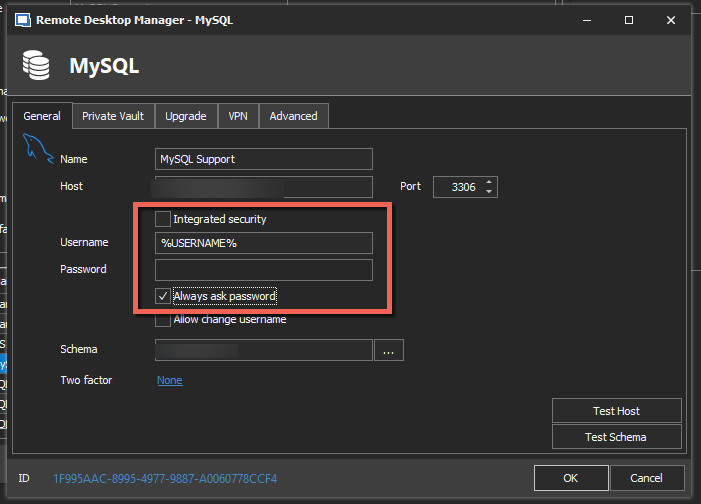
Is the username the same username that they use to authenticate on their computer? If yes, maybe you can try this configuration
Best regards,
Jeff Dagenais
2020-01-06_08-53-21.png
Hi,
thanks for the suggestion but the username is not the same...
BR
Hello,
In that case, enabling the Allow change username option under File -> DataSources -> Edit should do the trick.
With that option enabled, the username field will be focus when opening RDM to authenticate on the datasource.
Best regards,
Jeff Dagenais
Hi,
I tried that with the newest RDM version.
When RDM asks for the credentials after creating the entry, the focus is right.
But when I start RDM from Windows, the focus is always on the password field...
BR
Hello,
What version of RDM are you using on your PC?
Is it possible to send me a screenshot of your File -> DataSources window from that workstation?
Best regards,
Jeff Dagenais
Hi,
sure I've attached the sceenshots.
RDM Version is Enterprise 2019.2.22.0 64-BIT
BR
rdm-2.PNG
rdm-1.PNG
Hello,
I have been able to reproduce the behavior with RDM 2019.2.24.0.
I opened an improvement ticket to our engineering department to see if its possible to put the cursor inside the username field instead the password field when the window popup.
The ticket number is RDMW-4315.
Best regards,
Jeff Dagenais
Hello cust0mfirmwar3,
The issue has been fixed internally.
All changes will be effective in the next update (2020.1.0.0)
Regards,
Gabriel Dubois