Restore Open Sessions on Startup (Free)

I have been forced to downgrade to the Free version of RDM since there are some disagreements with Sales for our Enterprise license renewal.
I have the free version installed and configured but I don't see a way to restore sessions on startup after I close RDM. Is this only a feature with the Enterprise package?
All Comments (2)
Hello Chris,
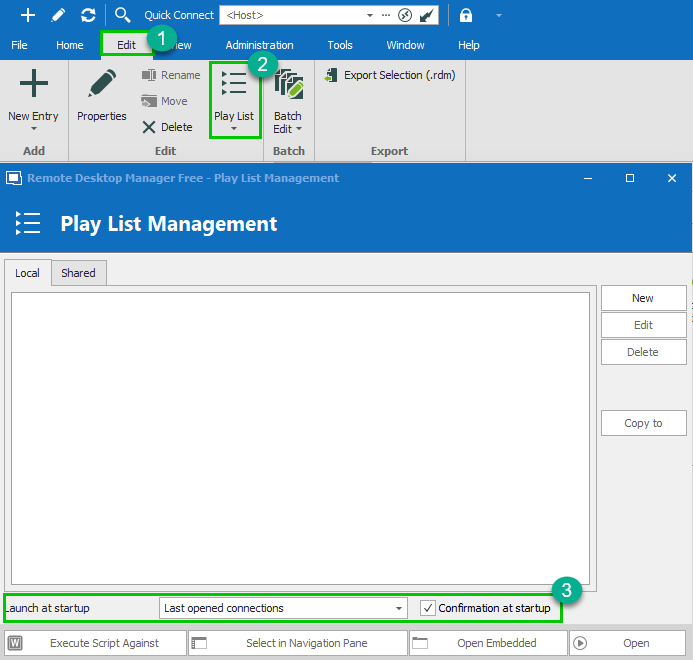
In order for you to be able to reopen the session that was active when you closed RDM, you would need to go under the following location:
Edit (1) -> Playlist (2) -> Playlist Management -> Set the "Launch hat startup" to "Last opened connections" and check "Confirmation at startup"
Best regards,
James Lafleur
PlayListManagement.png
Thanks. I already had that set, but noticed there was another playlist in my list. I deleted that playlist (to match your screenshot) and it seems to be working now.
Have a great holiday!