Unable to add or update datasources after latest update 2019.1.21.0 64bit
Unable to add or update datasources after latest update 2019.1.21.0 64bit

After updating to the latest version I am unable to add a new datasource (tried Online Drive, Dropbox) or update an existing one. This goes for both the Windows and the Mac client... Any ideas on what to check?
All Comments (7)
Hello,
This is very strange.
What do you see in File -> DataSources?
Do you encounter the same issue if running RDM as an administrator?
Best regards,
Jeff Dagenais
Admin or not does not matter. Can’t enter anything with the keyboard...
Hello,
Is it possible to send us a small video of the behavior?
Best regards,
Jeff Dagenais
Will give it a shot tomorrow morning and upload it here...
Small video of the issue that I am seeing... Same thing happens on the Mac...
RDM_Issue.mp4
Hello Mattias,
Thank you for taking the time to record this behavior.
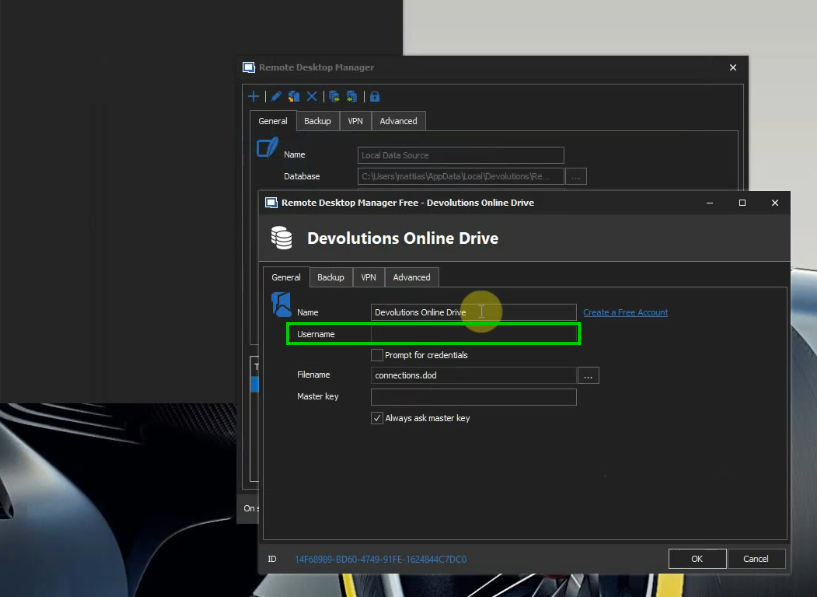
From your video, we can see that everything is working as designed. The Devolutions Online Drive Data Source does not allow you to write in the "Username" field located under File -> Data Sources -> Edit:
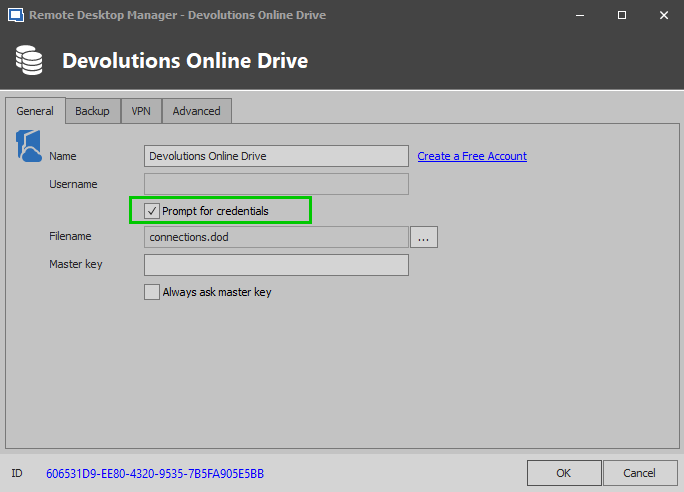
To use another Devolutions Account than the one currently saved in your cache, you need to check "Prompt for credentials" and then click on "Ok" to save your new Data Source:
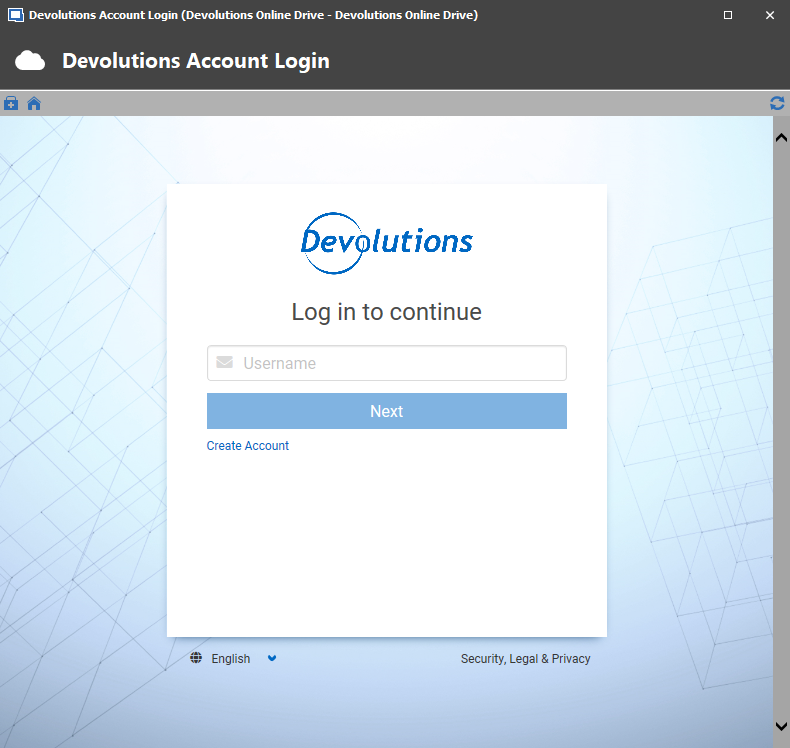
In doing so, you will be prompted to enter the credential of your Devolutions Account once you connect to this new Data Source:
Please note that our engineering department is currently working on an improvement to change this limitation.
I hope this helps!
Best regards,
James Lafleur
LogIn.png
Prompt.png
Username.png
Hm...
Must be mistaken then about how to set it up... Will look into it. Thanks for the clarification :)
//M