Edit multiple user specific settings / copy username and password
Edit multiple user specific settings / copy username and password

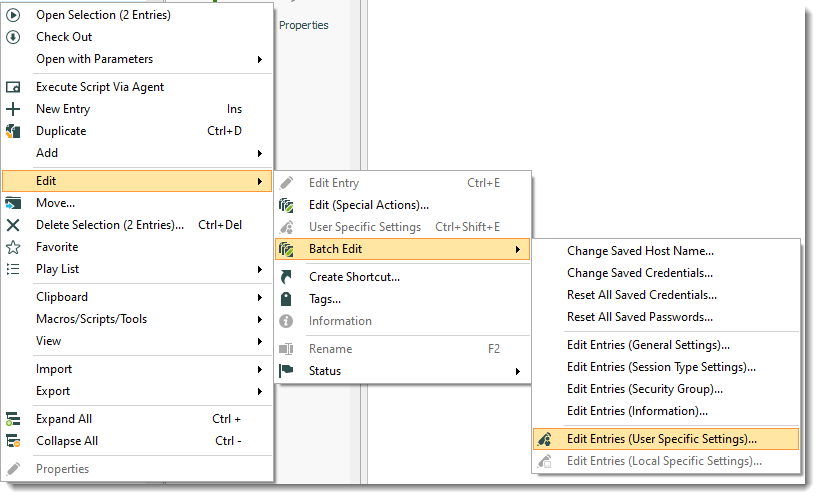
After updating RDM we have recently lost the ability to click on "edit user specific settings" for multiple entries.
Works fine with just selecting one entry.
Also we used to be able to select "copy username and password" to clipboard, but this no longer works aswell.
"Copy username" and "copy password" works fine individually, but not together.
All Comments (5)
Hello,
Which version of RDM are you using?
What type of data source is selected?
Best regards,
David Grandolfo
Hi,
Version 2019.2.19.0
MS SQL datasource.
Hello,
We were able to reproduce the copied username and password issue. The internal ticket related to this issue is RDMW-4084.
Regarding the User Specific Setting, when editing multiple entries, the Batch Edit needs to be used. As you could see in my print screen below, go to Edit -- Batch Edit- Edit Entries (User Specific Settings)...
Best regards,
David Grandolfo
Batch-USS.png
Hi David,
Thanks alot, im assuming that RDMW-4084 will be fixed in a later release?
Hi,
Correct it should be fixe in RDM 2019.2.20.0.
Regards,
David Grandolfo