Host Entry and AnyDesk session template

Hi, I have the following assignment.
In RDM I need to create a "Host Entry".
I need to make a template for AnyDesk session to use with this "Host Entry".
In which field of "Host Entry" should I write data for Anydesk so that I can use it in Anydesk templates as variables.
Thanks in advance.
All Comments (5)
Hello,
If I understand correctly, you can create the AnyDesk template in File -> Templates -> Templates, with $Host$ as the host in your Anydesk entry.
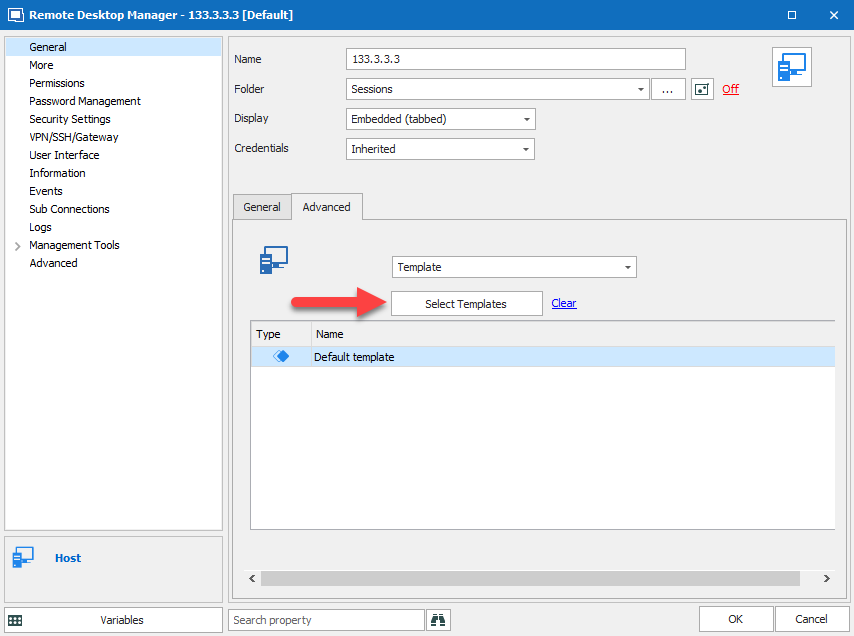
From there, in your Host entry, under the Advanced tab, you will be able to choose the Anydesk template you just created. Let me know if this is what you were looking for!
Best Regards,

Etienne Lord
template.png
anydesk.png
Hello again.
The steps are these.
In the template, the $host$ variable takes the value of the host field from "host entry".
But this is not a valid AnyDesk number.
This is probably an IP address or FQDN
I want to know in which field of "host entry" to write down the number of Anydesk so that it has a variable that anydesk template can read?
Hello,
Indeed, in doesn't to work, we will look into it.
Best Regards,
Etienne Lord
Hello again.
I sorted the items the other way.
I created sub connections.
The $PARENT_CUSTOM_FIELD1$ variables now work.
But not when I want to transfer $PARENT_CUSTOM_FIELD2$ where Anydesk's password is stored. If I type the password in the AnyDesk password box, everything works.
If the choice of credential indicates that they are inherited from the parent, it works too. If the password is the same.
0004.png
0003.png
0002.png
0001.png
Hello,
Could you try to check the "Allow Password in Variable" in the Security Settings tab of your session.
Best Regards,
Etienne Lord