AnyConnect for Mac

I'm working on trying to create shell scripts for AnyConnect on the Mac and was wondering why there isn't built-in support in RDM for Mac? Is there a way to get that integration, or a copy of the windows script that I can edit for the Mac?
All Comments (6)
Hi Frank,
Do you mean the Cisco AnyConnect Secure Mobility Client? If so, there is a VPN entry for it:
Do you have issues with it?
Best regards,
Xavier Fortin
Hi Xavier,
Yes, we have that. On previous releases, and even earlier this morning, I would get an error when trying to run it. I just tried it on multiple instances that we have and they seem to be working now...I'm not sure what changed since this morning!
Hi Frank,
Glad to hear this work now!
I have to say the AnyConnect integration is a difficult one to maintain. The application itself does not provide command line or AppleScript support and offer no other supported way to feed it credentials. Therefore we have to interract with the UI directly (with Assistive Access). This is prone to breaking if they do any changes of consequence to the UI of the application.
In those instances, do not hesitate to communicate with us and we will see if we can fix the integration.
Best regards,
Xavier Fortin
Yes, I found that was interested, but creating a shell script was working for me using the following:
/opt/cisco/anyconnect/bin/vpn -s connect [VPNURL] <<"EOF"
[USERNAME]
[PASSWORD]
y
EOF
Then doing "chmod +x FILENAME"
It was working, but I had to create a second script for the disconnect.
It's working now, which was the goal!
Hi,
I'm trying to use the embedded VPN: Cisco AnyConnect Secure Mobility Client, but I don't see much reaction from the client when activating the session, but if open the window (Show Anywhere window) before I execute the session, I get the following windows and errors:
Before Open session:
Efter "Open session":

Obviously there is no such button as: "Connect Anyway".
PS. This VPN is preconfigured by an XML conf file, which holds the host name, and some other connection information, so basically (running manual) I just need to choose which connection (Customer) I want, and type user and pass, and then "Ok", then wait for a challenge code by SMS to be added in next window to finally be logged in.
Can you help get this going?
Venlig hilsen/Best Regards,
Bjarne Dein
Hi,
Since Cisco AnyConnect does not provide a CLI for easy uses by third party, it forces us to uses AppleScript and the Accessibility feature to "fill" and "press" buttons automatically. This make the feature quite finicky.
That being said, the attempt to "Connect Anyway" refers to (if my memory serves me well) some kind of certificate verification view that might very well not appear in your case. You can simply disable this step of the autofill by unchecking the following checkbox: 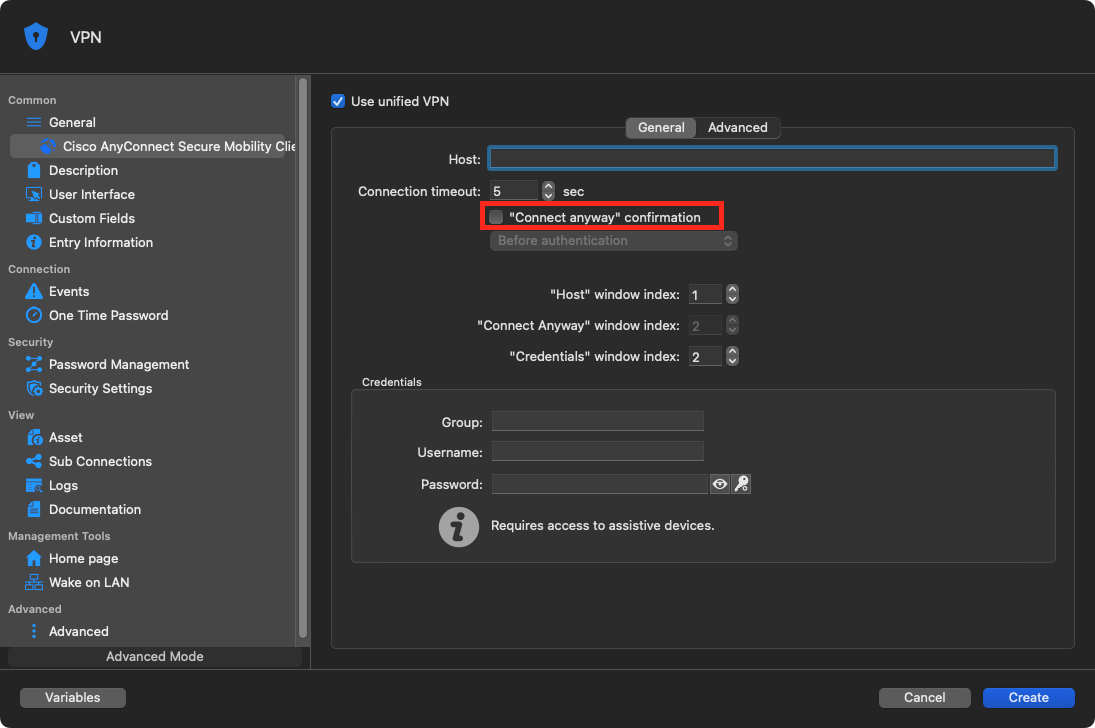
Best regards,
Xavier Fortin
AnyConnect.png