Can Remote Desktop Window Enlarge?
0 vote

When I shrink the windows of remote desktop manage. The content of remote desktop windows will shrink with main windows. 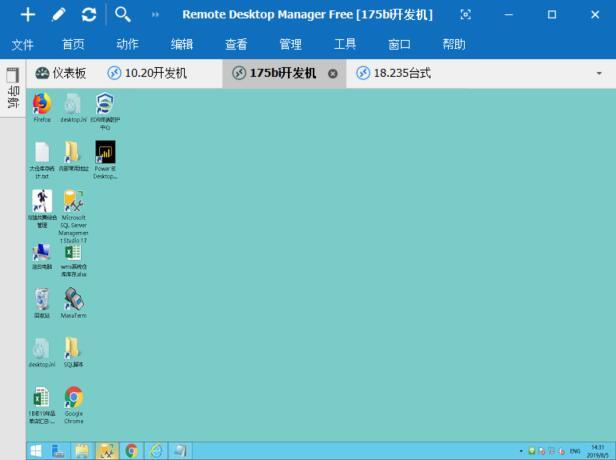
But I enlarge the main windows. The resolution of remote desktop windows is 1:1, it will not zoom in. and become blank on the edge.
Microsoft's remote desktop has this enlargement function
All Comments (7)
Hello,
Would it be possible for you to go in the Properties of your RDP entry, under the "Display" tab and set the "Screen Sizing Mode" to "Smart Reconnect"?
Doing so should solve this issue.
Best regards,
James Lafleur
I've already tested "Smart Reconnect". This mode actually changes resolution.
If my computer is a high-resolution screen. I connect to XP or 2003 remote computer. The text on the remote desktop will become very small. At this point, I want to zoom in on the remote desktop, similar to zooming in on pictures.
Hello,
Unfortunately, this cannot be achieved.
Since the "Smart Reconnect" option did not suit your needs, you could try to use the "Smart Sizing" feature located in the same location instead.
Best regards,
James Lafleur
"Smart Sizing" is only useful for narrowing windows.
When the window is larger than the size of the remote desktop, the margin is left blank.
Hello,
How would you achieve this outside of RDM?
Best regards,
James Lafleur
Yes. I can achieve this by MSTSC
MSTSC has ZOOM menu, can shrink from 50% to 300%
Hello,
Since the feature you are looking for is supported by MSTSC.exe, I would recommend that you set your RDP entry to launch in "External" mode.
Doing so, the same option will be available to us and it will also provide you a larger display.
I hope this helps!
Best regards,
James Lafleur