some little UI effects
Hi,
I notice 2 small, but rather enoying, behaviors on RDM (2019.1.39.0 64 bit Enterprise):
If I open an SSH item via right click or via the actions button it opens well AND in front of the RDM program.
But if I double click on the item it always open behind the RDM program?
I only have this on SSH items. But sometimes it works fine and then suddenly this behavior happens and stays like this.
If I drag an item and then press the Ctrl button to make a copy of this item I don't see the + icon appearing.
It only appears for a fraction of a second after I release my mouse button.
Therefore it makes it difficult to see the difference between move or copy while dragging.
I just don't know if the second item has to do with the fact that I'm using RDM windows via a Parallels VM....
The first item happens also with my colleague on a normal PC.
All Comments (6)

Hello,
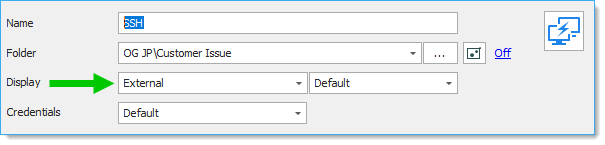
For the first issue, what type of SSH session are you using? SSH Shell, Putty, Rebex? Is the Display mode set to External?
For the second issue, I can't seem to be able to reproduce it on my Parallels machine. However, UI issues are not uncommon with Parallels.
Best regards,
Jean-Philippe Charest
DisplayMode.png
Hi,
It's putty I think.
Is it the one that is defined in Options -> Type -> Putty ?
There is is Putty.
And it is called undocked and External is not there???
Maybe that's the problem?
All the other items are on external and there I don't have this issue.
The +-sign worked once in the beginning and now never again.
It appears at the end, if I release my mouse...
Hello,
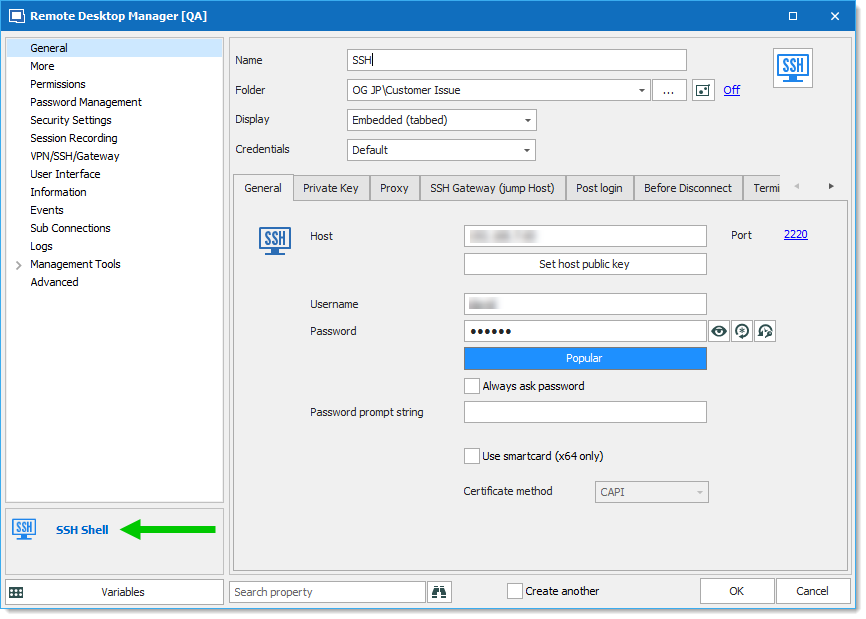
You can verify which type of session you use by looking at the bottom-left corner of the properties of an entry.
Since you mentioned to have only the Embedded and Undocked options, I suppose you are using an SSH Shell session.
This is our new implementation of the SSH Shell protocol.
The issue might be caused by the Undocked display mode. Did it ever happened with other types of sessions?
Would it be possible for you to export the entry and attach it to this forum thread? To do so, Right-click the entry - Export - Export Selection (RDM)...
DO NOT include any credentials.
Best regards,
Jean-Philippe Charest
SessionType.png
This the item.
This does not happen with other types.
How can I test with another SSH (putty)?
Core.rdm
Hello,
Thank you for the export.
Unfortunately, I still cannot reproduce any of the issues.
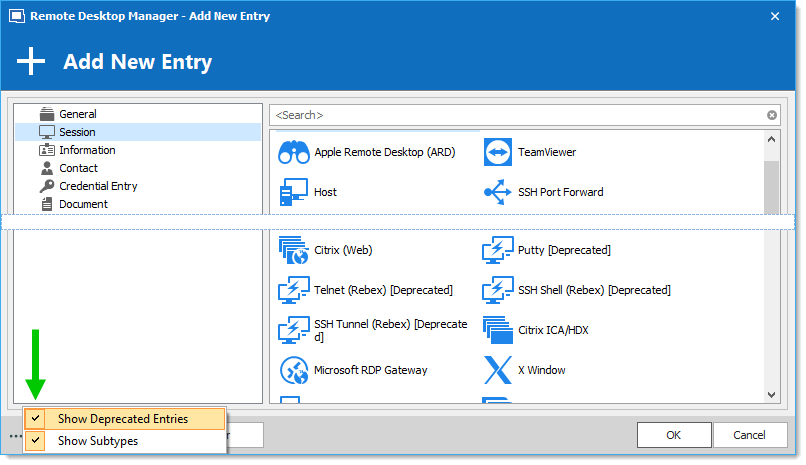
If you want to test them, other type of SSH sessions are deprecated and hidden from the application, but you can find them by enabling the "Show Deprecated Entries" option when creating a new entry. However, we recommend using our implementation of SSH Shell since it's easier for us to troubleshoot.
I can suggest testing two more options to try solving your issue with the undocked display mode:
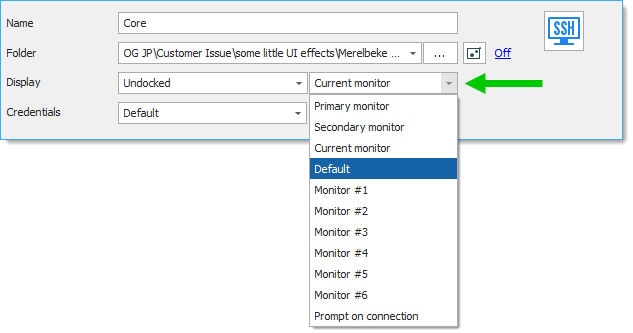
1. In the entry you exported, I noticed that the Display mode is set to select the current monitor when connecting. Does the issue still occur if you set this option to Default?
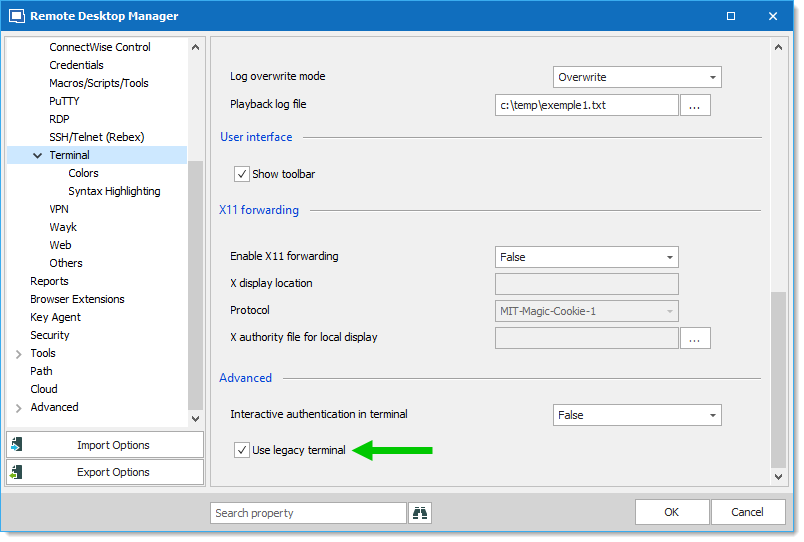
2. Using the legacy implementation of the SSH Shell session might resolve the issue. Navigate to File - Options - Types - Terminal and enable the Use legacy terminal option.
Best regards,
Jean-Philippe Charest
Monitor.png
LegacyTerminal.png
deprecatedEntries.png
Hi,
1. Does not make a difference. Does not help.
2. Same issue here. Does not help. (is also undocked mode)
I created a Deprecated Putty and this one is ok.
I added a movie to see it.
First test is open the session via the Action menu -> OK
Second one is double click on a Putty session -> OK
Third one is the problem one, opened with a double click. -> NOK
behind.mp4