Built-in SFTP sudo

Hello! Sorry for my English, I'm from Russia))) I bought RDM Ent and am very happy about it, you are doing a great job! I had one question and I did not find the answer. Can I configure the built-in SFTP with the sudo command, or I will have to continue using WinSCP, since without sudo I cannot work with files - no rights. In the screenshot of WinSCP there is a field where I can register sudo. Is it possible to do the same with the built-in RDM tools in order not to use WinSCP? Authorization by key only. Thank!!!
WinSCP.jpg
All Comments (16)
Hello,
This feature is not currently implemented in RDM.
I have opened an improvement request to our engineering department regarding this. The ticket number is RDMW-3333.
Best regards,
Jeff Dagenais
Hello,
We will add this for RDM 2019.2, we're hoping to release a beta version towards the end of the week.
The option will be called "server start command", and it will be located in the "advanced" tab of the SFTP entry.
Regards,
Hubert Mireault
Hello! Today I m install RDM 2019.2.14.0, and try new option. It works. Thanks for all Devolutions team!!! You are the greatest)))
Hi,
The sudo feature would be great on the SCP session as well. Currently in WinSCP we can sudo to another user as shown in the image.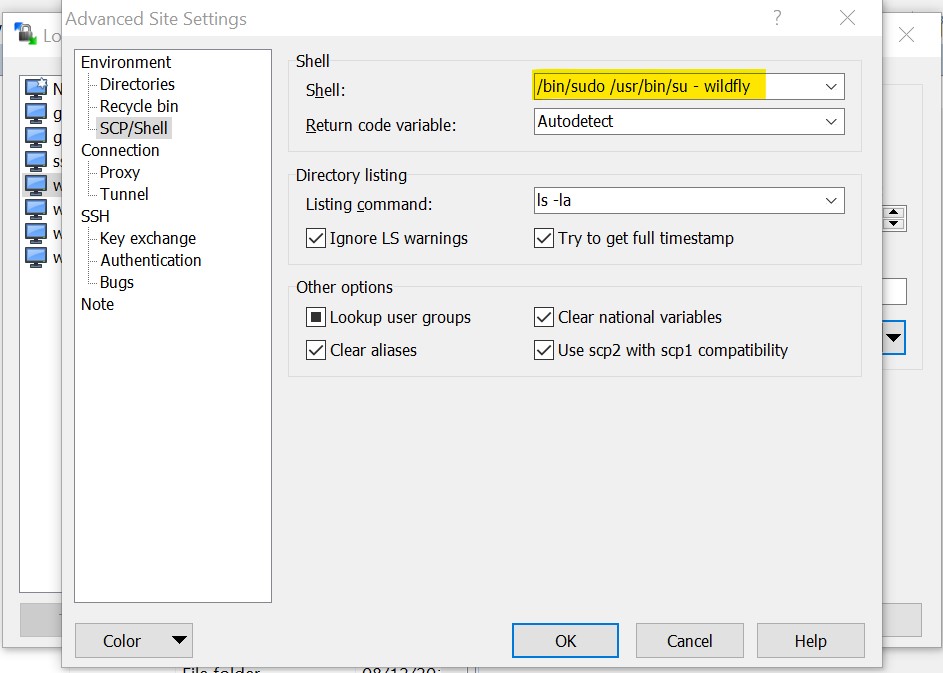
WinSCP_SCP_sudo.jpg
Hello,
We already have this feature request open, you can follow the thread https://forum.devolutions.net/topics/33456/rdm-v20201190-not-able-to-embed-winscp-window#140795. As soon as the feature will be available we will post on the other thread.
Regards,
David Grandolfo
ok, thank you will follow that thread.
Hi!
We still need a real availability to use sudo rights over scp and sftp. Please explain, which command to use in a "server start command" field to set sftp to use sudo. "sudo -i" and "sudo su -" do not work: file list is empty. WinSCP can connect to this server using "sudo su -".
Hello,
Thank you for reaching us on this!
I have contacted our Engineering Department on that matter and the person in charge of this feature will be able to help us as soon as he is back from vacation.
We will be in touch shortly.
Best regards,
James Lafleur
Hello,
My apologies, I forgot to mention that a ticket on that matter has been opened with our Engineering Department, the ticket number is RDMW-5853.
Best regards,
James Lafleur
Hello,
Our Engineering Department just informed me that this is already supported. That being said, you will need to use the entire command in order for it to work properly.
The command should be similar to: sudo - /usr/lib/openssh/sftp-server
The complete path of the SFTP server must be specified as an executor command in the sudo command.
Best regards,
James Lafleur
Hello.
This command does not work. I tried using it on Ubuntu server (sudo - /usr/lib/openssh/sftp-server) or on CentOS server (sudo - /usr/libexec/openssh/sftp-server), both of them does not show any files at all.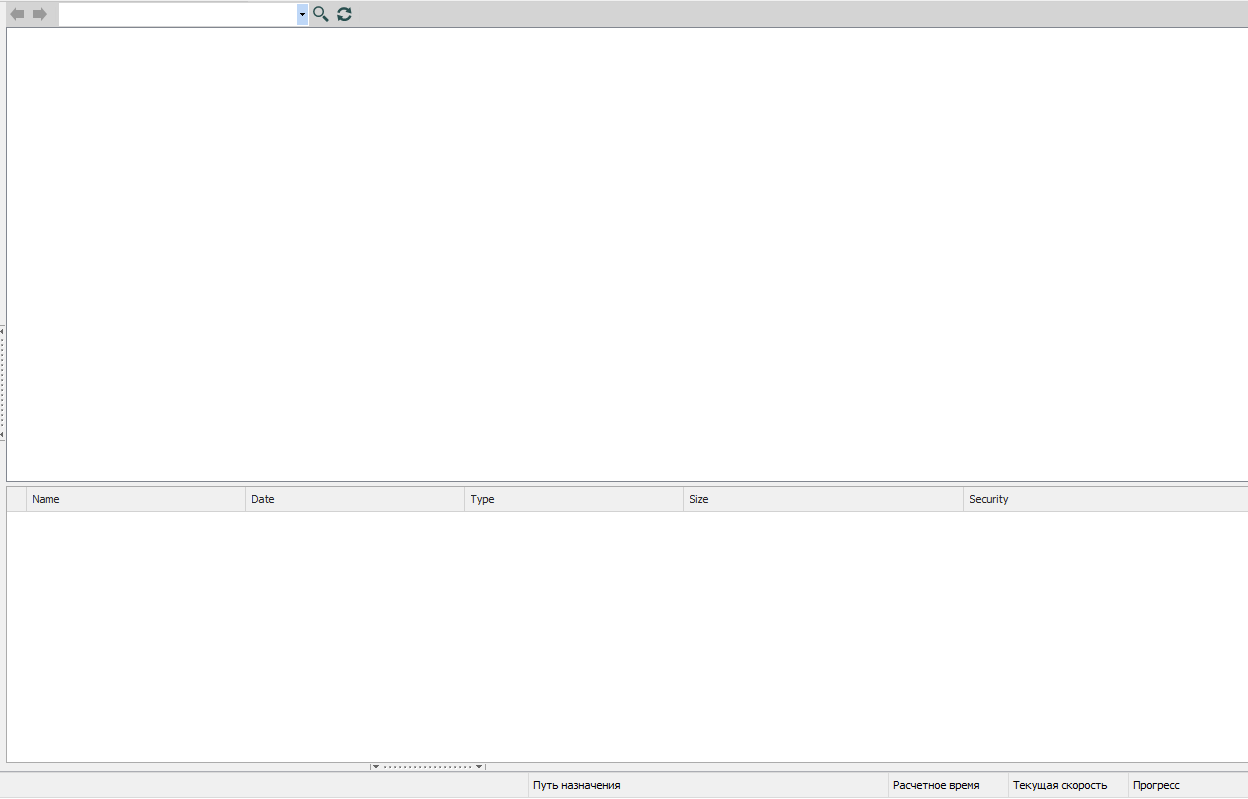
VWpmFJ3vGn.png
Hello,
Thank you for your quick reply!
I will transfer this information to our engineering department an get back to you shortly.
Best regards
James Lafleur
Hello,
After consulting on our Engineering Department on that matter, they mentioned that unfortunately since we have no UNIX expert, we cannot provide you the exact syntax needed in order for this command to work. That being said, enabling the verbose logs in your SFTP entry and then consulting them should give you more details on how to adjust the syntax of your command.
To do so, please go in the properties of your SFTP entry
1- Go in the Properties of one of your SFTP entry under the "Advanced" tab
2- Check "Show logs"
3- Set the "Verbose" to "2"
4- Check "Log to file"
4- Use the ellipsis to select a path to create your log
I hope that helps!
Best regards,
James Lafleur
Hello.
After enabling logs and analyzing results, I've detected that "-" in the sudo command was unknown by any system:
Received extended data: sudo: -: command not found
So now SFTP works fine with this commands:
- Ubuntu:
sudo /usr/lib/openssh/sftp-server - CentOS:
sudo /usr/libexec/openssh/sftp-server
Now I've detected another unusual behavior and interface errors:
- I can use keyboard arrows to choose a folder in the list of folders, but I cannot open them with "Enter" keyboard button, only by mouse double clicking. Absolutely illogical behavior.
- RDM freezes mostly every time during file edition on server. Files can be open, but RDM stuck after saving them in Notepad, notepad++ or any other editor. It stuck even when I choose "edit" on the context menu (right click on file -> edit) twice, first click don't open file, but shows success line in footer zone (but file doesn't open). The problem reproduces with and without sudo in server start command.
Another bug:
If I uncheck "Show logs", but "Verbose" is more than "0", "Show logs" won't save. I can turn off logs only when I set "Verbose" to "0"
Hello,
Thank you for your quick reply!
In order for us to be able to troubleshoot these issues, would it be possible for you to go under the "Help" section of RDM's ribbon and use the "Submit a support ticket" option to open a case with us? Through it, we will be able to request a recording of this behavior along with screenshots of the configuration of your entry.
Just make sure to mention the URL of this forum topic in the description of your ticket and I will be the one to help you with that case.
Best regards,
James Lafleur