{Space} as a Macro ?

Hi,
Probably a stupid question but i'm trying a macro, i have all the commands from the help except the SPACE
I tried {Space} but it does not work, also on the help i do not see it there as an option.
I need it so a checkbox is checked on a web site i'm opening.
Thanks
RDM for Windows 11
Purchased Enterprise Edition v2024.x
All Comments (6)
Hello,
space is treated as with other characters, so simply type a space in that macro.
Best regards
Maurice
yes i tried that, didn't work.
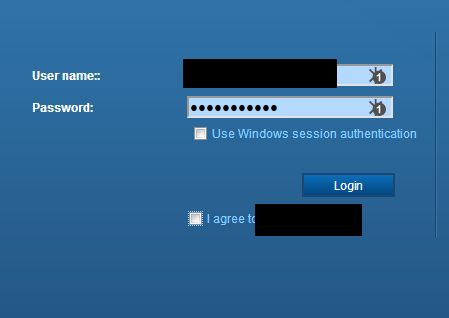
Its a login web page of vcenter 6.5
As you can see (little dot lines around the checkbox) the focus is correct
but the space is not issued. If i press it on my keyboard it checks the checkbox
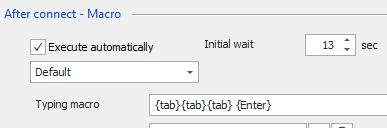
here is the macro:
Regards,
Vassilis
RDM for Windows 11
Purchased Enterprise Edition v2024.x
Clipboard-2.jpg
Clipboard-1.jpg
Hello,
It should work as it stands, my only worry is that the window is not accepting keyboard input because focus is somewhere else. If you do not click anywhere, but press on a key, does it appear in the window?
If not, I'll need to assign a tech to look into this with you.
Best regards,
Maurice
That's way i enter the screenshot and the info on my post.
Check it. You can see the "solid" line around the checkbow which means it has focus and yes if i press spacebar at that moment the checkbox gets checked.
RDM for Windows 11
Purchased Enterprise Edition v2024.x
Hello,
I think I have been able to make it work.
Could you try the following macro?
{TAB}{TAB}{SENDKEYS} {ENDSENDKEYS}{ENTER}
Let me know if it's working or not.
Best regards,
Jeff Dagenais
Yeap! That did the trick!!! thank very much!!!!
RDM for Windows 11
Purchased Enterprise Edition v2024.x