Overriding default configuration path creates configuration folder on desktop
Overriding default configuration path creates configuration folder on desktop

[RDM 2019.1.30.0 64-bit]
Hi,
overriding the default configuration path creates configuration folder on desktop when using a relative path.
Steps to reproduce:
Create a text file called "override.cfg" in RDM's installation folder (reference: https://help.remotedesktopmanager.com/installation_configurationfilelocation.htm)
Set the content of the file to ".\config"
Start RDM
Add an attachment to a session (this is where it goes wrong!)
A folder called "config" is created on the user's desktop containing "connections.log" and various configuration files (CFG, EXT, LYT) after closing RDM. These obviously belong to the config folder in RDM's installation folder.
All Comments (2)
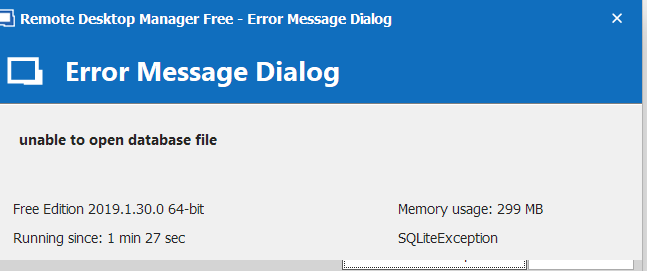
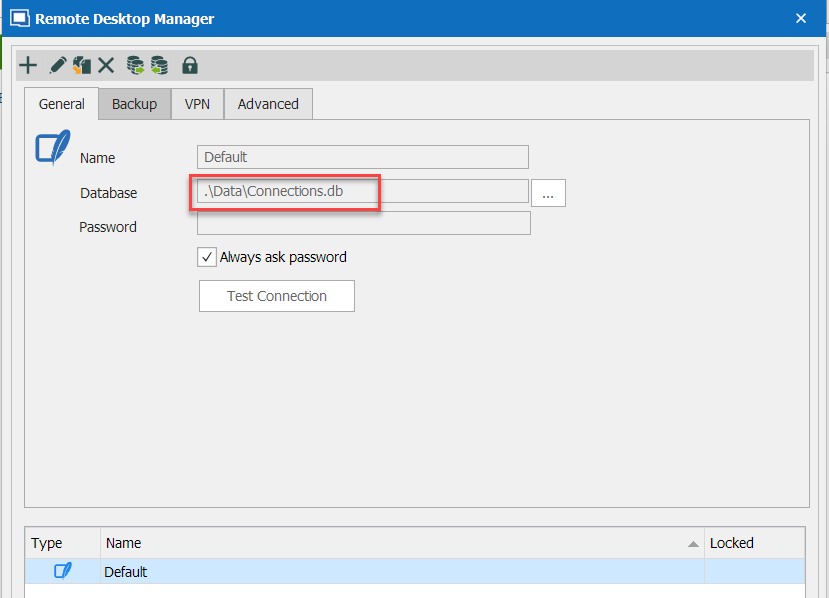
Apparently the same root cause: when using a relative path for the database, trying to attach a file results in an error:
Hello,
I was able to reproduce both issues, a ticket has been open with the engineering department.
Best Regards,
Etienne Lord