VMware Remote Console not working any more

Hi,
I recently upgraded our VMware vCenter appliance to version 6.7.0.31100. Since the upgrade RDM shows no Virtual Machines when I connect to the Remote Console session. When I do a refresh RDM freezes.
For analysis I followed the instructies in the article "Configuring VMware's PowerCLI for use by Remote Desktop Manager"
Through Powershell I'm able to connect and get a list of Virtual Machines
How to do any further analysis to determine the cause of this issue?
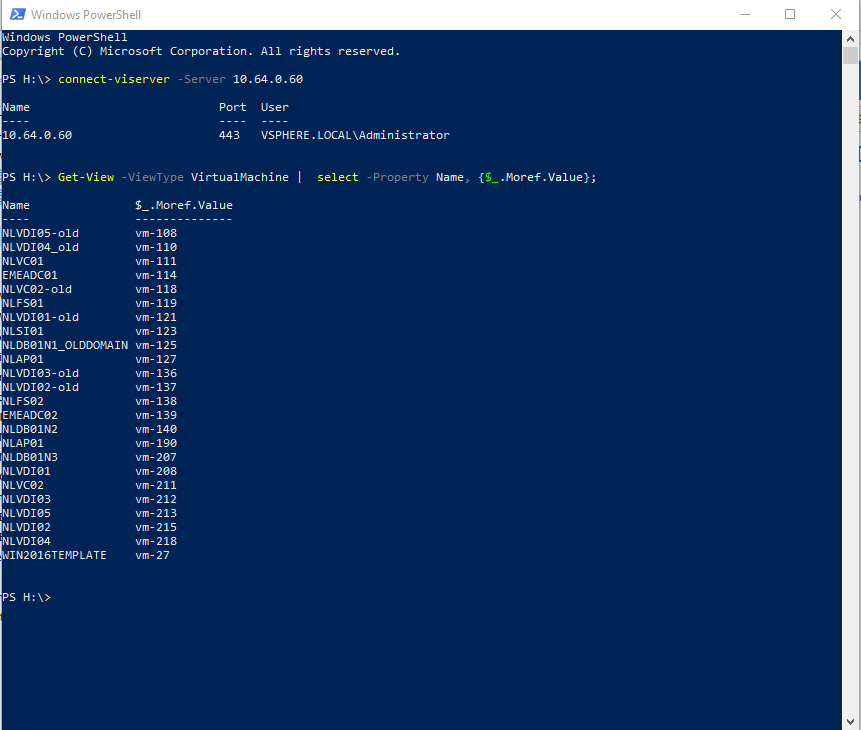
Aantekening 2019-06-13 145002.png
All Comments (4)
Hello Jasper,
A great member of our community (Min) has probably found the issue related to this error. We think that when doing a refresh, RDM hide a certificate pop-up behind. And you can't view it except when you kill the application.
I opened a ticket with the engineering department to look at this issue.
That being said, which version of RDM are you testing with?
Regards,
David Grandolfo
Hi David,
Thanks for your response. I'm on version 2019.1.25.0. Keep in mind that the application only freezes when I hit the refresh button. When I don't hit that button, no VM's are shown nor any error.
Maybe this has the same root cause but I'm just saying.
Hi Jasper,
Yes, this is exactly what Min reproduce and I also received a video of the exact issue.
Regards,
David Grandolfo
Hello,
The issue you reported has been resolved by our engineering department. The fix will be available in the next release of RDM, 2019.1.31.0.
RDM 2019.1.31.0 will probably be released as a beta version when release you can download it from https://remotedesktopmanager.com/home/download#Beta
Regards,
David Grandolfo