Check for Updates

That option on the menu used to open a nice window with every single version and a detail of what was fixed, included, etc.
From that same menu I was able to update my RDM, now, the button is only showing a message saying "You current version is up to date!" and the message is not true, I'm not running the latest version available.
So, how can I have the regular behavior out of that button.
All Comments (1)
Hello,
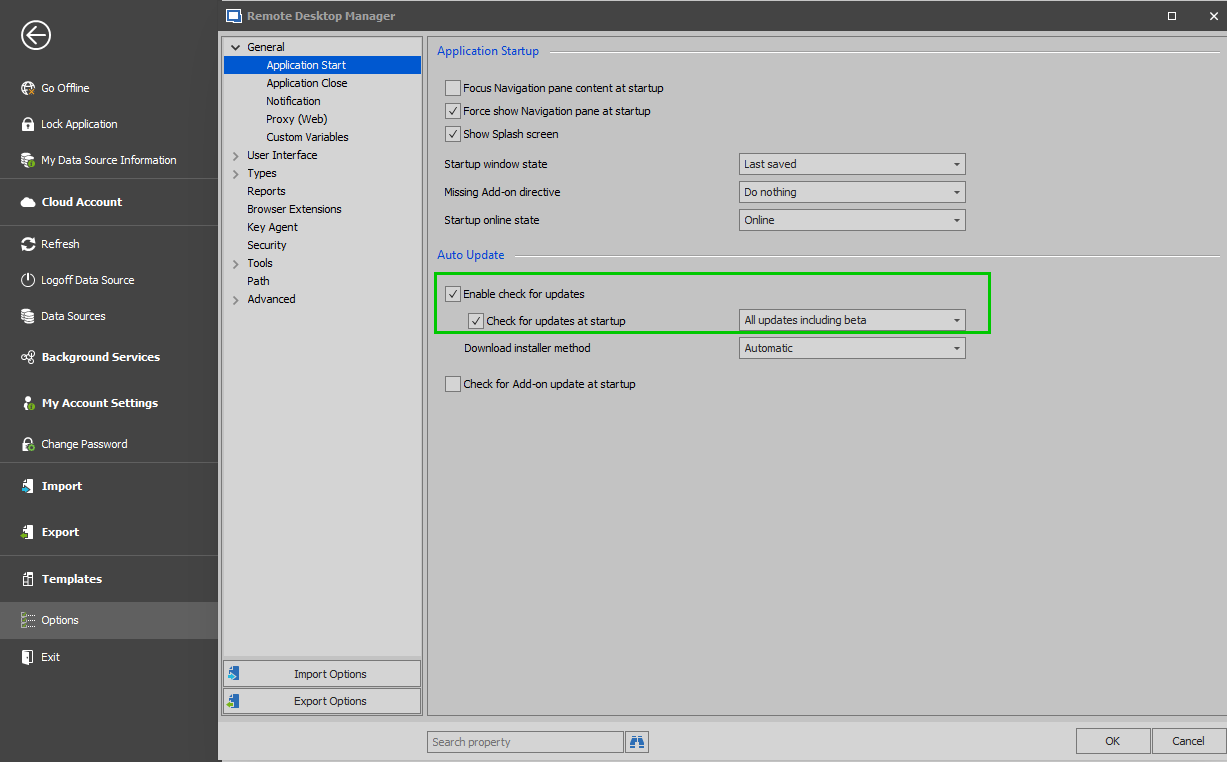
In order to see all the updates available to you, you will need to go under File -> Options -> General -> Application Start and check "Enable check for updates and "Check for updates at startup" and choose "All updates including beta"
That being said, as always, we do recommend creating a backup prior to performing any updates.
Best regards,
James Lafleur
EnableCheckForUpdates.png