SSH over SOCKS proxy no longer works

Upgraded RDM from 14.1.3.0 to 2019.01.20 and SSH no longer works with an SSH SOCKS proxy.
- SSH sessions don't use the proxy when defined, this was tested by manually starting an SSH dynamic forward with "-vvv" logging to observe connection attempts. Connection made from a PuTTY client using this tunnel are successful but RDM SSH client connections don't product any output indicating that a connection attempt wasn't even made.
The configuration is as follows
- Session1 = SSH Proxy is an SSH Tunnel type configured in dynamic mode on port 8081
- Session2 = SSH Session, configured to use proxy from Session 1
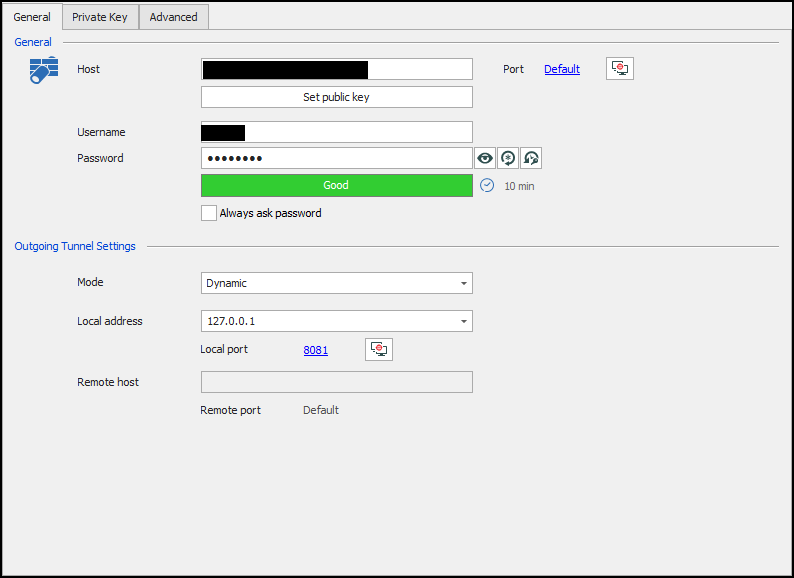
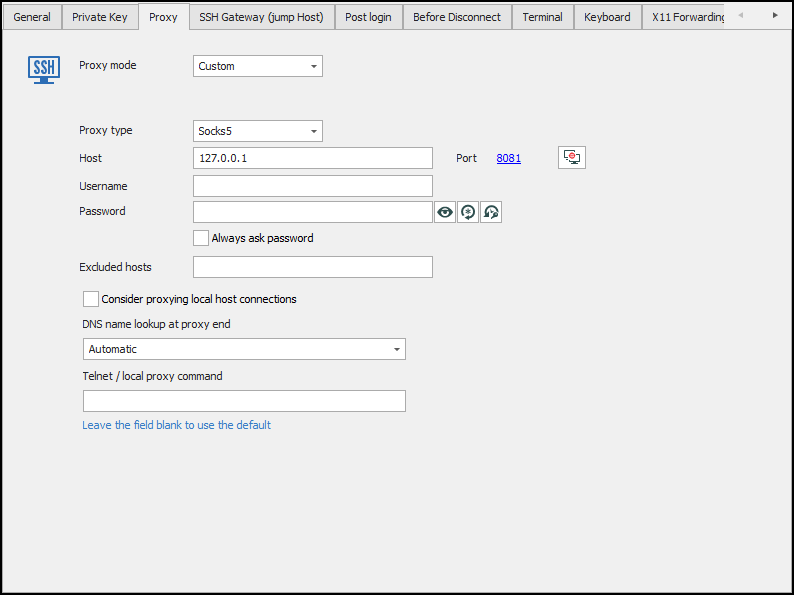
ssh.png
tunnel.png
All Comments (6)
Hello,
In order to help us troubleshoot this issue, a ticket as been opened in our system under your name. Upon its creation, you should have receive an email.
I will use this ticket to communicate with you. When a solution will be found, I will update this forum thread as well.
For further reference, your ticket number is Devo-3420 and you can use the link below to consult it at all time:
https://devolutions.atlassian.net/servicedesk/customer/user/login?destination=portals
Best regards.
James Lafleur
Hi,
I think I have found the problem. I should be able to fix this soon.
Denis Vincent
Hello,
The issue is fixed in our latest version of RDM (2019.1.25.0). You can download this version at https://remotedesktopmanager.com/Home/Download .
Regards,
David Grandolfo
This worked to fix my issue, but I see there is no option to create an installer for 2019.1.25 yet. Do you know when that will be available?
Hello,
For stability reasons in large installation bases, the latest official release is not available in the Custom Installer until a period of varying length during which we ensure that no major issues are present.
Best regards,
Jeff Dagenais
Hello,
Just a quick note to inform you that RDM 2019.1.25.0 is now available via the Custom Installer Service.
Best regards,
Jeff Dagenais