Options in context menu are greyed out after launching Playlist
Options in context menu are greyed out after launching Playlist

Hello,
I just updated my Remote Desktop Manager to V14.1.3.0.
Then I found a new problem.
After I started the playlist, various options in the context menu are no longer available or even greyed out.
--> watch the screenshots in the attachment
Then i have to restart the application to get the other options back.
Has this problem also surfaced with someone else? If so, what was your solutions?
Regards
Before_Playlist.png
After_Playlist.png
All Comments (6)
Hello,
What entry does the Playlist start? Is there any possibility that RDM switch to "Offline mode"?
Could you also send us your application logs under Help > Applications Logs > Report > Send to support
Best regards,
David Grandolfo
Hi David
The playlist starts predefined RDP-Sessions.
Important to know is, that the problem occures with the Devolutions Password Server and also with a local data source (csv f. e.)
If i manually turn the Devolution Password Server to offline, there is the same error as described. Also when i start a playlist.
And also the same error, if i start a playlist on a local data source.
Thanks for your quick response
Regards
Remo
Hello,
The Playlist feature used to have many problems linked with rights (lacking or otherwise) and access to features it couldn't use.
For instance, the "Copy Password" feature had no way to function.
As such, there's been multiple reworks on the playlist feature and it should behave differently and more accurately from now on.
Right now, I do not replicate your particular screenshot however, so I do believe you may have found some issues that escaped our notice, I'm certain David will help us pinpoint these issues if possible. However, it's worth noting that many of the contextual menu that has disappeared is intended by design to fix previous issues and clarify which features could actually work with the playlist entry.
Best regards,
Jafran Majeau
Hi,
Thank you for your answer.
Accordingly, I will wait for a response from David.
Regards
Remo
Hi David
The playlist starts predefined RDP-Sessions.
Important to know is, that the problem occures with the Devolutions Password Server and also with a local data source (csv f. e.)
If i manually turn the Devolution Password Server to offline, there is the same error as described. Also when i start a playlist.
And also the same error, if i start a playlist on a local data source.
Thanks for your quick response
Regards
Remo
Hi,
Unfortunately, we're not able to reproduce the issue also we did not receive your logs. Could you please resend them?
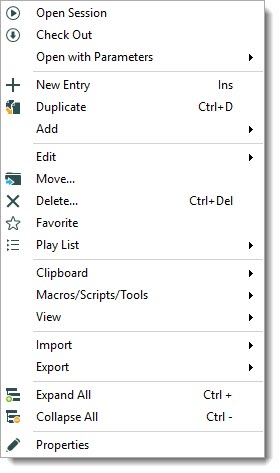
That being said, as my colleague Jmajeau mentioned we removed many not useable option from the playlist. In RDM 2019.X as an administrator the Playlist dropdown should look like this.
Could you also create a brand new Playlist entry to see if the issue is the same.
Best regards,
David Grandolfo
playlist.jpg