Disable "Restore Last Opened Connections" popup.

Hi,
After the recent update Remote desktop manager keeps asking me wich of the old connections i want to restore at startup.
Although i love getting new features, this one is not for me as i rarely want to reopen the connections from te day before. I have looked through the options menu to see if i can disable this feature but i cannot find the right option.
Is there a way to disable this feature?
All Comments (5)
Hello,
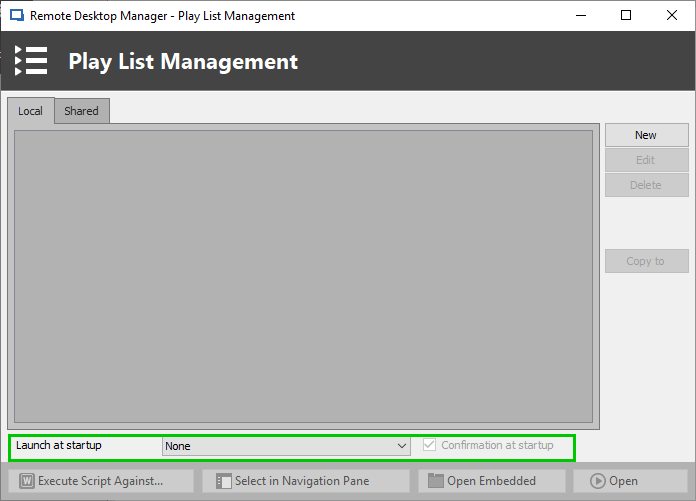
To disable this feature, you will need to go under Edit -> Playlist -> Select "Playlist Management" from the dropdown menu.
In the Play List Management window, you will need to set the "Launch at startup" to "None"
Best regards,
James Lafleur
PlaylistManagementNone.png
Hi James,
Thank you for the response.
I tried to set "launch at startup" to "none" but i am unable to save that setting, it keeps reverting to "Last opened connections".
Hello,
Thank you for reporting this issue! A ticket has been assigned to our engineering department on that matter.
I will contact you as soon as I will have an update on this situation.
Best regards,
James Lafleur
Hello,
We've made a fix for the issue. This will be available in the next build of RDM, 2019.1.19.0.
Regards,
Hubert Mireault
Thank you for the quick responses, i will update as soon as the release comes out.