sFTP Session Bugs

Trying to use the built-in sFTP session and ran into a few bugs
1. The Proxy configuration isn't saved
Using the GUI the proxy configuration isn't saved properly
I can work around this by editing the XML connection and adding the flag
<UseProxy>true</UseProxy>
2. Credential Store Support
The session doesn't support using credentials, at least not from the GUI
I can work around this by editing the XML connection to add the flags
<CredentialConnectionID>CREDGUID</CredentialConnectionID>
<CredentialConnectionSavedPath>Site\Credential\Path</CredentialConnectionSavedPath>
2. Fingerprint isn't saved, no option to "Always Accept"
Initial connection results in a warning about the host key being changed - the "Resume and Remember Server" doesn't actually save the server fingerprint so it repeats on every connection attempt.
The session is missing a "Always Accept Fingerprint" option.
I attempted to create an SSH session with the "Always Accept Fingerprint" option disabled, save the fingerprint, then connect the sFTP session but that results in the same prompt anyway.
Prompt
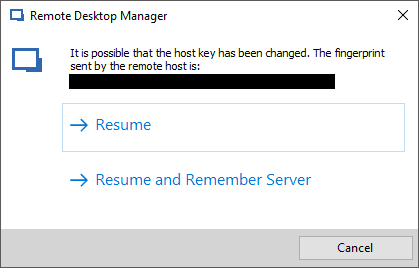
fingerprint.png
All Comments (4)
Disregard 2. Credential Store Support
I just can't update the forum post - tried FF, Chrome, and IE :|
Hello,
What version of RDM are you running?
What type of data source are you using?
Which SFTP session type are you using? Could you post a screenshot of the properties of your session please.
Best regards,
Jeff Dagenais
Sorry I should have included that
RDM Version:
14.1.3.0 64-bit (latest Enterprise)
Data Source:
Local XML File
sFTP Session:
Default RDM sFTP
sFTP Session Screenshots:
- Settings
- Proxy Settings
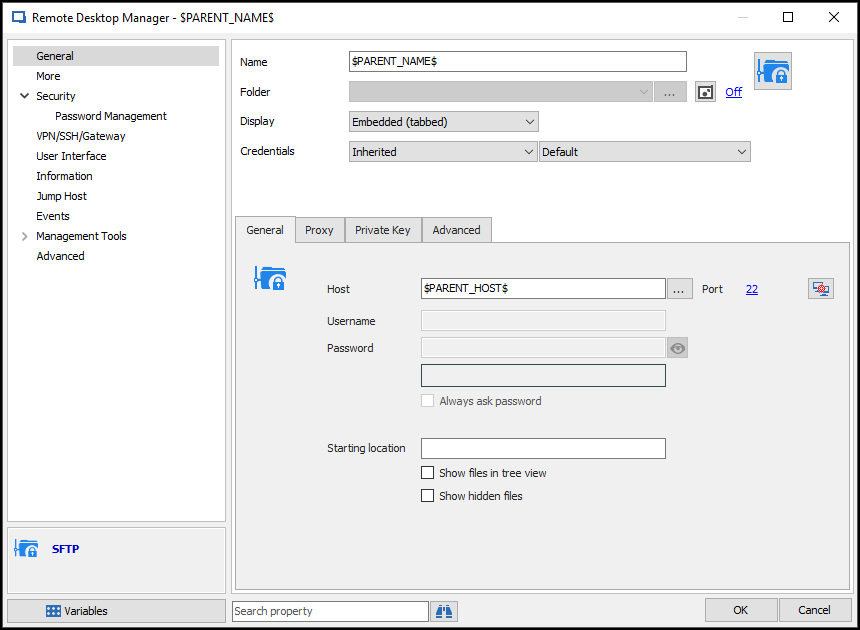
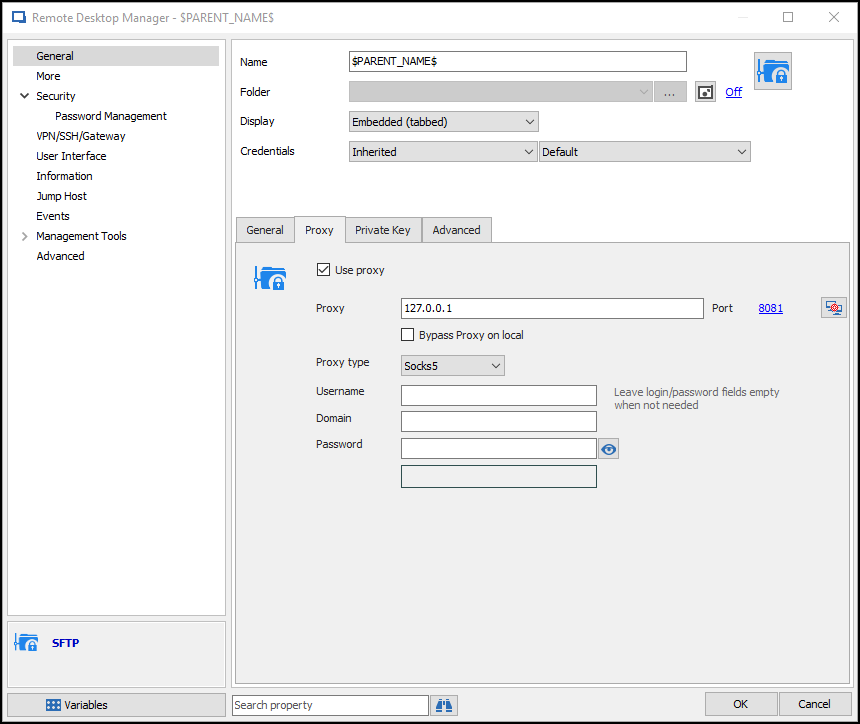
rdm-sftp-proxy.png
rdm-sftp.png
Hello,
I did some tests and I can confirm that the proxy issue was resolved in the latest beta, RDM 2019.1.14.0
I don't have the proper environment to test the fingerprint currently, but I would invite you to give it a try yourself.
If you are interested in trying out the beta, you can download its installer using the following link :
https://remotedesktopmanager.com/home/thankyou/rdmsetupbeta
If you plan on trying out the beta, I would invite you to back up your data before upgrading. Though it's unlikely that anything will go wrong, it's always better to be safe.
Best regards,
Gabriel Degrandpré