How to manage certificate entries

Hello,
I recently started using RDM also to save and manage our certificates.
I saw that when entries expire, they turn orange. I usually then make a second entry, I append 02 at the name, then I have them sorted and visible.
However, I can't get it quite as I would like it:
I know I can hide the entry. But...
Let's assume a certificate is going to expire at 01.05. I should get some kind of notification 30 days before according to the setting under notifications, but I never saw any notification.
So if I let entries to hide, then I won't notice the certificate expire, as it will turn orange WHEN it expires... and at that point, it will be automatically hidden.
I would like to do following if possible:
Get an email notification of the expired certificate if possible, or at least a popup window when logging in, or some kind of very visible message. Good idea would be maybe to receive a notification once a week for a month about the entry, or at least configurable.
The certificate should remain orange from the notification delay (default 30 days) until the date it expires, at which point it should get hidden.
Essentially I would want to get a decent notification(s) about expiring certificates.
I hope that makes sense.
All Comments (3)
Hello,
What data source type are you connected to?
With a Devolutions Password Server data source, the Email Notification feature will allow you to receive an email for all entries that will soon expire (next 30 days, 15 days or 5 days). This functionality can be set in the Email Notifications tab of the user account properties.
Best regards,
Érica Poirier
SQL Database.
Honestly, not the type of answer I was expecting.
So yeah, I am using RDM "only" with a local database, but since you offer entry type Certificate, I was really looking forward to some type of basic management, as in notifications. Otherwise is the system half useless really.
Hello,
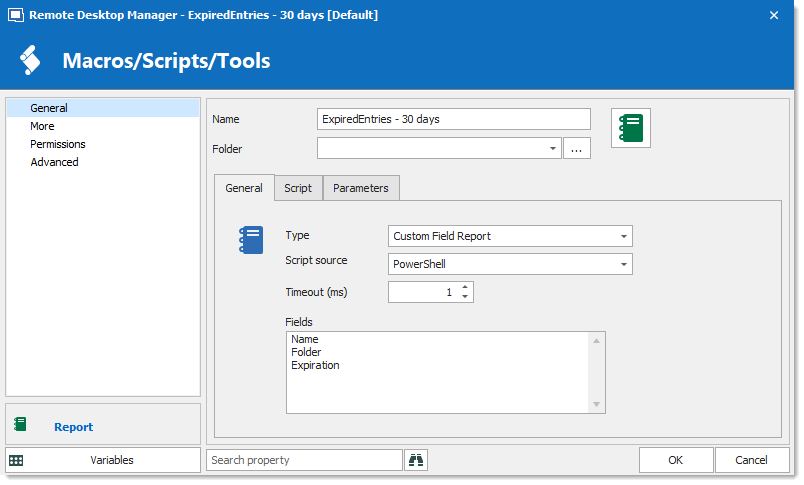
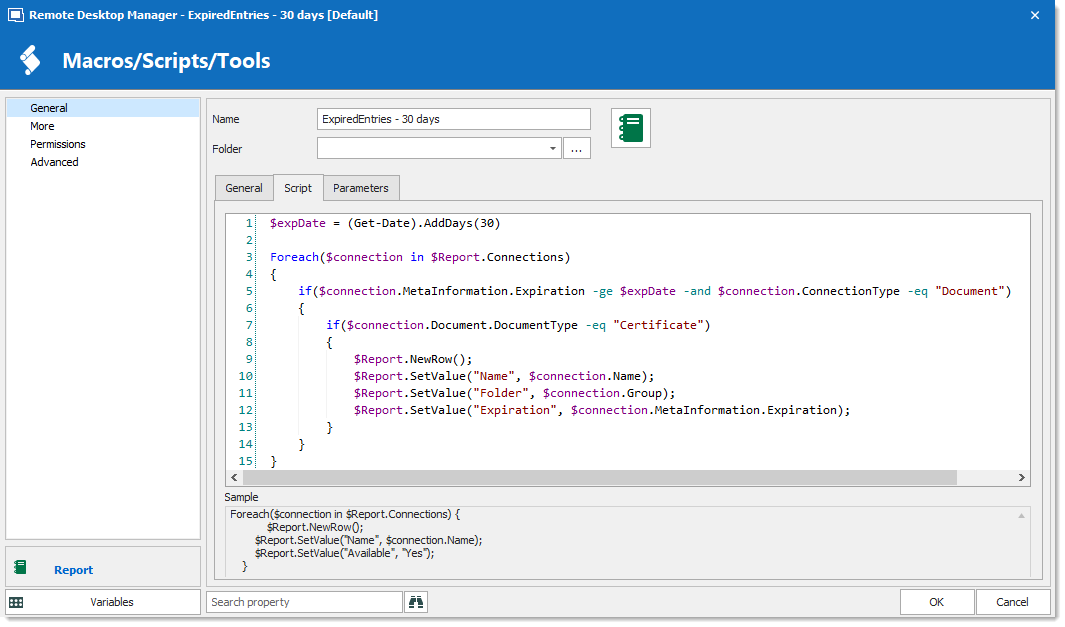
Another solution could be creating a Custom Report entry.
It is possible to open that Report entry when launching RDM using the Play List feature.
https://help.remotedesktopmanager.com/view_playlist.htm
Here is a sample Custom Report entry.
Best regards,
Érica Poirier
2019-04-11_15-56-13.png
2019-04-11_15-56-29.png