Reset scrollback on display activity like Putty
0 vote

Hi, I find very usefull the behaviour in Putty related to setting "Reset scrollback on display activity".
Let's make an example. I scroll back an ssh session text watching at older rows (the upper side of the whole session text).
With the setting "Reset scrollback on display activity" enabled (enabled by default in Putty) I just hit enter or other key from keyboard and the session window jumps to display the newer session text without bothering me to come back manually to current cursor position using mouse to scroll down.
Can you deploy this kind of feature on RDM sessions?
Thanks
Regards
Enrico
All Comments (15)
I will assign this to our dev.
Regards
David Hervieux
Hello,
What entry type are you using, and on what version of RDM? The SSH Shell entry type already does this by default.
Regards,
Hubert Mireault
I'm using ssh session and I'm working on version 14.1.3.0 64bit but this is an old issue present also on older versions.
Is there an option on RDM ssh session that maybe disabled this behaviour on my sessions and I need to change it?
Thanks
Regards
Enrico
Hello,
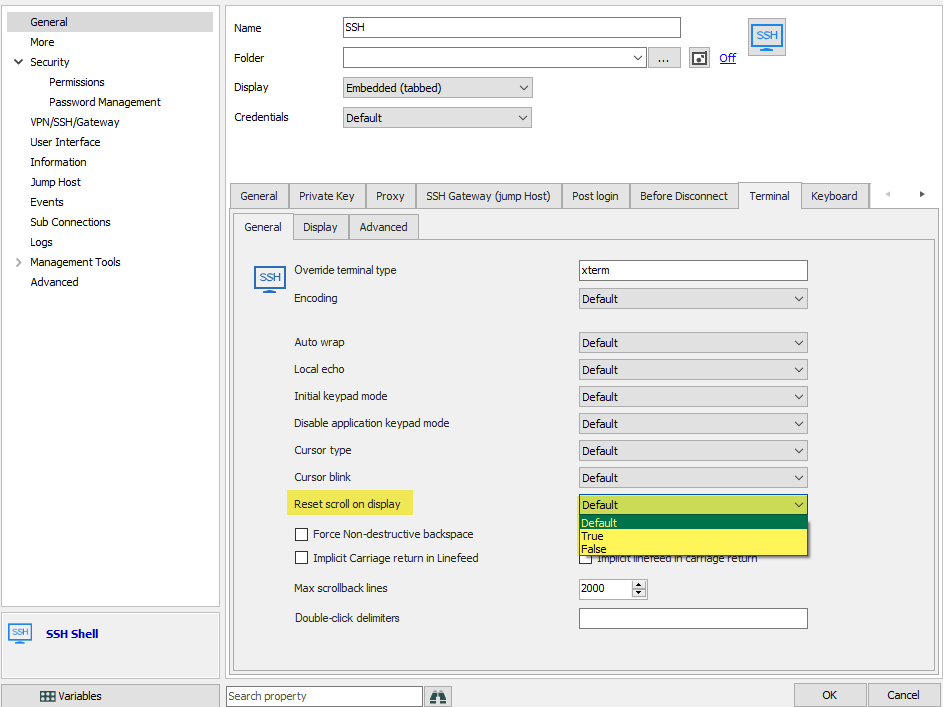
You can find the option in your SSH entry in the terminal tab, "reset scroll on display":
The default value points to the options located in File > Options > Types > Terminal, and the default value for that should be 'true'.
When set to true, the terminal will scroll to the last line if it receives text to display. When set to false, the terminal will not scroll.
Can you try changing the value to true and see if it works?
Regards,
Hubert Mireault
2019-01-28_7-48-03.png
Hi, I've changed that sessione option from Default to True but it acts the same, also opening new ssh session: it doesn't scroll when I input some new text or when the ssh session receives new text to display.
Whould you like to make a remote session to my client and check live?
Hello,
Thank you for your quick reply!
Unfortunately, I haven't been able to reproduce the issue you are currently having. In order for me to have more information on that matter, could you please provide me the following:
1- A Recording of this behavior along with the configuration of your SSH Shell entry
2- Your RemoteDesktopManager.cfg file. Please refer to the following link in order to locate this file:
https://help.remotedesktopmanager.com/howto_configurationfile.htm
These files can be sent to us using the following secure link: https://devolutions.sharefile.com/filedrop
As for the remote session, thank you for offering it to us but it is not required yet. If the information that you will provide us don't allow me to reproduce this issue, we will then be able to schedule a session.
Best regards,
James Lafleur
I've uploaded requested files. Let me know if you need further info.
Thanks
Enrico
Hello,
Thank you for these files!
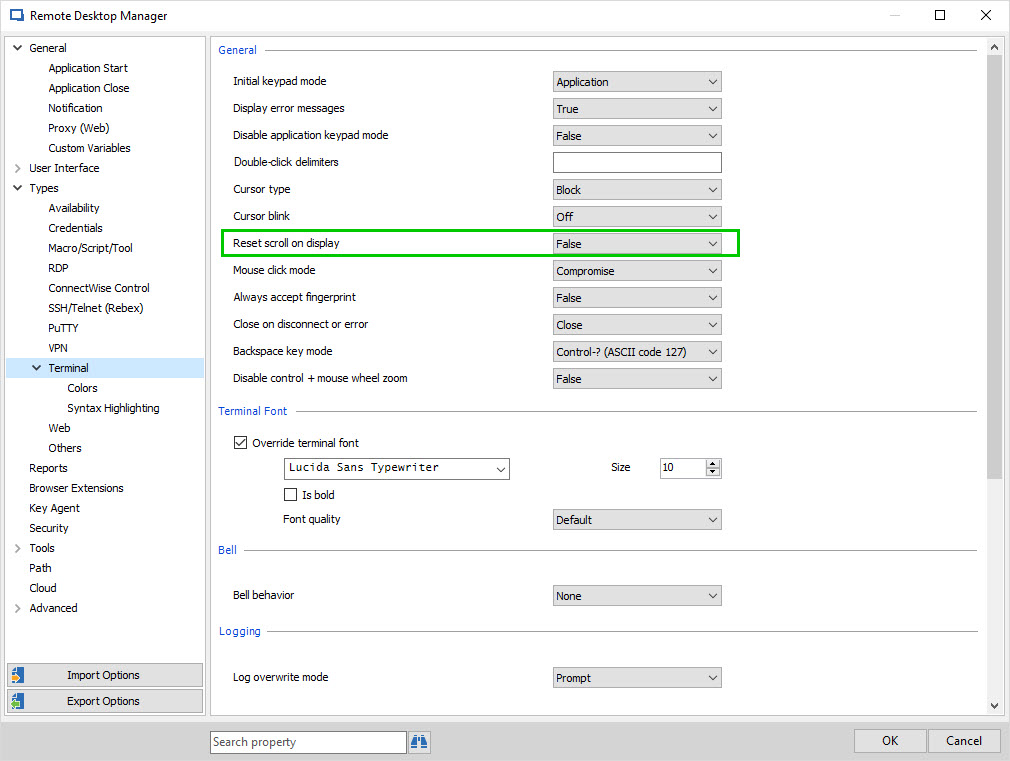
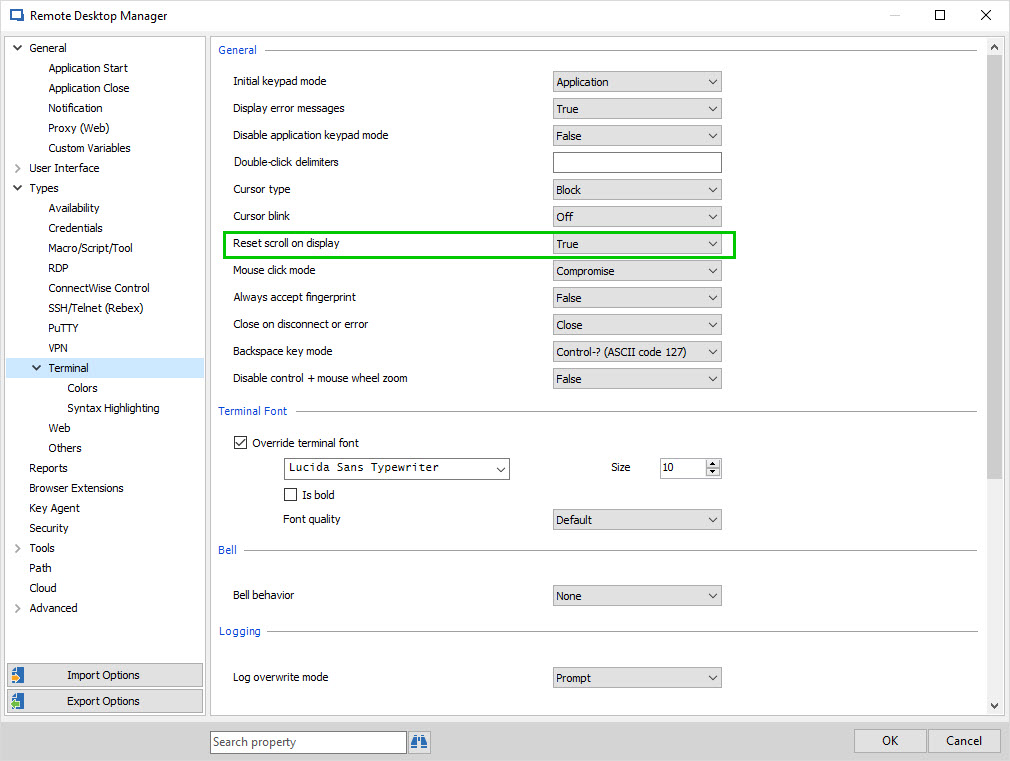
Your configuration has allowed me to reproduce this behavior in our environment. It was caused by the fact that the option "Reset scroll on display", under File ->Options -> Types -> Terminal, was set to "false" instead of "true".
To be able to use this feature, you will need to go to File ->Options -> Types -> Terminal and set "Reset scroll on display" to "true"
Best regards,
James Lafleur
ResetScrollOnDisplayTrue.jpg
ResetScrollOnDisplay.jpg
Yes , I confirm, in this way it works. So it means the option at session definition level doesn't overwrite the globally defined option.
Regards
Enrico
Hello,
Exactly.
Best regards,
James Lafleur
Hi James,
It is a quite old topic but I didn't want open a new topic since my question and problem is same.
Here what I expect. Like ebondi's request, I want to scroll back to old rows, but I also want to see or jump to the fresh lines when hitting enter buton (for instance, I use " tail -f " command and trace a file).
If "Reset scroll on display" is selected as No, I can perform this action (scroll back without intervene). However, when I click the enter button, I can't go to end of session which are the fresh output of tail. So, I have to manually scroll the screen. If the output is long, this scrolling action takes long time.
If it is selected as Yes, when I scroll up, tail output overwrite my position and I cant go to old rows.
Platform: MacBook
RDM Version: 2022.2.9.0
ps: I also tried overwrite this option at session definition level (with default-yes-no options).
Regards
Samet
Hello,
From what I understand, it would be a new feature since the currently you can only use 1 of the 2 actions at a time. I will have to check with the engineering department.
Best Regards,
Etienne Lord
Hello,
We got a new feature request open for that, we will let you know if we have any updates!
Best Regards,
Etienne Lord
Hello,
The feature should now be available in the latest version : https://devolutions.net/remote-desktop-manager/home/download
Best Regards,
Etienne Lord
Hi Etiente,
works perfectly. Thank you for you support and development.
Best Regards
Samet