Add template shortcut to dashboard

Hi, enterprise owner here of 14.1 version.
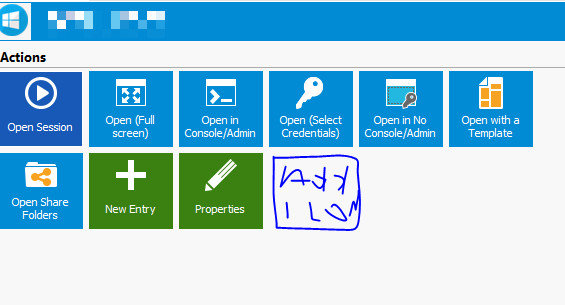
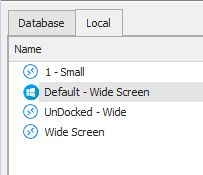
I was wondering if it is possible to have an icon placed on the dash board with my custom template so instead of going to templates and click to open the host with my "1-Small" template i can do it with just one click.
Thank You.
Kind Regards,
Vassilis
RDM for Windows 11
Purchased Enterprise Edition v2024.x
Clipboard-2.jpg
Capture.PNG
All Comments (4)
Hello,
Indeed, this is possible!
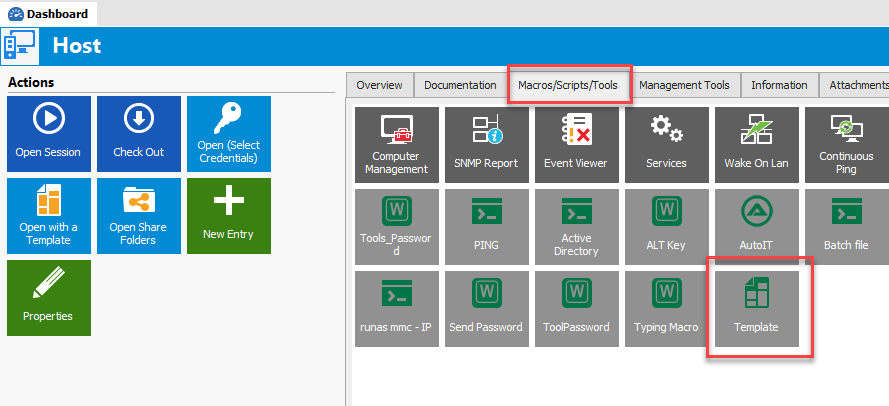
You just need to create a new template entry type from the Macro/Script/Tool section and this will add an icon into the dashboard to launch the session using the desired template.
Best regards,

Jeff Dagenais
2019-01-13_19-01-56.png
Thanks Jeff,
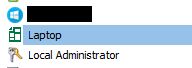
I must be doing something wrong cause i cannot see the icon on the dashboard, i only see it under the tree
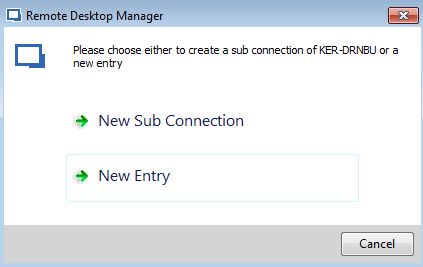
And sometimes i get this windows on add new entry, and whatever i choose i get the same result. The template under the main tree on the left
RDM for Windows 11
Purchased Enterprise Edition v2024.x
Clipboard-2.jpg
Clipboard-1.jpg
Hello,
If you click on the Macros/Scripts/Tools tab, the template will be available in that section.
Best regards,
Jeff Dagenais
2019-01-14_08-32-10.png
ok so basically not exactly on the dashboard. i still need to click to add a step and click on a menu item
Anyway thank you !!!!!!
RDM for Windows 11
Purchased Enterprise Edition v2024.x