Double RDP imports since new version of RDm

Before we had manually added RDP sessions and then started using the Sync tool in RDM.
We used to work on version 10, and since 2 weeks we have a new site license and upgraded the RDM.
Running 14.0.6.0 (64bit)
Now if we sync suddenly all entries are double for some. I guess its because he adds those where the description might be different.
Does the sync checks the name or the Host name? As they are the same, but still now the Sync created doubles.
We also have duplicate check enabled on root.
Kind regards,
Günther
All Comments (7)
Hello Günther,
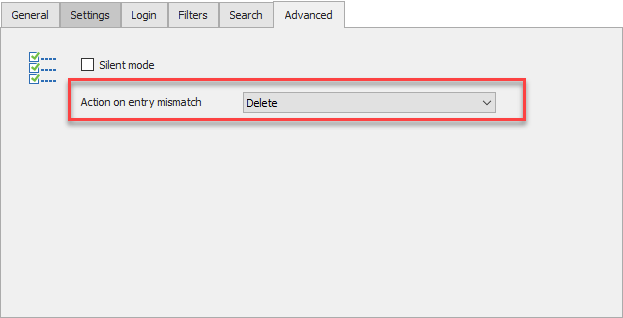
The synchronizer should compare the host field and not the name of the entry. If the description is different, then the entry being synchronized into the application will also be considered as a brand new entry. To avoid duplicates and leftovers, please take a look at the feature shown here :
By selecting "Delete" as a mismatch action, the entries which were previously created by the synchronizer entry which are not found in your current active directory will be deleted.
If your previous version of RDM was too old, this feature might not work. If that's the case, I would recommend deleting your folder containing the synced entries and try to synchronize again.
Please let us know if the issue persists after trying the "action on entry mismatch" feature and the deletion of your previously synchronized entries.
Regards,
Michaël Beaudin
EntryMismatchFeature.png
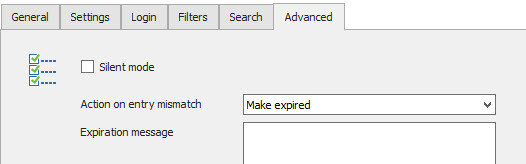
I just checked a Server i put in disabled mode and the imported one gets tag EXPIRED
But the second server that I manually added with the right hostname doesn't get expired.
It should just check the hostname as it is the same.
So in case someone adds a manual record and that server would get disabled it won't be removed.
Kind Regards,
Günther
expired.jpg
Hello,
Sorry to jump in.
From what I understand, the issue you had with the Active Directory (Synchronizer) entry creating doubles is now solved using the option mentioned by my colleague above?
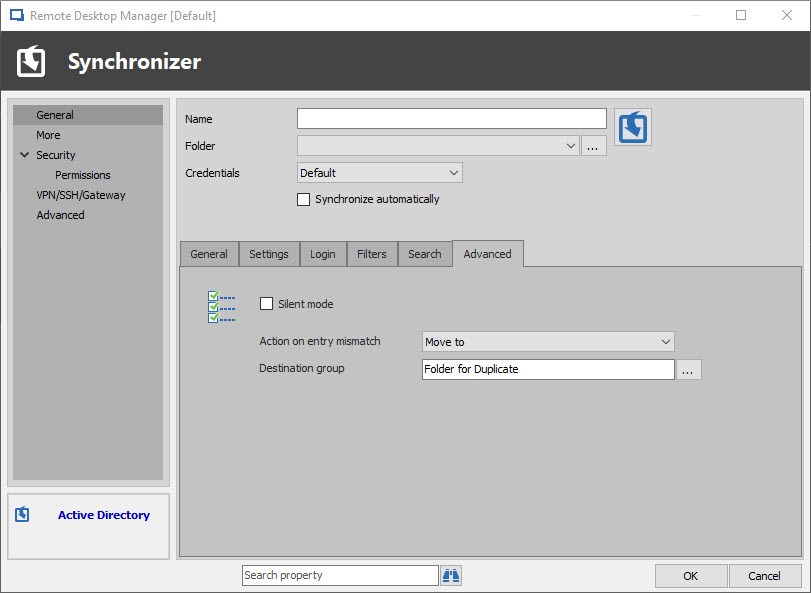
Also, if you wish to simply move your duplicates to a new folder in order to avoid "losing them" you can use the following option and point it to another folder in your Vault:
Best regards,
James Lafleur
Duplicate.jpg
I also seem to be having the same issue with duplicate items imported on AD sync.
It seems like any entry where I add a description then seems to get duplicated then on the next sync.
I don't remember it doing that before? But I could be wrong.
I there any way to prevent this, as we rely on putting in notes and things in the descriptions, and don't want to have a bunch of duplicates all the time.
version 14.1.0.0
Thanks
Bill S.
Hello Bill,
If your synchronizer entry has the setting "Import description" checked it will try to get the description found in your active directory as the description for your entries.
If you want to add your description manually instead of importing it from your active directory, I would recommend turning off this setting.
If you want to use the description saved in your active directory as the description for your entries, I would recommend keeping the setting on but using the "Action on entry mismatch" setting and selecting "Delete". In this fashion, any entry which was previously synchronized from your active directory entry and isn't found anymore (either the host or description differs) will be deleted. This will avoid any duplicate issue as entries which aren't found anymore on your active directory will be deleted in RDM.
If this doesn't help, please do let us know and we will look into your issue further.
Regards,
Michaël Beaudin
Michael,
That fixed it.
I didn't notice the import description check box.
Thanks
Seems to be the case to when the description changes. I tried to get it with description Expired first to have a checkup and it seems to work very good.
Will now configure it to delete the old entry as it will replace the new one.
What I did notice and didn't had before was if we had a manual entry with the same hostname it doesn't see it as an entry and will duplicate it but won't remove the manual entry. I think before it also checked the manual entries and skipped the import of those entries. now it only adds a duplicate and I manually have to remove the old entries.
What I did do for most syncs is to remove all the entries and readd them with synchronizer.
Thanks!!