Need help with users

Have installed and uses sql server as datasource. Added users with Integrated security. Created custom installer. The user is a user, not administrator. The user installs the msi, starts rdm. Goes to view My account settings, and the says User: domain\username, Administrator: Yes. What is happening?
The user is not promted for credentials when starting rdm, I as an administrator user on my pc get promted for Windows Login Promt, username already filed inn, needs to enter password.
Looking in the DB the user has IsAdministrator set as False
All Comments (9)
Hello,
When using direct connection to the database, if the user is a dbo he will get sysadmin privileges.
Could you confirm if this is the case?
Best regards,
Maurice
The user is not a dbo. Under logins the user has the following Server and User mapping, Public. 
Hello,
Have you created your users manually or they are created automatically because they are members of a specific AD group?
Best regards,
Jeff Dagenais
Don't have devolution server, created manually in Rdm, Integrated ad. Searh for user and add.
Hello,
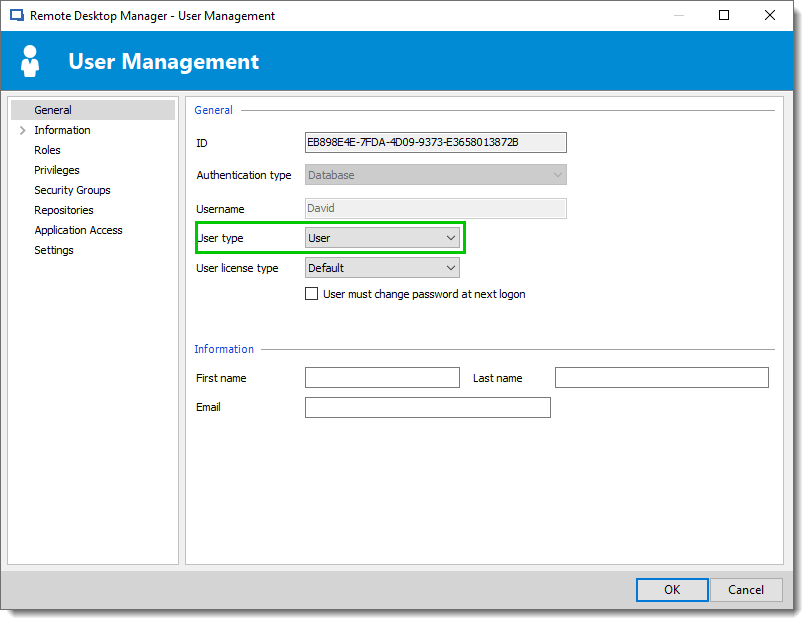
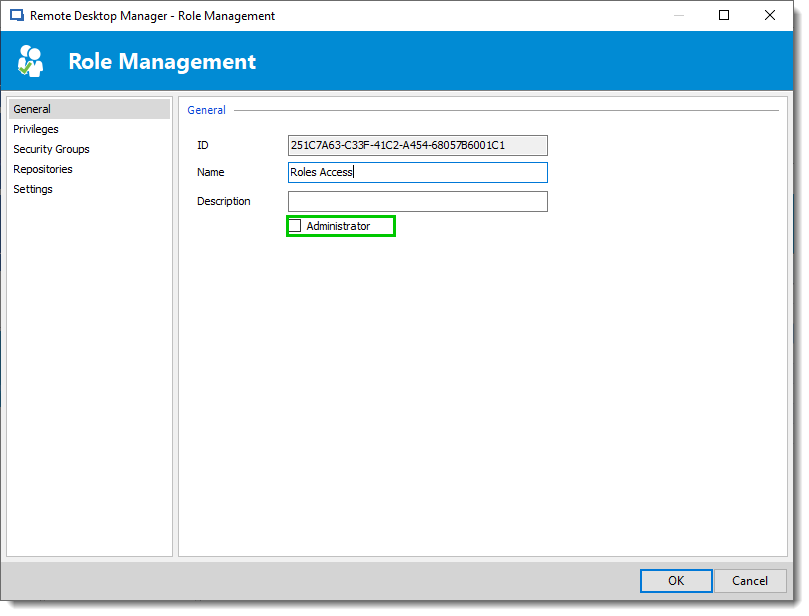
Could you look in User Management ( Administration -- Users ) if the user type is Administrator? or if the user is link to a Roles and the Roles is Administrator too.
In User Management the option is :
And the Role check box to uncheck is:
If there is nothing here could you from the user computer send us the data source information reports please. (File – My Data source information, use the "send to support" button.)
Best regards,
David Grandolfo
Role_Management.png
User_Management.png
Is set as user in Rdm, has no Roles as administrator. Sendt report as asked for.
Hi Stian,
Thanks for the report, after reviewing it I think I found the issue.
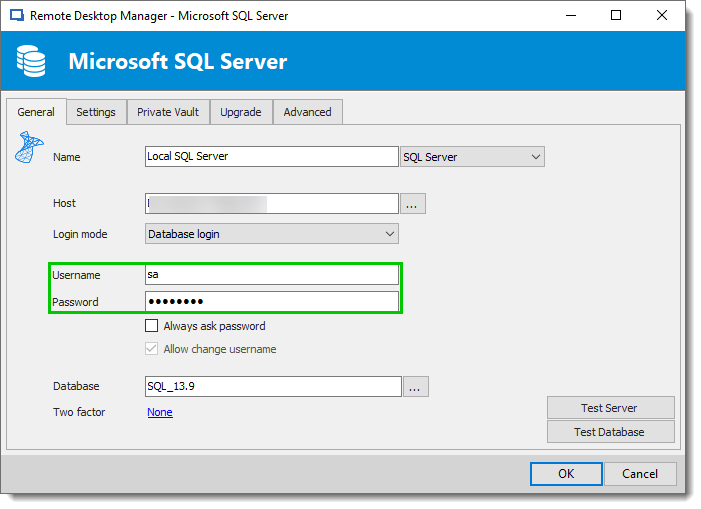
The user connected on the RDM you sent me is SA, this user is the DataBase admin account.
Could you please go on each RDM and under File -- Datasource change the username? You can use the database login or Integrated security depending on how you configure the users.
Best regards,
David Grandolfo
DataSource_SQL.png
I created an custom installer and checked for include data Source credentials, so that explains administrator. But when I now remove this option and creates a New installer the user can not log in to the database. I have tried With both domainnam\username and only username. My sql log is showing this:
And as you can see the user is listed both under Security for the db and the logins:
What am I doing wrong here?
Hi,
It's look like you are Windows connected with itadmtest. Could you follow the steps bellow please:
Best regards,
David Grandolfo