Problems using Edit Local Specific Settings on Credential Entries after upgrade
Problems using Edit Local Specific Settings on Credential Entries after upgrade

Hello,
After upgrading from 11.7.6.0 to 13.6.7.0 we started getting following error when trying to do a User Specific Settings edit on a credential entry:
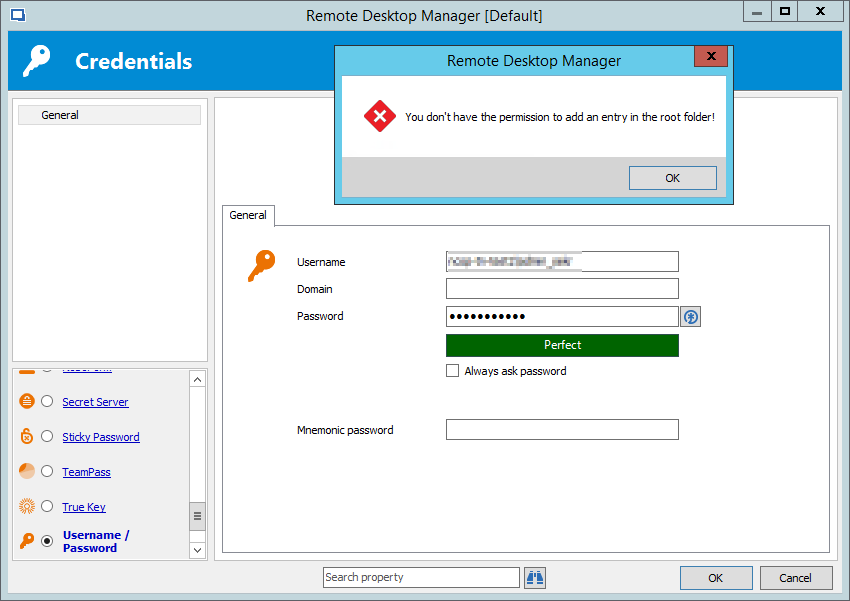
You don't have the permission to add an entry in the root folder!
We use SQL database as source, and our users only have ready permissions as we don't want them to update any entries in there.
We have a script that builds all connection entries and corresponding credential entries that are added to that connection entry.
In the old version it worked fine, where users would select edit > Local Specific Settings and enter their credentials, and those would be stored in their profile.
But in the new version we get the above mentioned error.
What permission do I have to change so that they can enter their own credentials with "Local Specific Settings"?
All Comments (4)
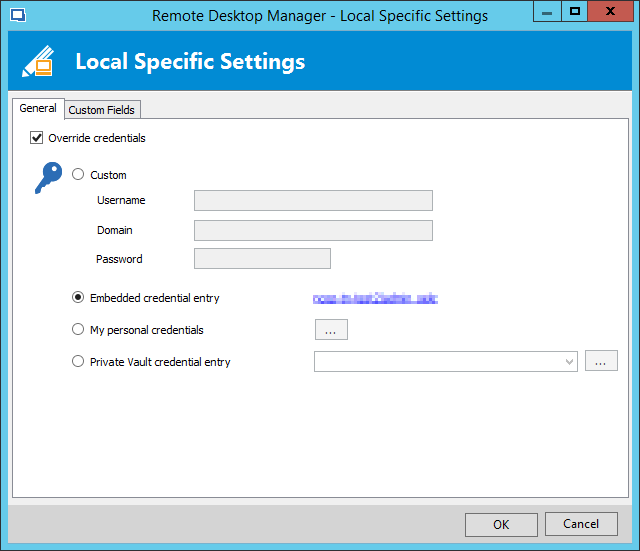
Also before, when clicking on a credential entries "Local Specific Settings" we had the normal override options, but now it's a different view, where if the user had his credentials before the upgrade, "Embedded credential entry" was selected with a link.
And it's when clicking that link, and they try to update their password, they get the mentioned error message.
Is there any way to get the old behavior back?
Hello,
To allow again usage of Local Specific Settings, you can enable the Allow local specific settings option in the Applications tab in Administration - Data Source Settings.
Best regards,
Érica Poirier
I just checked, Allow local specific settings was ticket on, in our data source settings.
Bu still when I right click on a Credential entry where I already have information entered with the previous version, I get following view:
I click on the link with my username under "Embedded credential entry", and then I get the view as was used to have.
In there when I try to update my password and click on OK, I get following:
2018-10-15 14_35_19-Remote Desktop Manager.png
2018-10-15 14_33_37-Remote Desktop Manager - Local Specific Settings.png
Hello,
Thank you for the detailed information. We were able to reproduce the issue and we've made a change internally that should resolve this, as it is not intended behavior. It will be available in the next RDM beta.
Regards,
Hubert Mireault