Edge Web Browser ?
0 vote
When adding or configuring an entry type of "Web Browser (http/https)" can you please add Edge as a browser choice in addition to the existing IE/FireFox/Chrome selections?
All Comments (9)
Do you mean embedded? Unfortunately if it's the case it's not possible for now. It's only available with .NET UWP which is not compatible with the .NET we use. However Microsoft is supposed to change that eventually.
Regards
David Hervieux
"Do you mean embedded?"
Whatever you call it when you create new entry of the type "Web Browser (http/https)". The only options available for "Web browser application" are.IE/FireFox/Chrome. Is that what you mean by "embedded"?.
Hello,
The embedded mode is that RDM will open the Web Browser entry in a tab.
You can get more information about Embedded, Undocked and External mode on the following online help page.
https://help.remotedesktopmanager.com/settings_general_displaymode.htm
Best regards,
Érica Poirier
Hi!
Any updates of when we can expect to have Edge Chromium available as embedded?
Hello,
This will be soon available. We have just release RDM Free Beta with embedded Edge implemented. RDM Enterprise will be released in few weeks.
https://forum.devolutions.net/topics/35215/remote-desktop-manager-20211-beta
Regards
David Hervieux
Hello David,
... at long last ....
When you install the RDM free beta and use it to connect to a website using the Edge browser, you are prompted to install Microsoft Edge WebView Runtime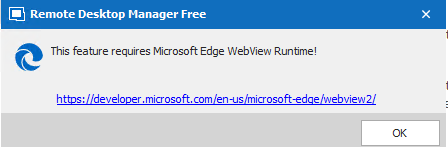
That link takes you to Webview2 - Microsoft Edge Developer . where there are a lot of different options for the download. 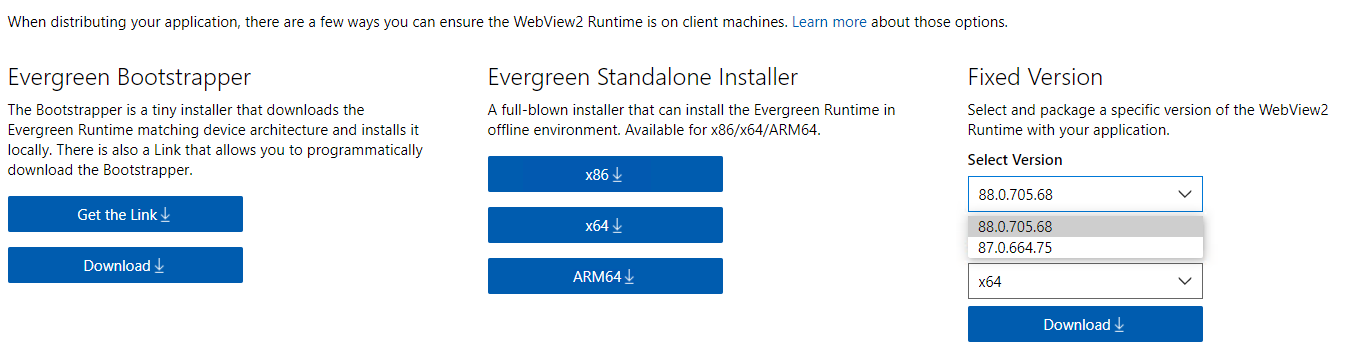
Can you explain exactly which options and version you want us to select for the download?
Thanks
Sam
MEWR2.PNG
MEWR.PNG
Hello,
I'm sorry that Microsoft made that so confusing. The problem is that even if you have Edge installed, it's not possible by default for an application to integrate it except if you use the Canary Channel. This is the pre-release version of Edge. This means that you need to download a runtime. I think that eventually Microsoft will just distribute it with their own application but for now it's recommended to download and install the WebView2 Runtime Evergreen Bootstrapper.
https://docs.microsoft.com/en-us/microsoft-edge/webview2/concepts/distribution
This runtime will be keep updated with the current Edge installed. All the other options, which are causing the confusion, could be installed if the application requiers a specific Edge version which is not the case of RDM.
Sorry about that.
Regards
David Hervieux

Hi There,
Just upgraded to 2021.1.13.0 beta today. I've installed WebView2 Evergreen which is currently at version 89.0.774.54.
RDM doesn't detect the runtime:
Any hints on how to force it?
Thanks,
Tim
Hello,
I'm trying to find the underlying error:
https://forum.devolutions.net/topics/35329/web-browser-session-issue-with-edge
Regards
David Hervieux