Restricted Password-Access / easy to use?

Hello,
as we are on the move to store all passwords in RDM, we encounters many issues.
Maybe you may share your thoughts and ideas.
One major issue is, that we store two kinds of password (to ease it up as an example).
1 - Passwords, which may be handed out to a customer as a password-list
2 - Passwords, we use internal and the customer should not have access to (which never ever
should be handed out)
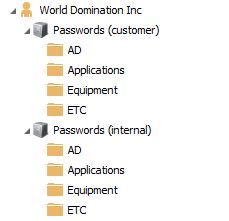
For now, our structure looks like this:
This is suboptimal, but I did not find a better way, to never ever risk,
that someone unintentionally exports password for a customer.
Is there an easy way to resolve this?
Main goal is, that everyone of our team may enter password-data - also "confidential" password-data,
which is only for internal purposes ... and concurrently do not risk, to export confident data.
Is there a simple, fast and reliable way to mark passwords confidential/not exportable without special rights?
Best regards
Daniel
pic02.JPG
All Comments (11)
Edit:
I tried to correct some misspelling, but could not. I tried chrome and internet explorer - what did i wrong?
.. so you have to live with spelling mistakes ;)
Hello,
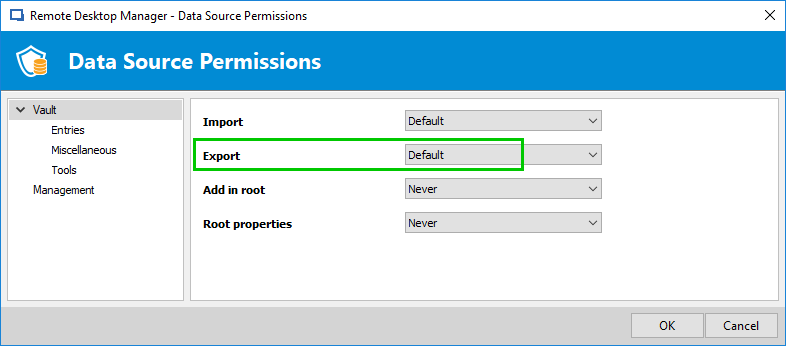
The first thing I have in mind is that you can completely block or allow the Export permission in Administration - Data Source Permission to only specific roles or users.
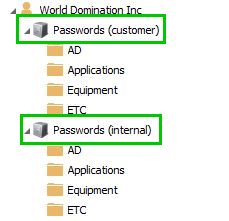
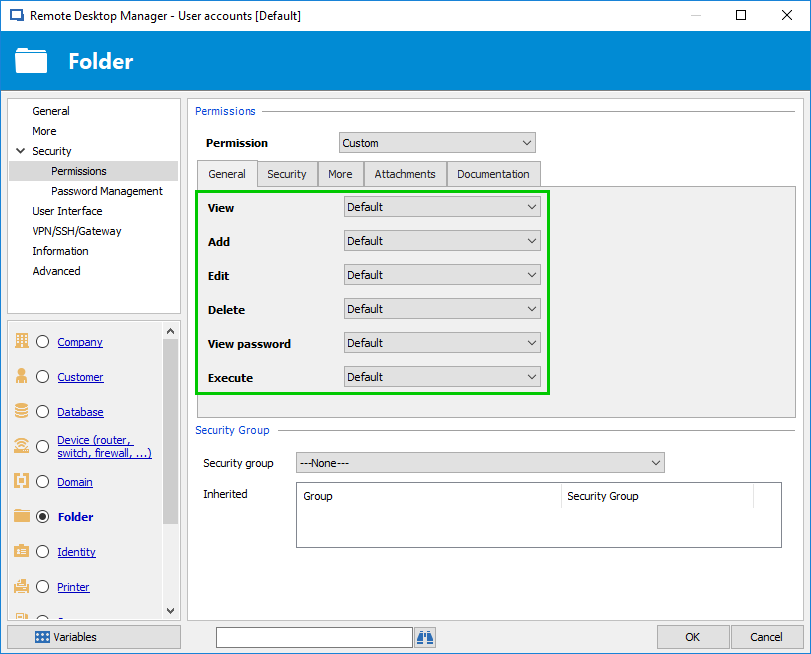
The other thing is to set proper permissions on Passwords (custmer) and Passwords (internal) to allow or denied access, edit, delete and/or view password.
Is that what you looking for or do you have something else in mind?
Best regards,
Érica Poirier
2018-10-12_10-47-38.png
2018-10-12_10-42-24.png
2018-10-11_15-25-21.png
Hello Erica,
thank you for your feedback. I have something else in mind.
Maybe I have to clarify more, in which direction I'm thinking.
One Password folder would be great and some very easy to use options, to tag each "special" password as
a confidential one, so that passwords would not be automatically exportable.
Alle users (in our company) should have access to the passwords, but I like to store them in one (not two)
folder-structures.
Maybe like this:
Passwords
- AD
- admin@domain.local
- admin_specialxy@domain.local (tagged *1)
So the *1 tagged passwords would not be exportable by accident and only by an admin or with special password...
Best regards
Daniel
Hello,
Thank you for the clarification. The engineering department will add this on their to-do list.
Best regards,
Érica Poirier
Hello Erica,
thank you for the update. I think it will get exciting to achieve a simple solution (from usability side).
Maybe your engineering has some great and simple ideas.
Looking forward to an update/status.
Best regards,
Daniel
Hi
has this feature been implemented in rdm or not yet?
Best regards,
Thomas
Hello Thomas,
I could not find any reference to that feature request.
The issue is that if a user has the "View Password" permission, they will still be able to copy that password and use it elsewhere or export it via PowerShell. We would recommend only granting the "View" and "Connect (Execute)" permissions instead, this way a user can use the credential, without having access to the password.
Could you give us your use case for this feature?
Best regards,
Richard Boisvert
Hello Richard,
"Could you give us your use case for this feature?"
See my initial post - this is the use case. Password export for customers, without exporting confidential/internal passwords and without handling two "passwordset-trees" (customers/internal).
Best regards,
Daniel
Hi Richard
The technician should also be able to view a password. As a rule, he should also have the right to export the password.
But there are certain passwords that should not be exported.
It should be possible to set a flag on certain objects, e.g. for login data, to explicitly exclude it from export.
Microsoft has a similar function in Active Directory. So you can protect e.g. OU's from accidental deletion.
Best regards,
Thomas
Hello,
I will verify with the engineering team if it is something they want to implement; I will let you know once I hear back from them.
Best regards,
Richard Boisvert
Hello,
An internal improvement ticket has been opened regarding this feature (RDMW-11123). It will need approval from other products owners (Hub, Devolutions Server), however, since it would affect them as well.
We will keep you updated on the progress.
Best regards,
Richard Boisvert