MFA for SSH

How do I can access servers that are using MFA through SSH?
I'm currently using some Linux servers that have the MFA authentication available through SSH, however each time that I try to get inside them using the "Remote Desktop Manager", I get expelled immediately from the session without getting the prompt for the MFA system.
That doesn't happen when I used putty or mRemote.
Reference: https://sysconfig.org.uk/two-factor-authentication-with-ssh.html
Someone know if there is a misconfiguration in the SSH setup for the "Remote Desktop Manager" or some kind of troubleshooting that I can apply to resolve this issue?
All Comments (5)
Hello,
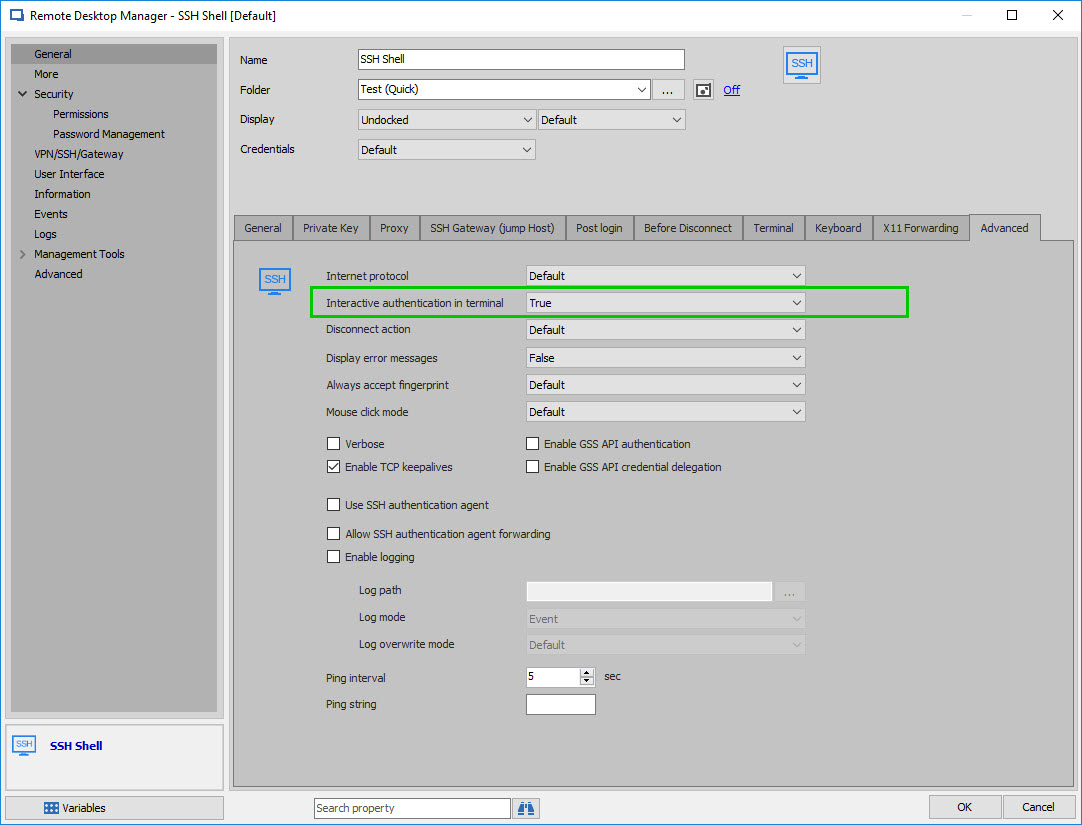
Could you please go to the Properties of your SSH Shell entry, under "Advanced" and set "Interactive authentication in terminal to "True"?
Enabling this option should solve this issue.
Best regards,
James Lafleur
SSHShellAuth.jpg
Thanks James! However, I'm not able to see that option in the version that I have installed. Do I need to enable something in the global preferences of the app?
Capture.PNG
2.PNG
Here is the capture of the Advanced option in the SSH entry
Capture.PNG
Hello,
You are more than welcome!
That being said, in order to have access to this feature, you will need to upgrade to the latest Beta of RDM Free, RDM 4.9.1.0.
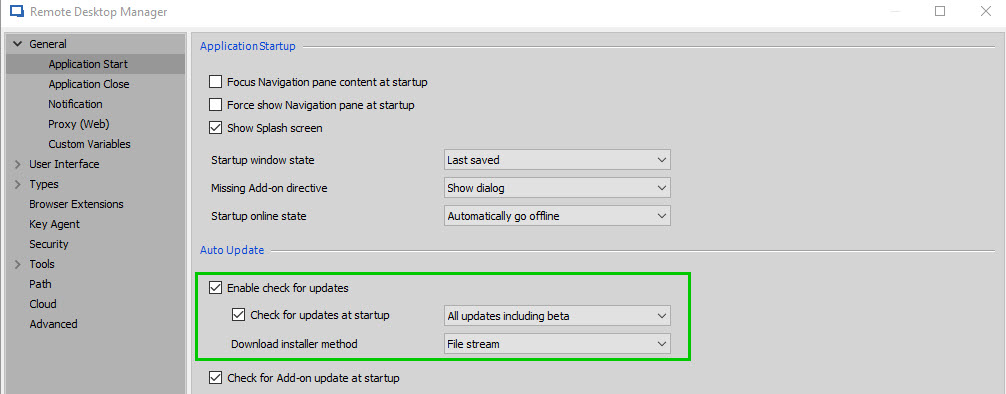
To be able to download this version, you will need to go to File -> Options -> General -> Application Start -> Check "Enable check for updates" and "Check for updates at startup". Once this is done, use the dropdown menu to select "All updates including beta"
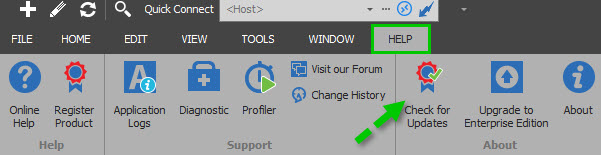
Now, under the Help section of the ribbon, you will need to press on "Check for updates" to download the latest version of RDM Free.
Best regards,
James Lafleur
CheckForUpdate2.jpg
CheckForUpdate.jpg
Thanks James, for the excellent support! Now I'm able to use the app without problems.