Problems with Custom Installer Settings

Hi guys,
i'm creating a new configuration file for our custom installer for our next update and cannot figure out how to do it right. The goal is to include the datasource information itself in the installer but not the credentials dialog from the datasource. The reason is simple, our users set this credentials manually and if i overwrite it with the installer they have to do this again.
You might ask why we do not use %userdomain%\%username% as variable, thats quite simple, we use different users for windows and RDM for security reasons (never work with Admin in Windows, but the RDM-Account has all Admin related information).
I attached a screenshot from my installer dialog but if i use this configuration no datasource configuration is being set when installing (empty datasource).
I would be happy if you could help me with this.
Thanks a lot!
Hermann
DVLS-Server: 4.7.1.0
RDM-Client: 13.0.6.0
CustomInstaller.png
All Comments (5)
Hello,
The field Devolutions Cloud Credentials in your screenshot is associate to the cloud account configured in File -> Cloud Account.
Indeed, in your case, this field needs to be unchecked.
Regarding the connection to the data source, the custom installer will copy what you have in File -> Data Sources to authenticate on the data source.
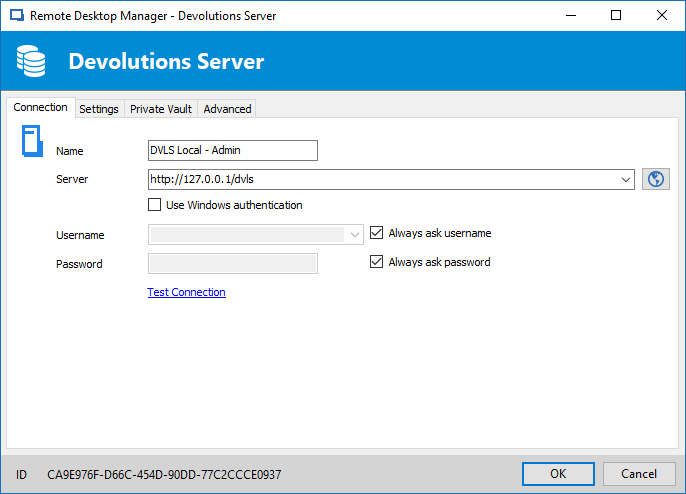
As per your description, I think your data source configuration should look like the following;
With the configuration above, the proper configuration will be deploy via the Custom Installer.
Best regards,
Jeff Dagenais
2018-06-06_09-17-37.png
Hi Jeff,
Thank you for your quick response. It seems i was careless when making the screenshot, i marked the wrong field due to different languages between normal use of the program in german (CustomInstallerDE.png) and making a screenshot in english (CustomInstallerEN.png). In german the data source credentials are on the right side, in the english ui they are on the left (see screenshots).
Anyway I created a new rdi file to make sure i did not mix it up on the test as well, you can see the settings I used for this test in the screenshot CustomInstaller_LastTest.png
I also attached a screenshot of the data source configuration dialog for you to better explain what I want (DataSourceConfiguration.png).
The last test showed that the data source information was used in the update which is good (DataSourceConfigurationAfterUpdate.png) but on the other hand the credentials field was overwritten with empty fields after the update instead of being ignored and left like it was (LoginScreenAfterUpdate.png & DataSourceConfigurationAfterUpdate.png)
So I have 50% of the solution i wanted, do you see any way to get to the 100%?
If we can't achieve that, our users have to re-enter the credential settings after each update which is not really bad but still annoying.
Best regards,
Hermann
CustomInstallerDE.png
LoginScreenAfterUpdate.png
DataSourceConfigurationAfterUpdate.png
DataSourceConfiguration.png
CustomInstallerEN.png
CustomInstaller_LastTest.png
Hello,
RDM store is configuration (like the data source configuration) in a file named RemoteDesktopManager.cfg.
By default, this file is located in %localappdata%\Devolutions\RemoteDesktopManager.
When you use the Custom Installer to create your own .msi or .exe, this will package a RemoteDesktopManager.cfg file and deploy it on your workstation. Indeed, if RDM was already present on your workstation with a specifc configuration file, the custom installer will deploy and override the configuration file.
That being said, if you want to deploy RDM on workstations that RDM was installed previously, I would recommend deploying it without the help of the custom installer. This will keep the configuration in place, since it's already there.
Only use the custom installer to install RDM on workstations that RDM we're never installed.
Does all of this make sense?
Best regards,
Jeff Dagenais
Hi Jeff,
actually your answer makes perfectly sense!
Our deployment software allows different commands for the install and for the update process. With this options available i can use the customer installer for the fresh installation and just install the regular msi without customizations for the upgrade process.
I'll test it let you know the result.
Thanks for your support!
Greetings,
Hermann
Hello,
Glad that it make sense! :)
Thank you for your feedback, really appreciated.
Best regards,
Jeff Dagenais