SSH Shell Colours
Hi,
I have looked around the SSH Shell options and cant seem to find any way to set the terminal colours.
Is this possible?
Thanks,
steve
All Comments (13)
Hello,
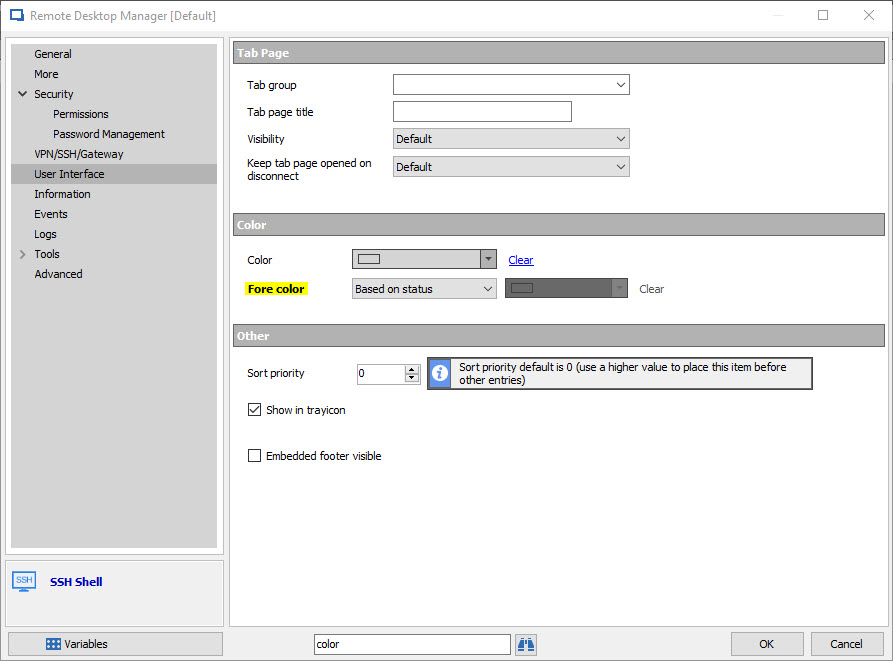
In order to change the color of your SSH Shell Terminal, please do the following:
Go to the Properties of your SSH Shell entry -> User Interface -> Color -> Choose the color you wish to use
Best regards,
James Lafleur
SSHShellColor.jpg
James,
That just seems to change the colour of the session entry in the Navigator and/or the tab colour?
I want to be able to change the colour of the text in the terminal session (the default is white text on black).
Thanks,
Steve
Hello,
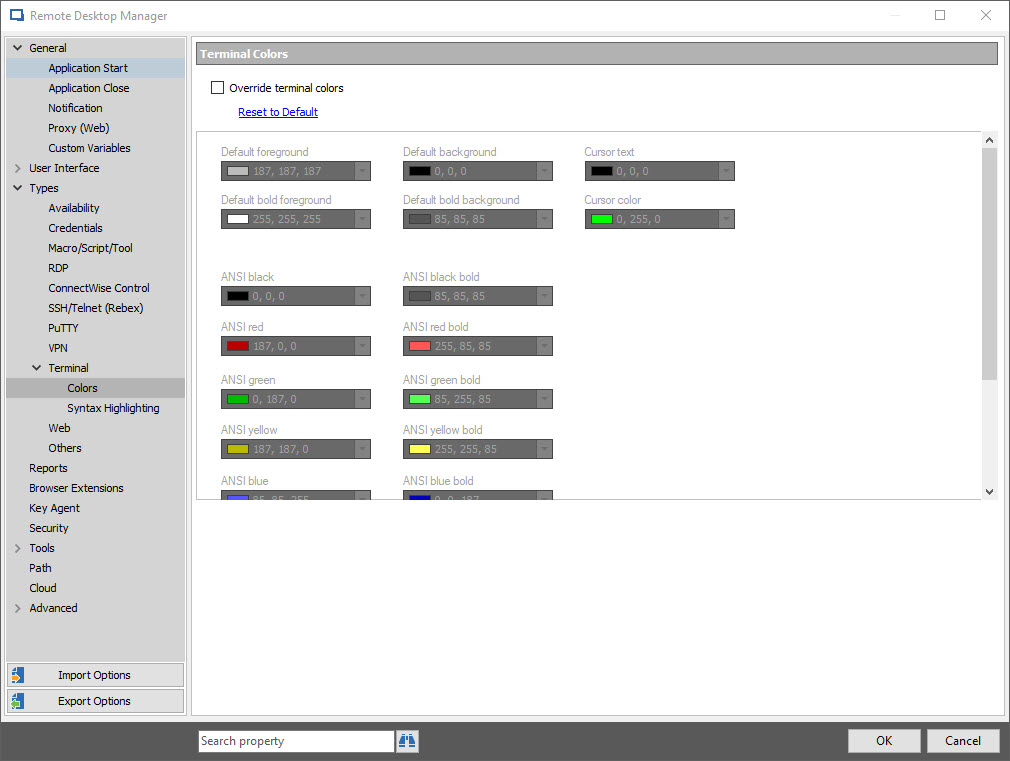
My apology, the setting you are looking for is under File -> Types -> Terminal -> Colors
Best regards,
James Lafleur
TerminalColors.jpg
Excellent. Thanks!!
Hello,
That’s good news! Thank you so much for your feedback!
If there is anything else we can help you with, please let us know.
Best regards,
James Lafleur

Disabled
Hi,
is there a way to set colors per sessions ?
The File -> Types -> Terminal -> Colors changes colors for all SSH session, what I'd like to do is have different background color depending on the session.
Best regards,
m.
Hello,
This feature is currently on the To Do list of our engineering department.
I will notify you as soon as I have any update on that matter.
For further reference, the ticket number is WIN-939
Best regards,
James Lafleur
Hello,
is it possible to get a predefined color set for standard shell colors like this:
(for import as XML file)
Best regards,
Holger
Hello,
Unfortunately, this is not available at the moment.
This could be a feature request, kindly post it at https://forum.devolutions.net/forum17-remote-desktop-manager--feature-request.aspx
This will allow the community to demonstrate interest in your idea. We use this interest to prioritize the features we implement.
Best regards,
James Lafleur
Hello,
This feature request is now integrated in the latest Beta of RDM Enterprise.
Please use the following link if you wish to test the version 13.9.1.0 of RDM:
https://remotedesktopmanager.com/home/thankyou/rdmsetupbeta
However, please note that a database upgrade is required if you are using an Advanced Data Source, so please perform the upgrade properly by following the steps in this help article: https://help.remotedesktopmanager.com/database_upgrade.htm
Best regards,
James Lafleur
Hello,
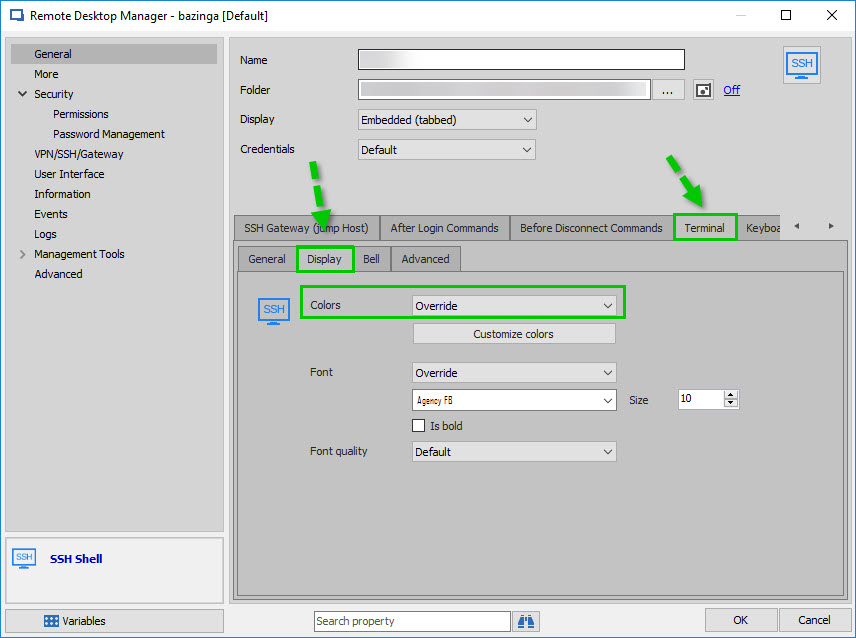
I forgot to mention the location of this new feature. It is located in the Properties of your SSH Shell entry under:
General - Terminal - Display - Use the dropdown menu next to "Colors" to select "Override" and then click on "Customize colors"
Best regards,
James Lafleur
SSHColor.jpg
Hi everybody,
Sorry to dig up an old post, but I'm having difficulties finding this option in the latest version (4.6.0.0 64bit).
When I use SSH to out linux box, I cannot read half the text as it has bright colours all over it.
Is there any way I can change this to not show any colours ata ll?
Either white text on black background or visa versa?
Please help.
Thanks in advance.
Hello,
I think that what you are trying to achieve can be done by going to the following location:
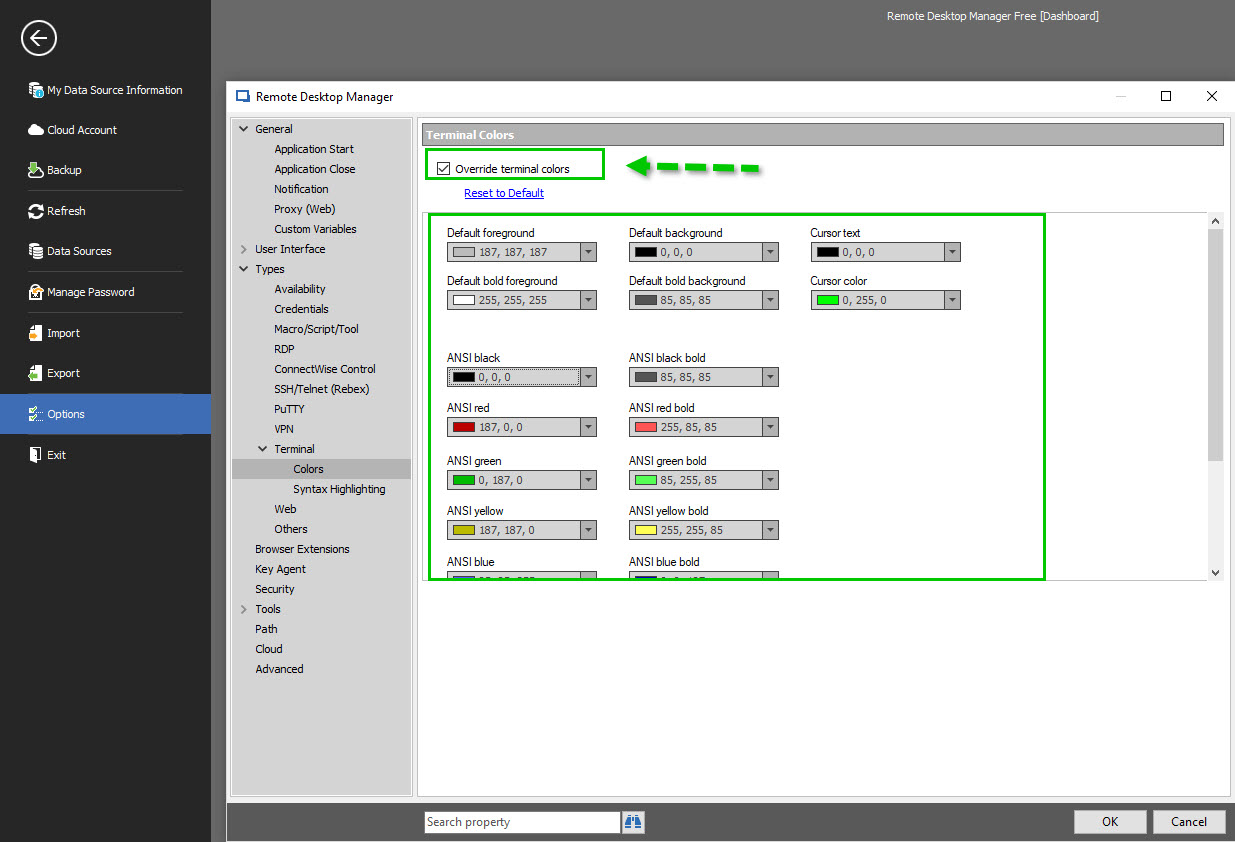
File -> Options -> Types -> Terminal -> Colors and check "Override terminal colors"
Once this option is checked, you will be able to use the different dropdown menu to change the default colors of your Terminal sessions.
Best regards,
James Lafleur
TerminalColors.jpg