SSH via SOCKS

Hi
I have a SOCKS proxy which works fine with webbrowser and putty but I cant seem to figure out how to configure in RDM
In RDM I have inheritance configured on folder members (ssh hosts) which works and have tried all options and methods seen in forum to configure SSH to use SOCKS but no joy
what I would like is click on any ssh host and it simply uses the inherited proxy as configured on the root folder
e.g.
host1 (individual Host1 IP:22) -> 10.220.158.35:1080 -> individual Host1 IP:22
host2 (individual Host2 IP:22) -> 10.220.158.35:1080 -> individual Host2 IP:22
surely this must be easier than it seem, could I please be shown how to configure
regards
All Comments (2)
Hi Peter,
We do not have this feature yet in RDM. It will be available in the next release of RDM.
This feature is called SSH Dynamic Tunnel.
As soon as the feature is implemented and working. I will reply to you with the exact step to configure it.
Best regards,
David Grandolfo
Hello Peter,
In the latest RDM version 13.6.5, the dynamic Socks 5 tunnel via an SSH server is now supported.
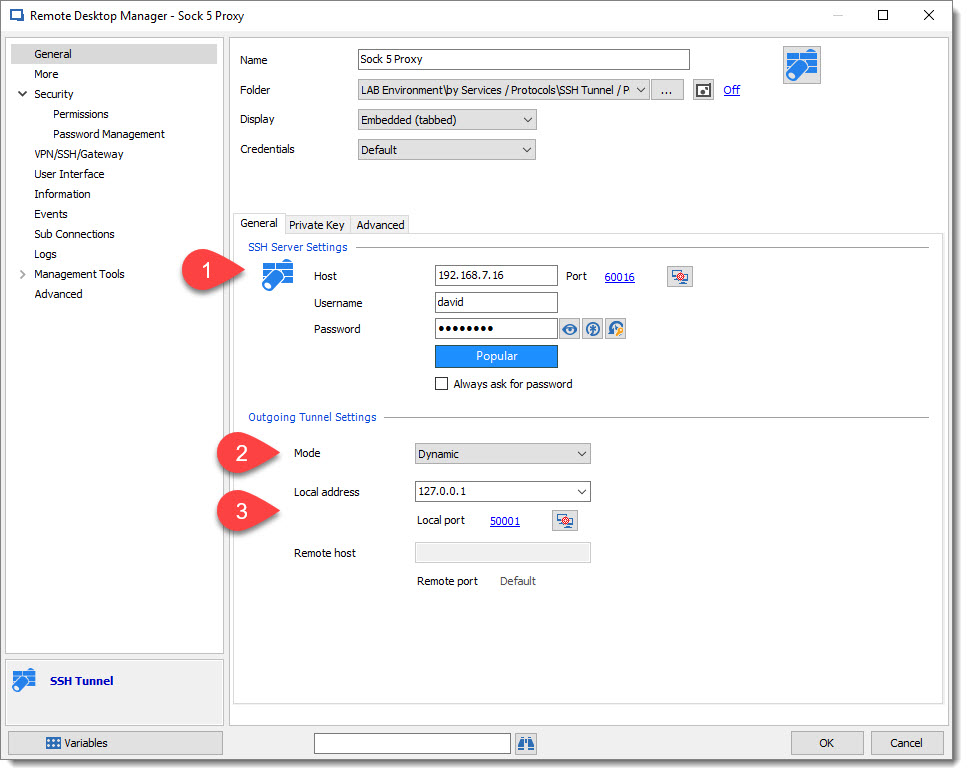
One of the good configurations is to create an SSH Tunnel entry like below:
1: SSH Server for Socks 5 tunnel
2: Mode as Dynamic
3: Local Address can be set as a local host address with a specific port (use a port outside of Windows port usage)
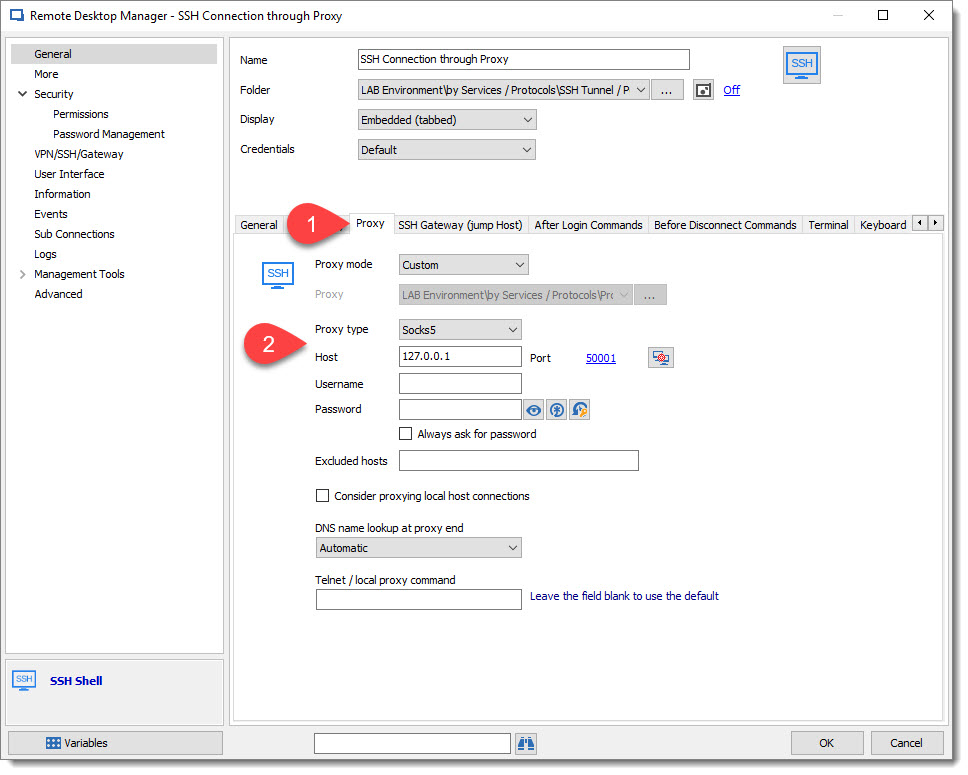
And then connect your SSH Shell, with the Proxy tab information:
1: in the SSH Shell entry go to Proxy tab.
2: Proxy Type: Socks 5
Host/Port: set the same host/port as setup on the SSH Tunnel above.
Best regards,
David Grandolfo
SSH_Tunnel_Socks.jpg
SSH_Shell_Proxy.jpg