Windows Explorer sessions affecting the Dashboard of their parent folders
Windows Explorer sessions affecting the Dashboard of their parent folders

Hi there,
We're seeing an issue where Windows Explorer sessions are causing the Dashboard of their parent folders to not display the correct name.
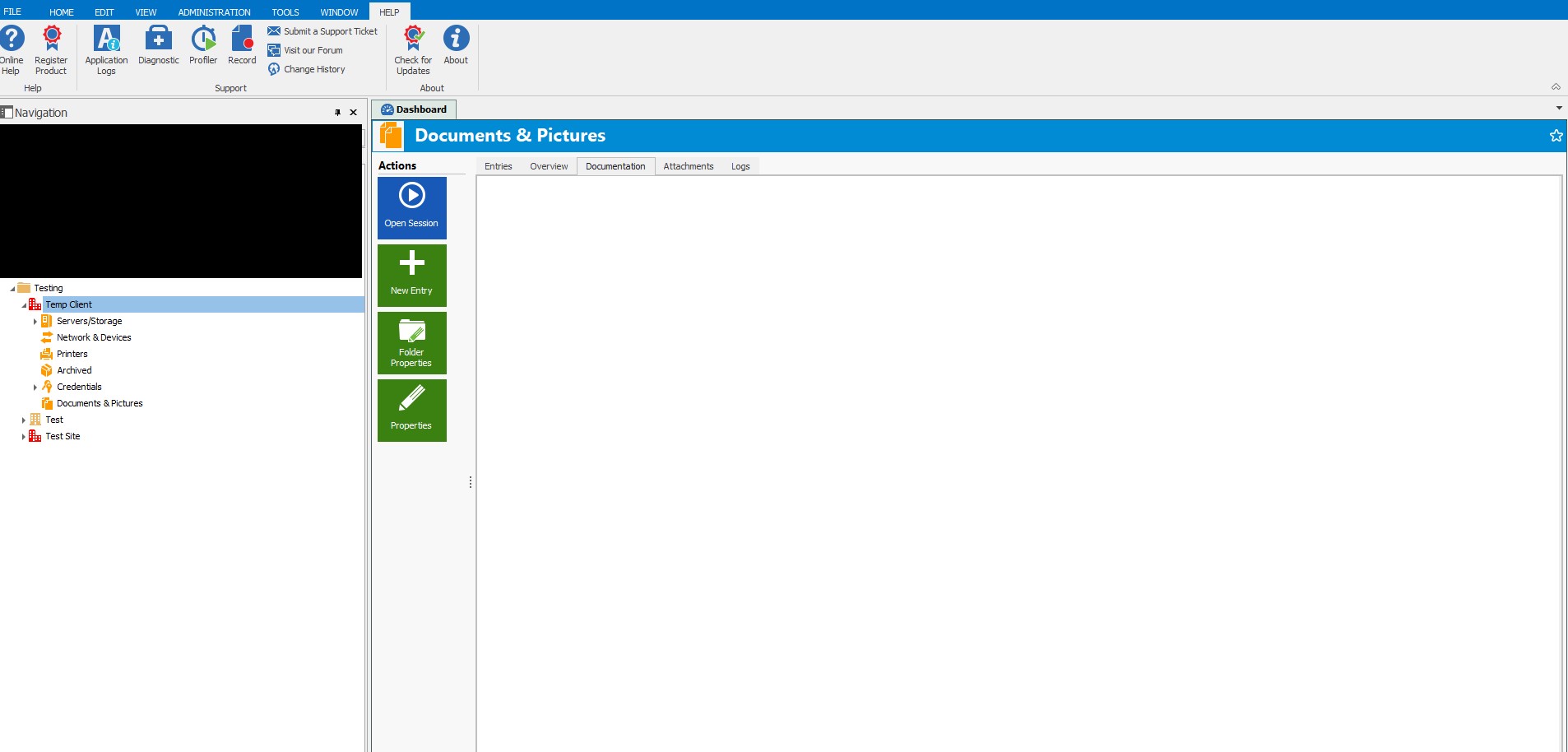
In this image, even though the Company entry of "Temp Client" is selected, the dashboard is showing the name of the Windows Explorer session inside of it (Documents & Pictures). If you delete the Windows Explorer session, the dashboard title returns to normal. Creating a new Windows Explorer session from scratch will produce the issue again.
Enterprise Edition 13.5.8.0 64-BIT
Windows 10 Pro
Version 1803 OS Build 17134.48
All Comments (5)
Hello,
I'm unable to recreate your issue.
Could you please export the structure that you have without the credentials and send it to me via private message?
You can also send it to support@devolutions.net
Best regards,
Marc Beauséjour
Sent