Windows Explorer sessions affecting the Dashboard of their parent folders
Windows Explorer sessions affecting the Dashboard of their parent folders

Hi there,
We're seeing an issue where Windows Explorer sessions are causing the Dashboard of their parent folders to not display the correct name.
In this image, even though the Company entry of "Temp Client" is selected, the dashboard is showing the name of the Windows Explorer session inside of it (Documents & Pictures). If you delete the Windows Explorer session, the dashboard title returns to normal. Creating a new Windows Explorer session from scratch will produce the issue again.
Enterprise Edition 13.5.8.0 64-BIT
Windows 10 Pro
Version 1803 OS Build 17134.48
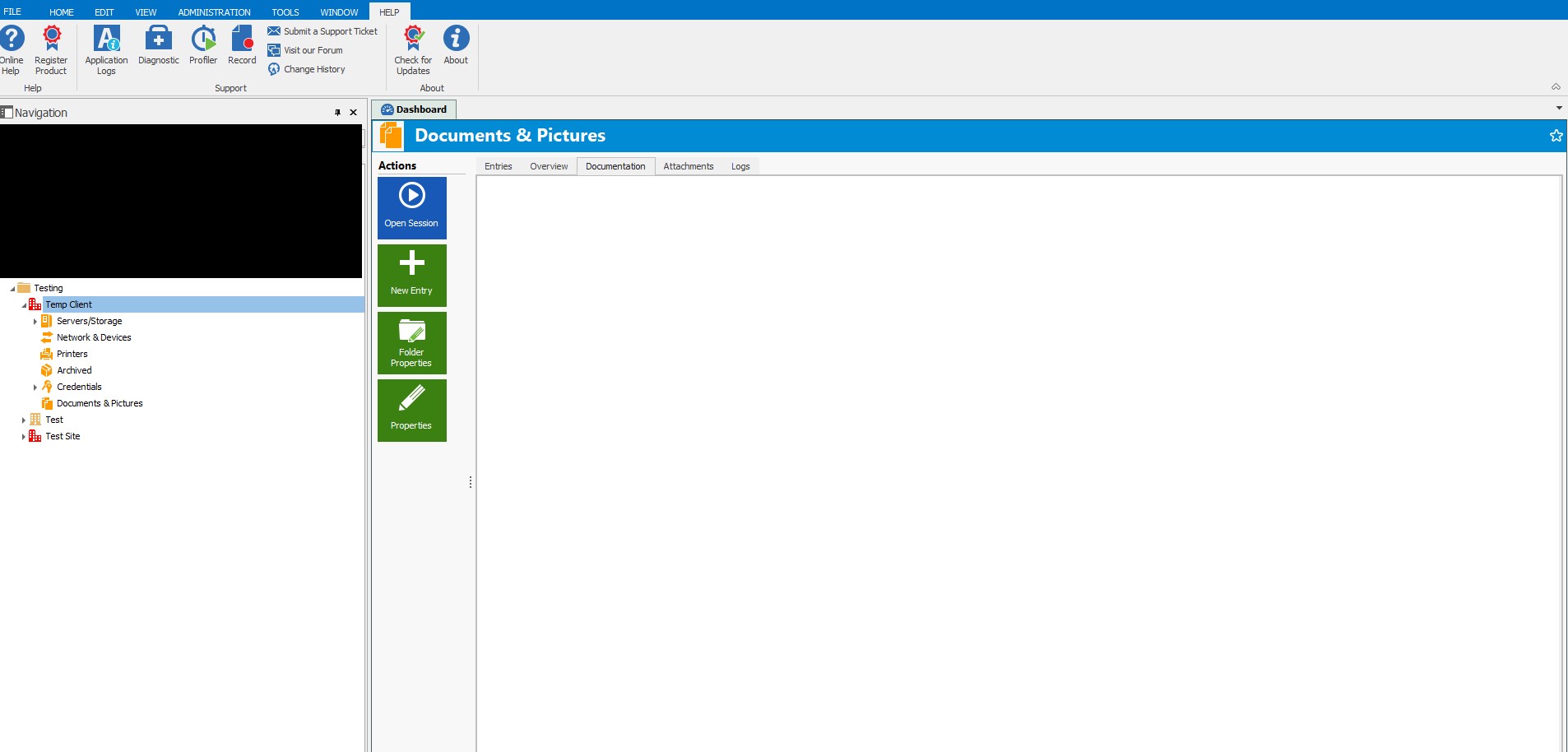
RDMan Bug.jpg
All Comments (5)
Hello,
I'm unable to recreate your issue.
Could you please export the structure that you have without the credentials and send it to me via private message?
You can also send it to support@devolutions.net
Best regards,
Mark Beausejour
Sent
I may have stumbled upon the cause/more information. The issue stops once the "Show folder details/description" box has been ticked under the "Entries" tab.
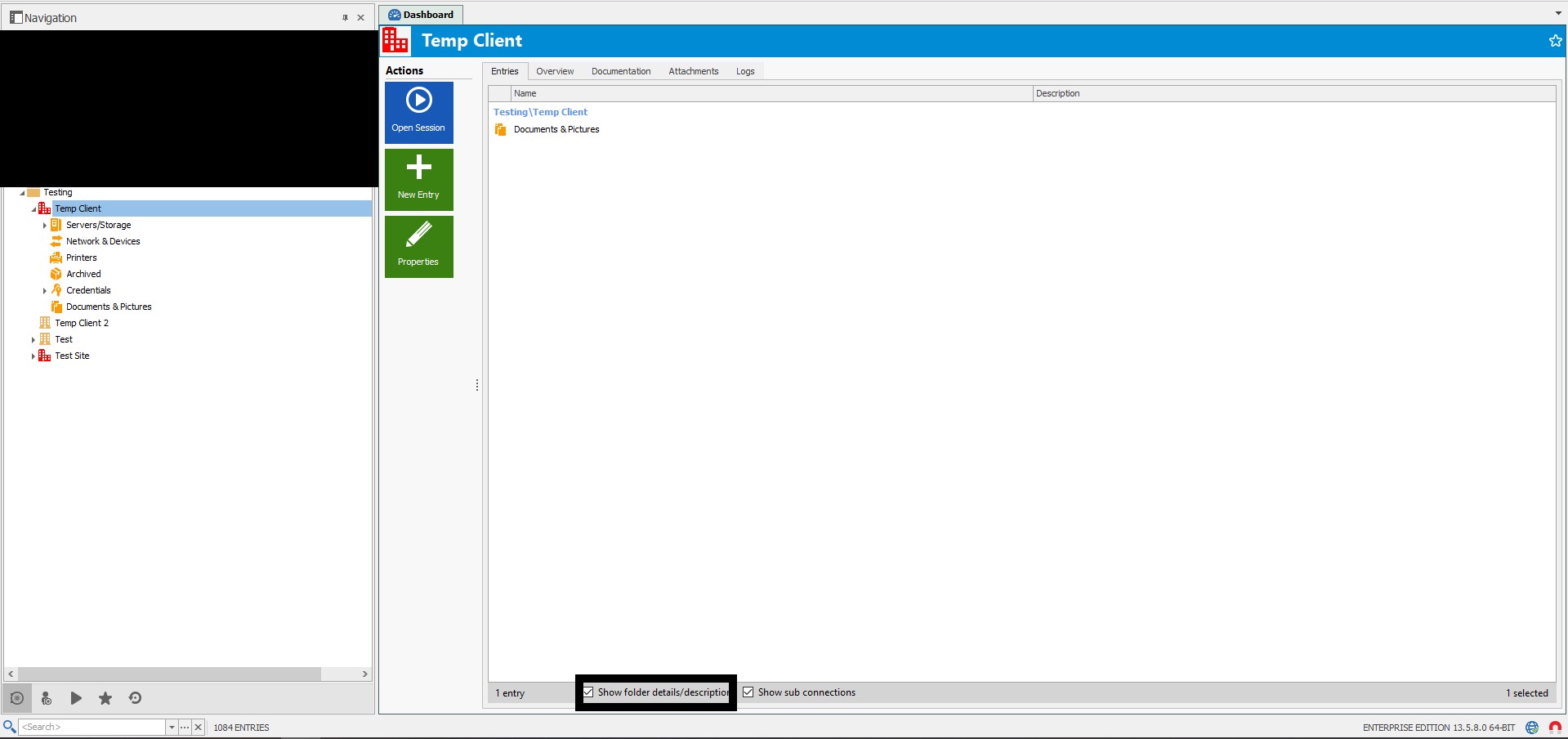
RDMan Bug 2.jpg
Hello,
You're right. I see the same thing you as you when that option is off.
I'll have a discussion with our engineers so we can have a closer look.
Thank you for your time and patience on this.
Best regards,
Mark Beausejour
Hello,
I've spoken with our team and this seems to be intended behavior.
If you want to see the proper Overview, the "Show folder details/description" box needs to be ticked.
Best regards,
Mark Beausejour