AzureSQL connection problem

Hi,
RDM - 13.5.8.0 64bit
Win10 ent - 18003
I don't have static IP and on Azure I have setup Azure SQL firewall to access database .
Then I setup AzureSQL as data source and everything was working.
I also setup Azure automation which every hour check my DynDNS hostname for IP and update AzureSQL database firewall.
But I have problem with accessing database since my IP has changed.
Devolutions.RemoteDesktopManager.Business.TryGoOfflineException: Cannot open server 'srvrdm' requested by the login. Client with IP address 'x.x.x.x' is not allowed to access the server. To enable access, use the Windows Azure Management Portal or run sp_set_firewall_rule on the master database to create a firewall rule for this IP address or address range. It may take up to five minutes for this change to take effect.
at Devolutions.RemoteDesktopManager.Business.DataSources.SQLServerConnectionDataSource.ExecuteScalar[T](String sql, IDbDataParameter[] parameters)
at Devolutions.RemoteDesktopManager.Business.DataSources.SQLServerConnectionDataSource.GetConnectionCacheID()
at Devolutions.RemoteDesktopManager.Business.DataSources.DatabaseConnectionDataSource.HasSecurityChanged()
at Devolutions.RemoteDesktopManager.Managers.ConnectionManager.c5ef36373244cdf2ba529a3f9d55c7fda(BaseConnectionDataSource c7f28727fc7a5daa94ba08f688b2a5781)
at Devolutions.RemoteDesktopManager.Managers.ConnectionManager.LoadConnections(BaseConnectionDataSource dataSource)
While I can normally access/login to database with SQL SMS 17 and execute
SELECT * FROM sys.database_firewall_rules ORDER BY name;
where I can see my public IP.
Why I must add server level firewall rule (Add client IP or sp_set_firewall_rule) to be able access database with RDM.
https://docs.microsoft.com/en-us/azure/sql-database/sql-database-firewall-configure
Can you help/suggest what to do?
Regards,
Darko Bazulj
https://triton-grupa.hr
All Comments (7)
Hello,
I would need to verify this with one of our azure specialist.
Let me verify this and get back to you.
Best regards,
Jeff Dagenais
We've been able to reproduce the issue internally. We are currently investigating, will let you know when a fix is available.
As for now, you will need server level IP firewall rule for RDM to work.
Best regards,
Stéfane Lavergne
thanks for info.
I have already updated runbook to update server level IP firewall also.
Regards,
Darko Bazulj
https://triton-grupa.hr
Oops I had the incorrect IP in my firewall rule. With the proper IP all works as expected.
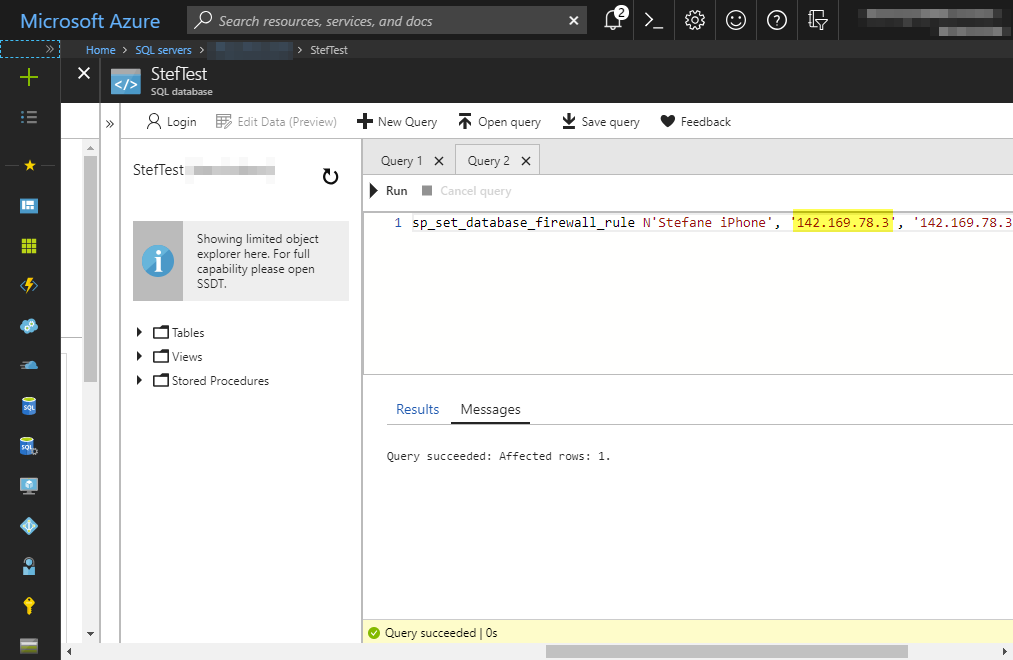
Add database level firewall rule
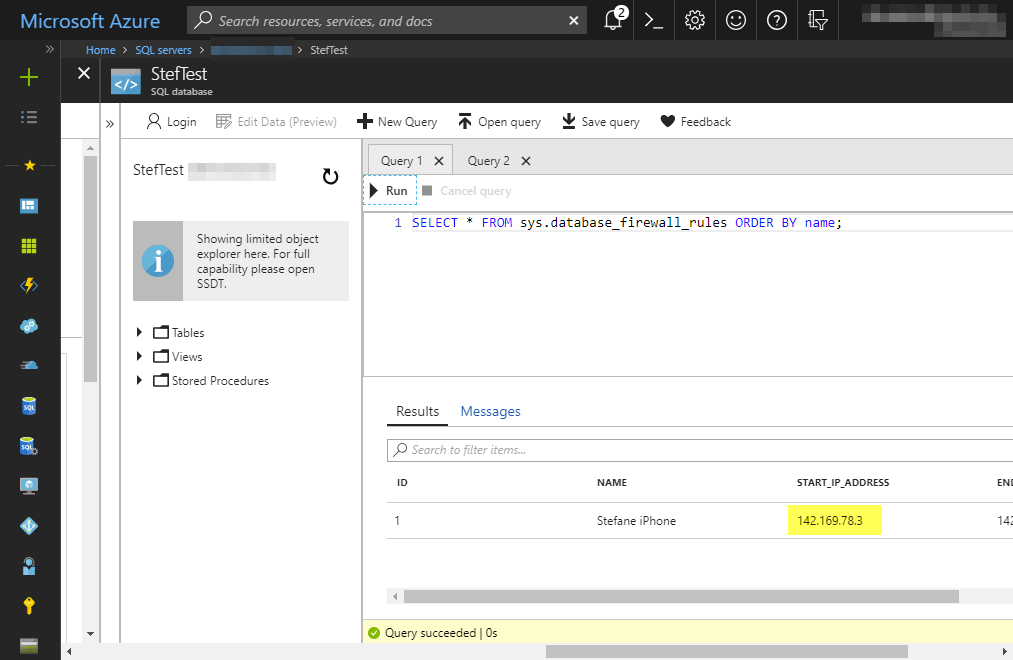
Check database level firewall rule
The exception says:
If you wait a few minutes does the connection work?
Stéfane Lavergne
2018-05-22_8-29-19.png
2018-05-22_8-29-39.png
I have made several tests and I can't access AzureDB withouth server level firewall rule.
1. close RDM
2. remove my current IP from server level fw. wait 2-3 min.
3. start RDM (click go offline)
you can see that even I don't have server level rule I can access AzureSQL with SQL manager while RDM have problem.
4. add current IP to server level fw and wait 2-3 min. After that I can access AzureSQL datastore. I click Go Online.
Maybe I'm doing something wrog but can't see what.
Regards,
Darko Bazulj
https://triton-grupa.hr
I think you are onto something, I will investigate further.
Stéfane Lavergne
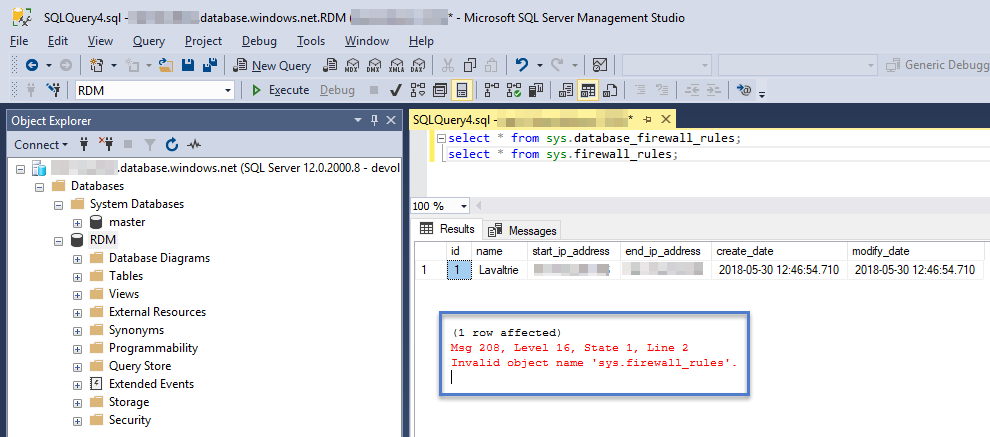
I performed the following steps- New Azure SQL Server - Set server level firewall rule - Open RDM & create new RDM database - Create RDP session - Close RDM - Remove server level rule, wait 5+ minutes - Open RDM, fails go offline - Added database firewall rule, wait 5+ minutes - Open RDM, all is goodNote: If you try to create a users it will fail. Why? We are trying to query the master database to see if the login already exists, I will investigate if we can resolve this
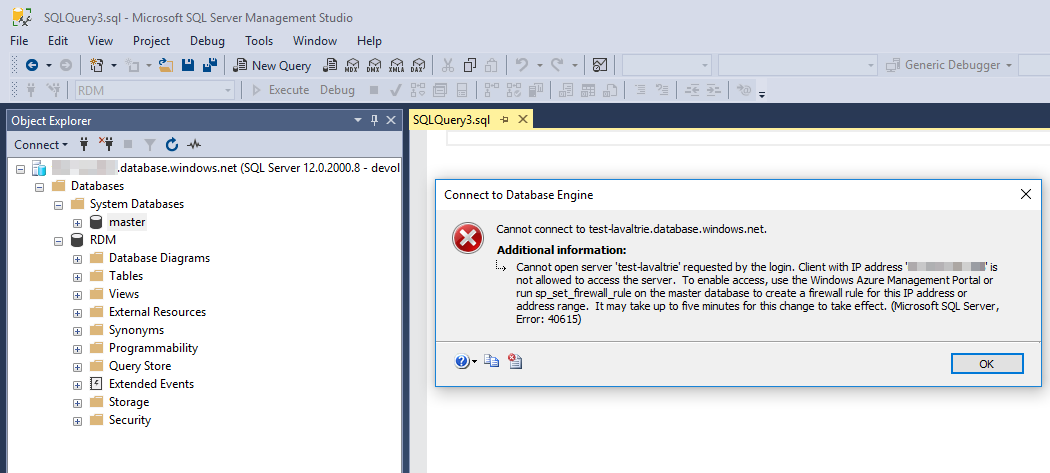
With database level firewall rule only I can't connect using SSMS (SQL Server Management Studio) unless I specify "Connect to database: RDM"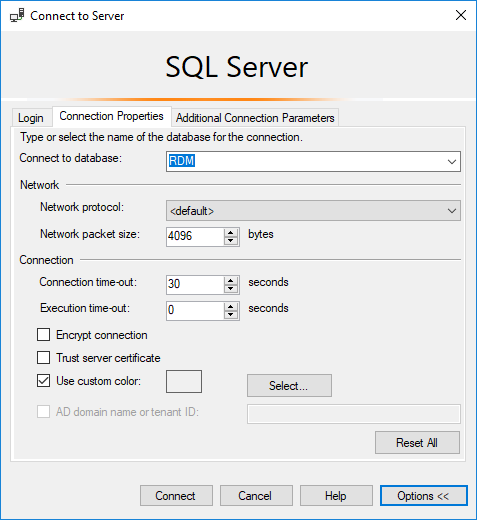
Stéfane Lavergne
2018-05-30_9-01-42.png
2018-05-30_9-03-34.png
2018-05-30_9-00-09.png