Offline Mode - No password needed

Hi,
we are doing the following:
1. Start RDM
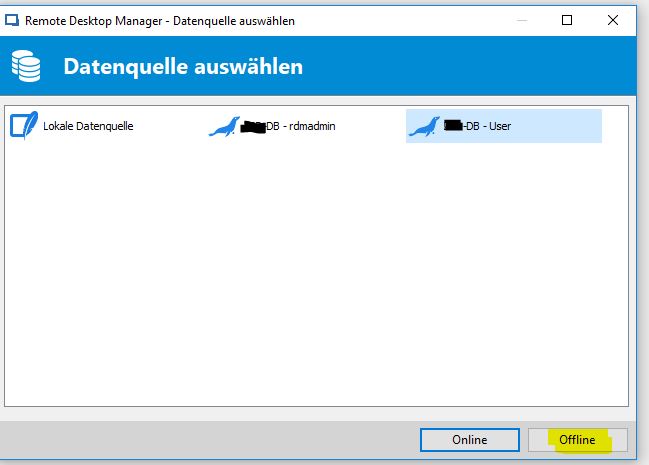
2. Choose Mariadb connection for user and choose offline
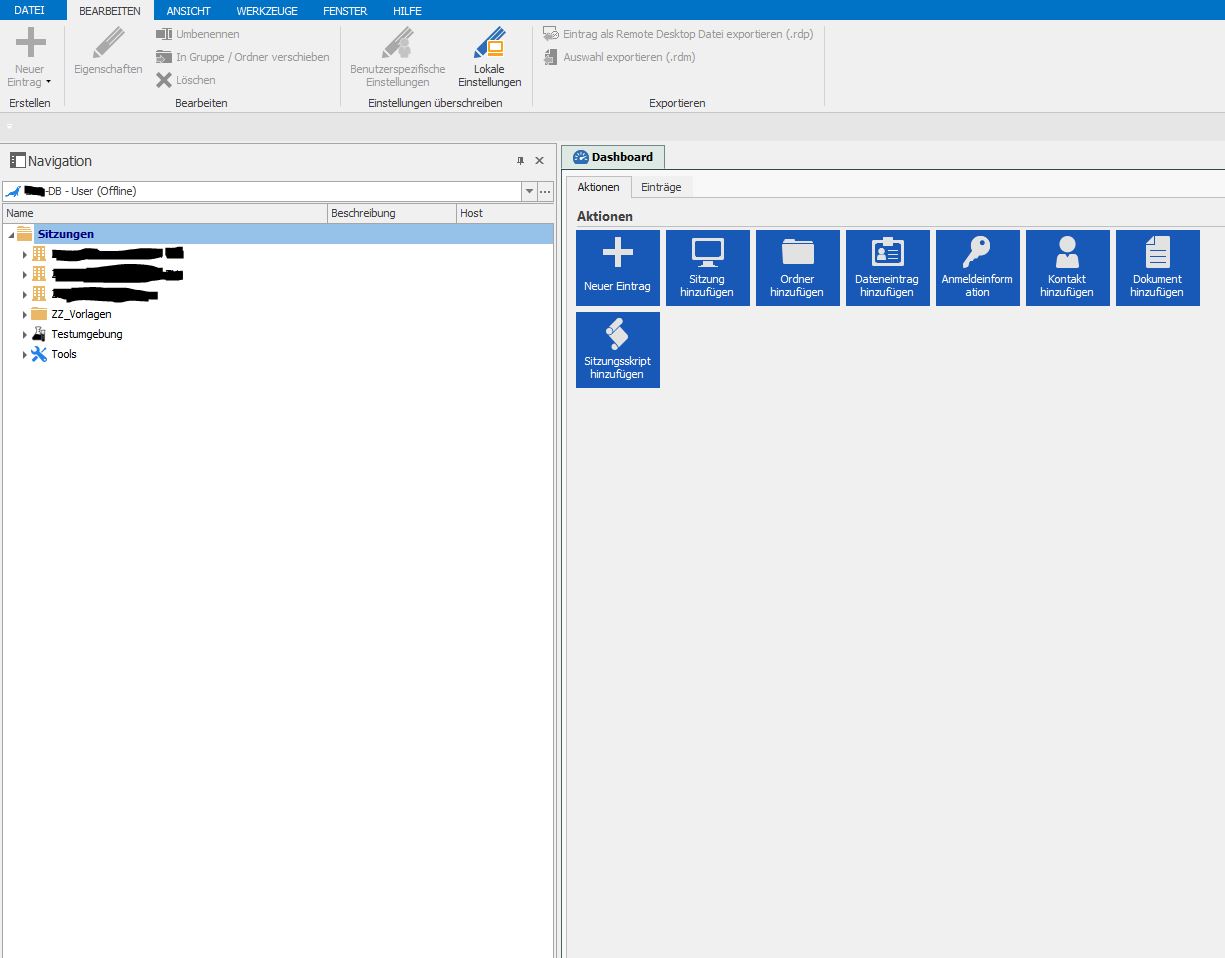
3. no password needed to enter the offline mode to see all connections, passwords, private vault etc.
Why is this working?
How can we prevent this?
We want to have the users to enter their credentials in online and offline mode.
Thank you
Best Regards
Jonas
All Comments (14)
Hello,
I'm being prompt with a window to enter my credentials when I'm connecting in offline, would you be able to send you steps with some screenshots?
Etienne Lord
Hi,
1. Double click on RDM desktop Icon
2.
3. all sessions appear without entering anything
Thanks
Best Regards
Jonas
2.JPG
1.JPG
Hello,
We were able to reproduce your issue, a ticket has been opened with the engineering department, thank you for the report.
Etienne Lord
Hi,
can you tell, when this will be available in public / as beta?
Thank you
Best Regards
Jonas
The feature wasn't yet implemented with MariaDB, MySQL & SQL Server data source types. I ported the code over from the Devolutions Server & Devolutions Online Database data source. I have one last issue I must resolve then the build be sent to the QA team for internal testing. You can expect release of a beta build early next week.
Best regards,
Stéfane Lavergne
Hi,
I tried the latest beta from today and this is not working.
If you open RDM, Click on the user profile and offline, it works without entering the password.
Can you check this?
Thank you
Best Regards
Jonas
Sorry, forgot to mention, you need to enable it
Administration > Applications > Offline > Check "Prompt for credentials before going offline"
Best regards,
Stéfane Lavergne
Hi,
I logged in with my RDM Admin, went to Administration -> Datasource Settings -> Offline -> checked "Ask for Password before going offline"
Restarted the Application, Logged in with my normal user, went to the Offline mode, nothing happens.
Best Regards
Jonas
Do a CTRL+Refresh, then go offline and all should be good.
After saving the Data Source Settings, we need to add code to force a full re-load of the offline cache. The CTRL+Refresh will do that.
If ever you need to do this a many machines, we can send you an SQL statement that will force refresh on all machines.
Best regards,
Stéfane Lavergne
PromptPasswordForOfflineMariaDB.mp4
Hello,
The issue has been fixed internally and will be in the next major release of Remote Desktop Manager (14.0.0.0)
Best Regards,
Etienne Lord
I have tested this in 14.0.4.0 and this behavior is still unchanged.
When I try to login with the wrong password I still have the option to go into offline mode
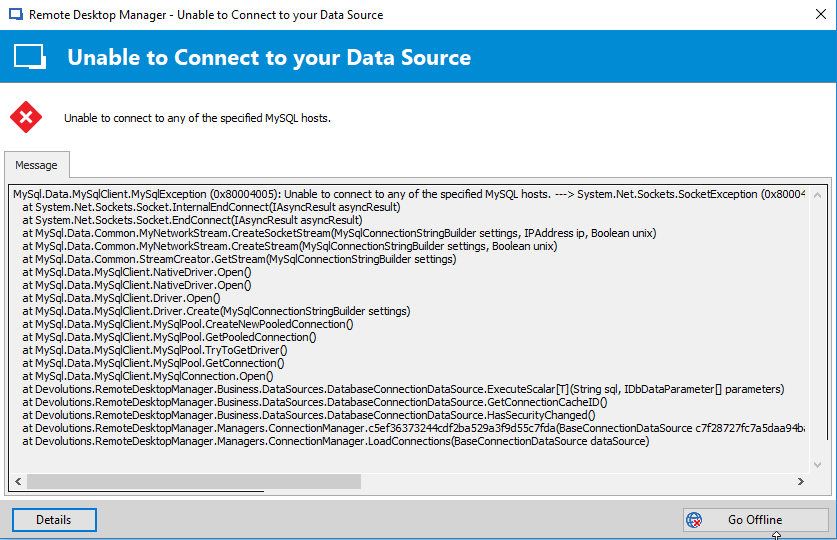
When I'm not connected to the network and try to login with the wrong password I get a different exception BUT i'm still able to login to the application!
Is it possible to fix this issue in an upcoming version? It shouldn't be possible for a user that is not authenticated to go into offline mode.
It should be possible however to go into offline mode with the correct password without access to the database.
Or thats how i'd like to see it anyway :)
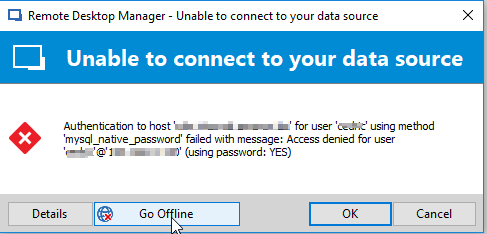
2018-11-05 11_58_53-Remote Desktop Manager-wrongpass-offline.png
2018-11-05 12_01_24-Remote Desktop Manager-wrongpass.png
@Cedric,
It seems to be an issue specific to mySQL. I will report it to our dev.
Regards
David Hervieux
Thnx David!! please keep us posted on the developer feedback.
The issue has been resolved internally and will be available in the next beta release.
Best regards,
Stéfane Lavergne