Templates (version 13.5.6.0)

Hello Community,
I think it's going to be a bug, but correct me if I'm wrong.
The issue is the following:
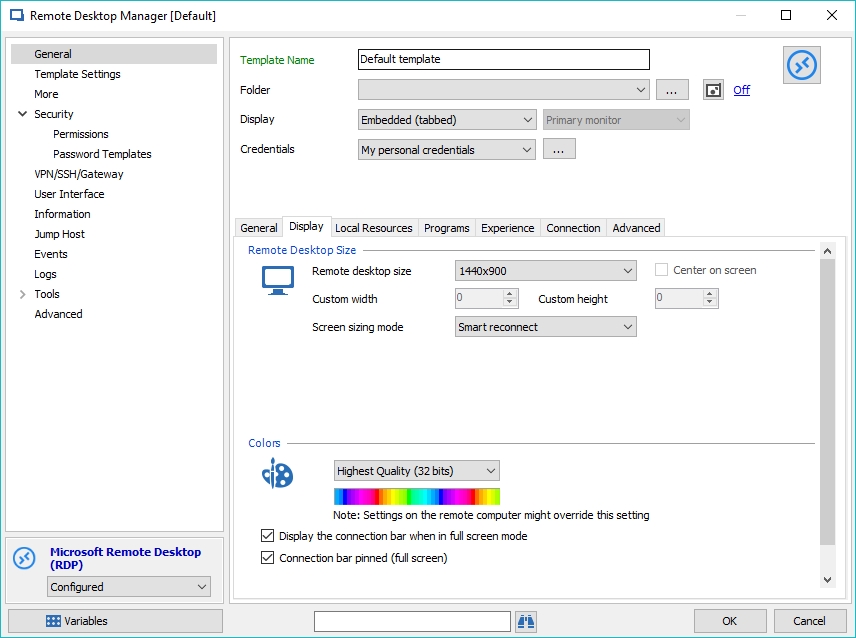
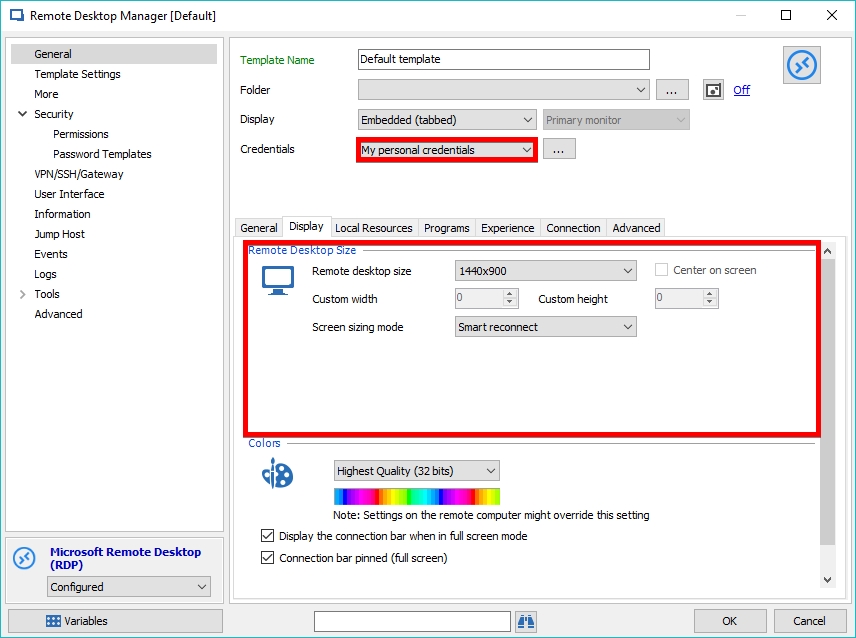
We created a default RDP template for RDP entries:
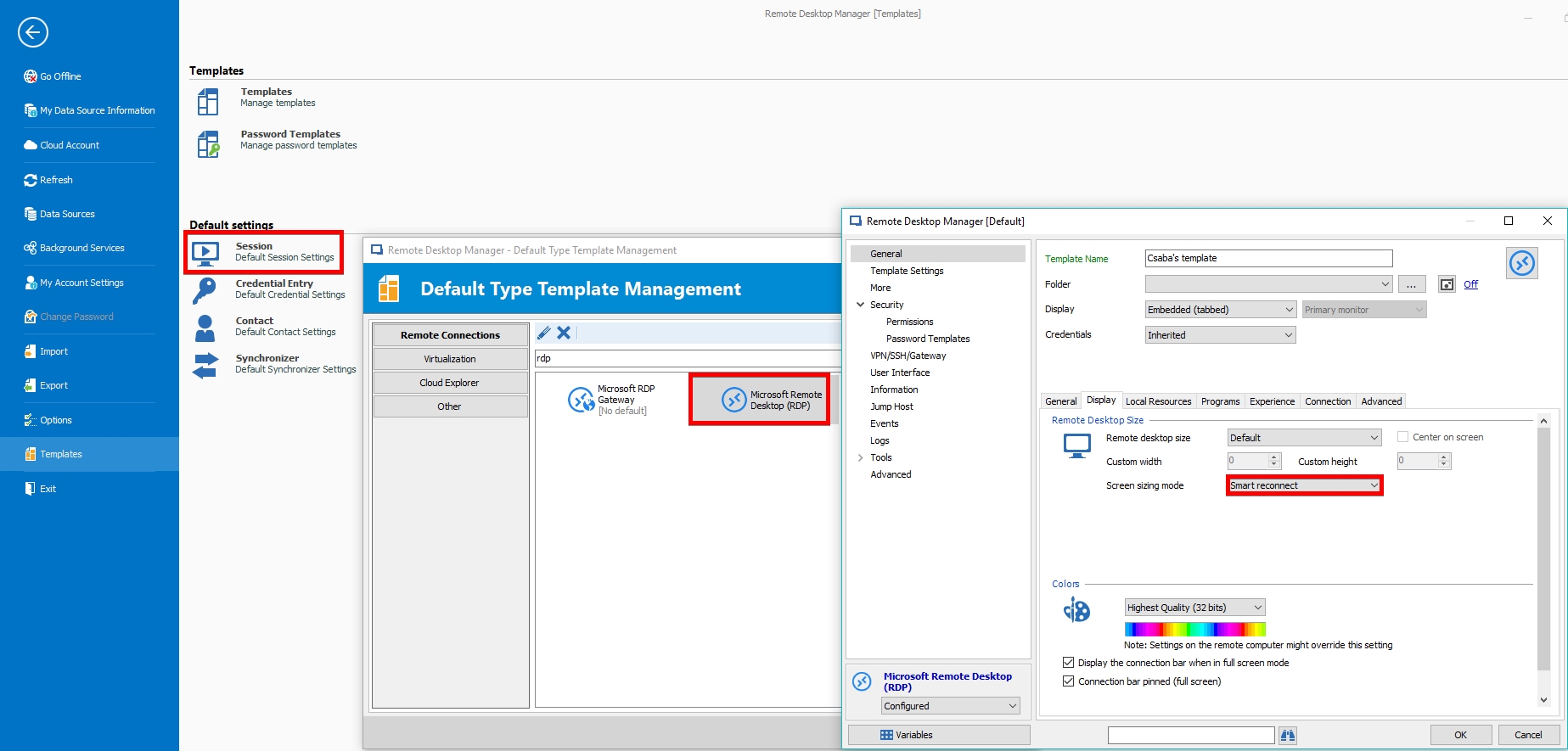
I have a personal Default RDP session template, called "Csaba's template":
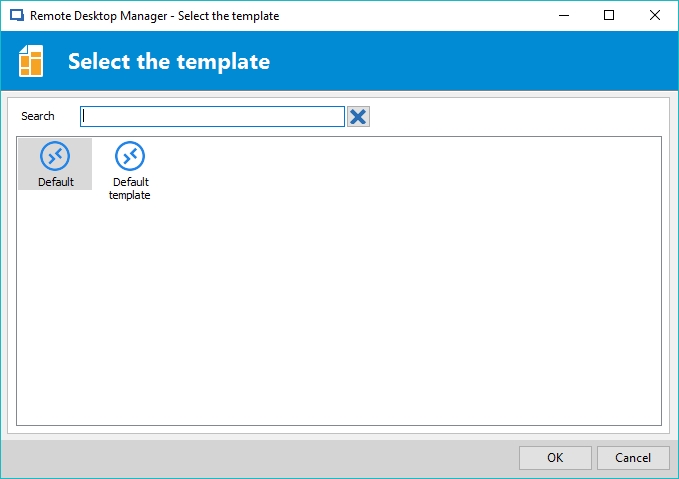
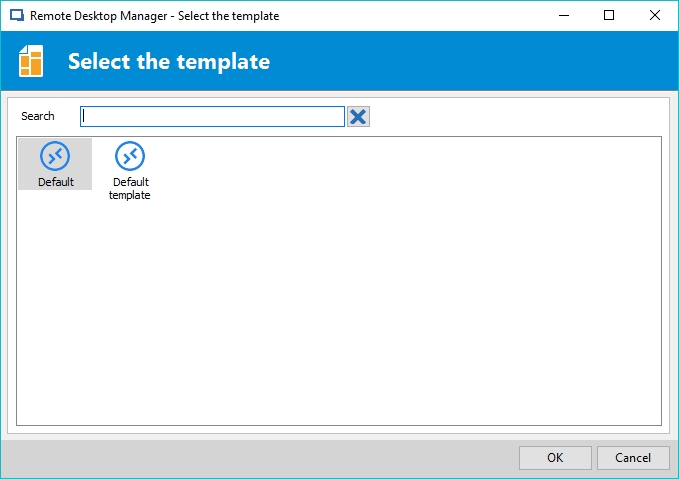
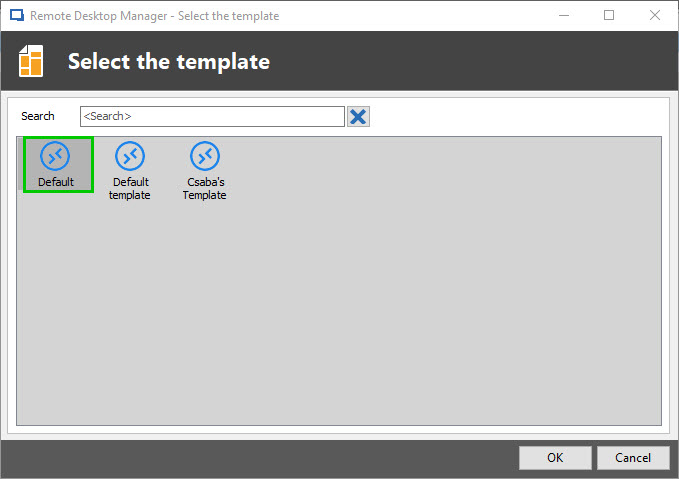
When I want to create a new RDP entry I can choose between these two, which is so far so good:
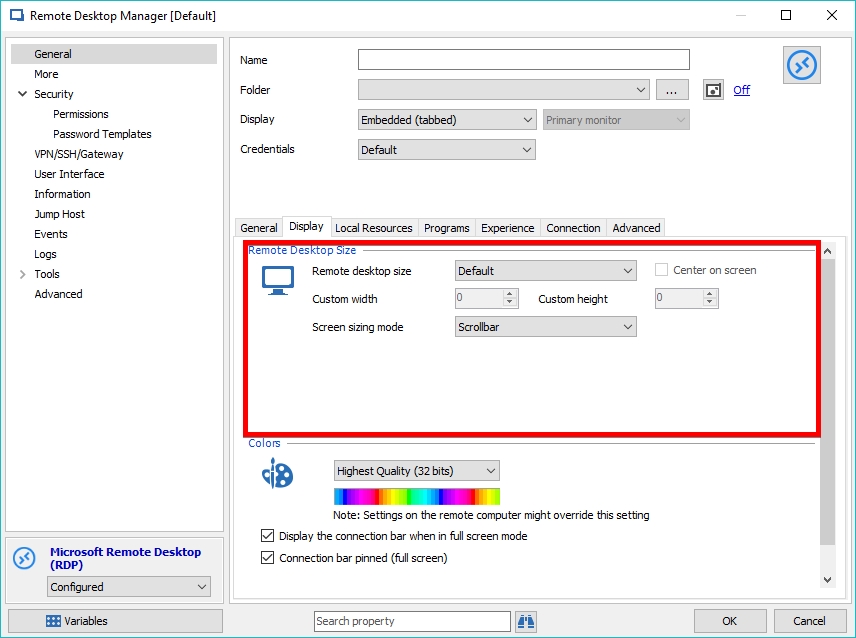
Now, if I choose "Default", it gives me a completely different settings from "Csaba's template" and from "Default template". If I choose the "Default template", it gives me the options I had set up previously which is so-so great, but what if somebody from the others want to use his own template, but don't want to share it with us?
"Default" template chosen:
"Default template" template chosen:
Strangely, after I deleted the "Default template" template, and created an RDP entry, it's been created based on "Csaba's template".
In RDM manual, I found out, that there should be a local and a shared template tab, but I cannot find it anywhere. Maybe I'm missing something?
RemoteDesktopManager64_2018-04-13_17-01-51.jpg
RemoteDesktopManager64_2018-04-13_17-01-21.jpg
RemoteDesktopManager64_2018-04-13_17-00-59.jpg
RemoteDesktopManager64_2018-04-13_17-00-23.jpg
RemoteDesktopManager64_2018-04-13_16-59-12.jpg
All Comments (4)
Hello Csaba,
can you verify following options:
Admnistration => Data source settings => General => General => Add Entry Mode
Admnistration => Data source settings => Application => General => Allow templates (local)
Regards,
Min
Hello,
Before diving any further into this issue, could it be possible for you to send us a print screen of your Template tab?
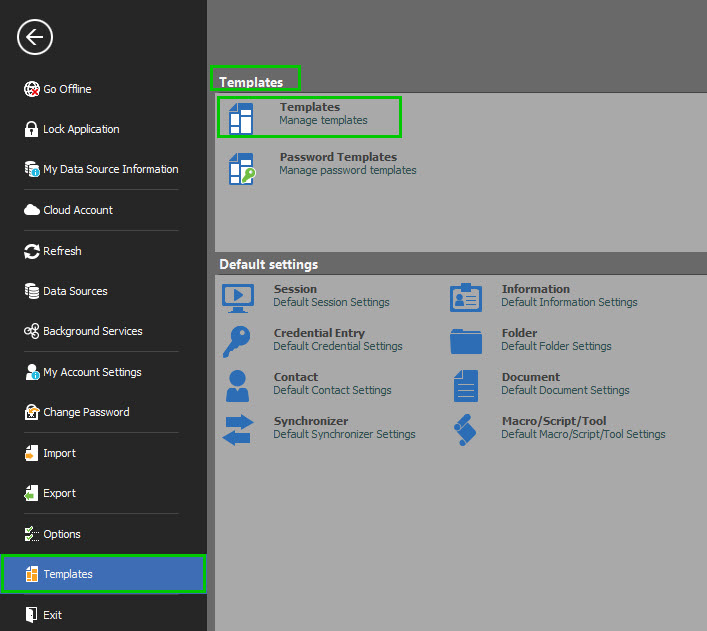
To find this tab, please go to File -Templates - Templates, this will open the Templates Tab in your Dashboard (This is the location that I need to take a look at)
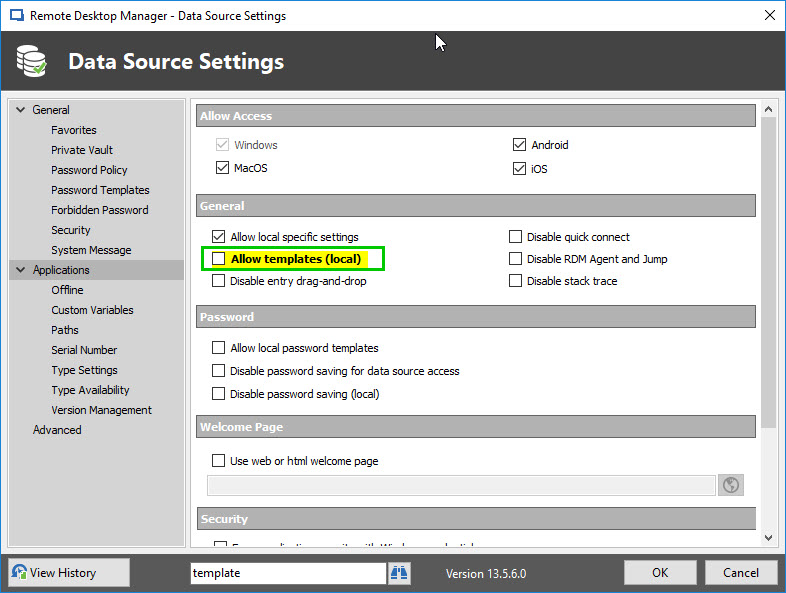
Regarding your second question, in order for your User to create a local template, you will need to check ''Allow Template (Local)''
This setting can be found in Administration - Data source Settings - Applications - Check ''Allow Template (Local)''
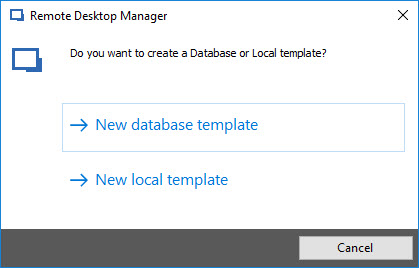
With this option checked, you will be able to choose between ''New Database Template'' and ''New Local Template''
From there, with ''Allow Template (Local)'' checked, you should be able to create your Csaba Template and use it to create a new RDP entry.
Best regards,
James Lafleur
TemplateChoice.jpg
AllowLocal.jpg
template1.jpg
Hello Min and James,
My settings were the following:
Admnistration => Data source settings => General => General => Add Entry Mode ----> Default
Admnistration => Data source settings => Application => General => Allow templates (local) ----> It was not enabled
@James:
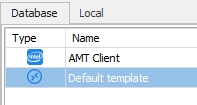
I cheated a little bit in this screenshot, because since then I did some setup Min suggested and a Database & Local tab appeared.
I think I was mixing up the settings and was talking about separate things. I just did a little testing after you guys helped me out and noticed the following:
My Session Settings (Csaba's template) can be used for Quick Connect.
If I want to create an entry for myself (eg. in My Vault) I have to create a Local template and use it when I add a new entry for myself, and have to choose the Local template.
If I want to create an entry for everyone, then I have to create a Database template (or more) and let people use them.
But... Is it possible, when I add an RDP entry (or any other entry) to change the Default settings which fits more to our needs?
Thank you guys for your help, it really made things clearer!
RemoteDesktopManager64_2018-04-13_17-00-59.jpg
RemoteDesktopManager64_2018-04-14_12-26-28.jpg
Hello,
Glad to see that our explanation helped you to better understand the Template Feature.
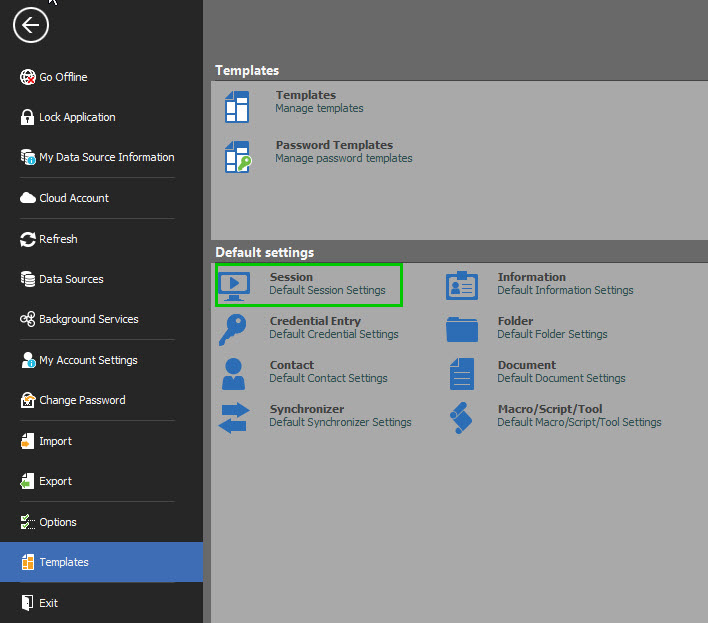
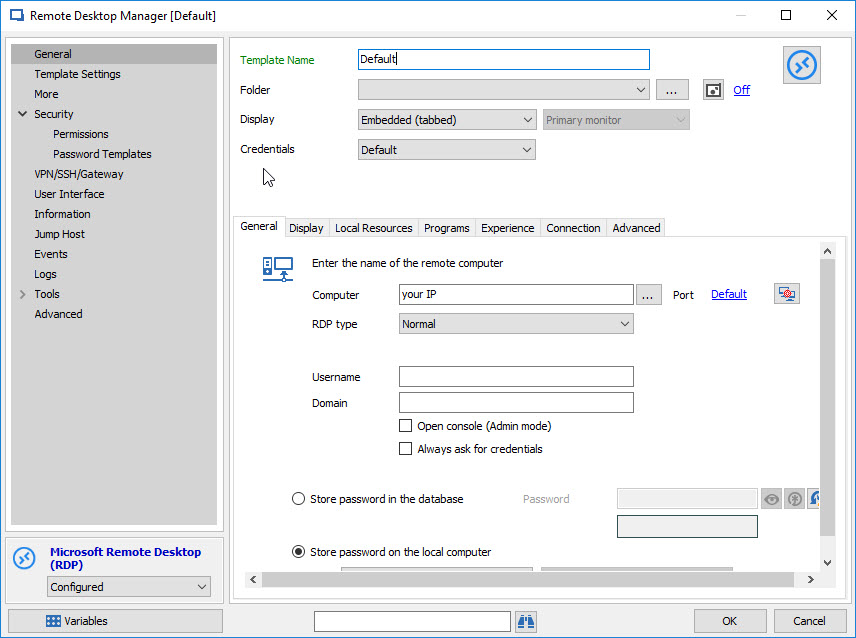
That being said, in order to change the ''Default Settings'' of your RDP entry upon creation, please do the following:
1- Go to File - Templates - Default Settings - Session
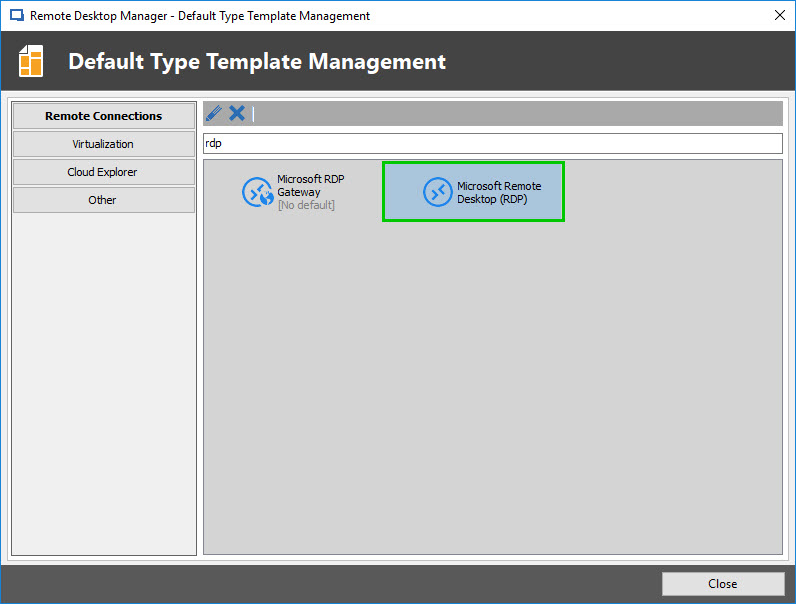
2-In the Search field, enter ''RDP'' and select ''Microsoft Remote Desktop (RDP)
3-In the ''Remote Desktop Manager (default)'' window, enter the configuration you wish to use
4-Create a new RDP entry, select ''Default''
Best regards,
James Lafleur
DefaultInfo.jpg
DefaultSetting.jpg
DefaultRDP.jpg
DefaultTemplate.jpg