Multiple Monitors

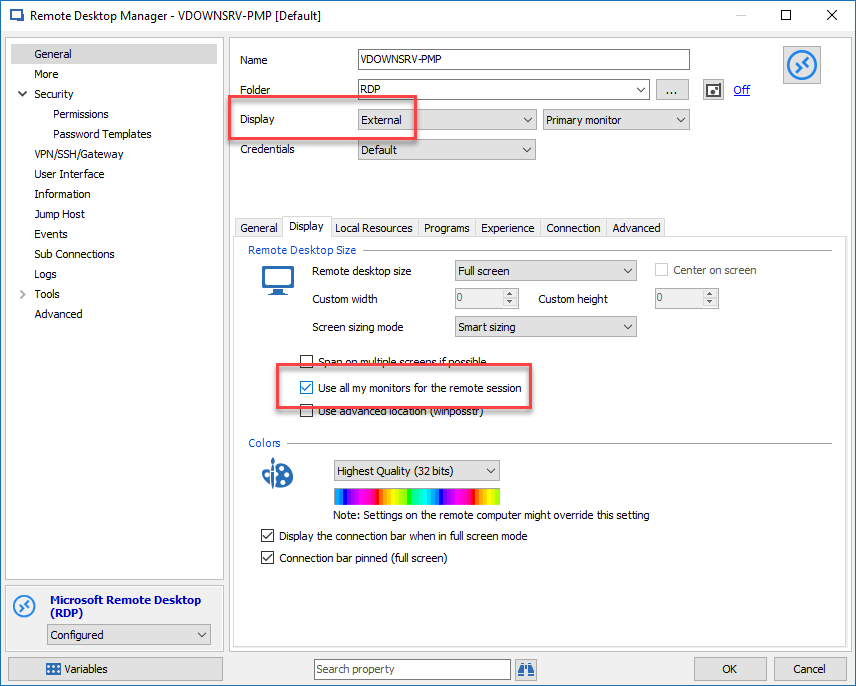
I don't see the option to use all available monitors. I've setup RDP to a Windows 10 machine and it works fine using RDP that comes with Windows but I can't get it to work with Remote Desktop Manager. I'm not sure what I'm doing wrong.
All Comments (1)
Hello,
To accomplish this, you would need to configure your session to be opened in External mode and check the All monitors option in the display tab.
Best regards,
Jeff Dagenais
2018-04-02_09-35-43.png