Smart Card PIN saving
0 vote

Disabled
Hi,
I was wondering if it would be possible to add smart card support to the local credential repository?
I would like to be able to save my smart card pin there so I don't have to type it every time I connect to a server.
Thanks.
All Comments (22)
I'm not sure to understand. You would like to let RDM type it for you like with a macro?
Regards
David Hervieux
Not sure if that's the only way to accomplish it, but something like that yeah.
I manage around 200 servers and sometimes I will connect to groups of 40 at a time. If I wanted to use smart card auth I would have to type my pin in 40 times to do that. If I use password auth it just connects automatically.
Hello,
I'm not sure if it's something we can do. I will add this to our todo list and analyse it.
Regards
David Hervieux
Dear All,
Is there any update about this topic ?
Regards,
Alain Nigot
I haven't found a way to do that. Perhaps you could create an entry with the PIN and copy it to the clipboard. Use the Type Password from Clipboard action with a global shortcut to paste the information. What do you think?
Regards
David Hervieux
I have to test it ;-)
Regards,
ANi
Hi,
I didn't found how to do that... can you, please, help with this ?
Regards,
ANi
Hello,
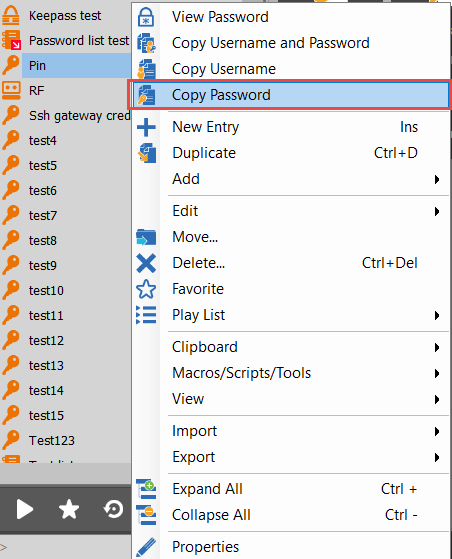
What David proposed would be to create a new entry (Credential, information etc.) then when you are being prompt to enter you Pin, instead of typing it manually, simply take the entry, and copy the Password from there (Then paste it of course).
I used a credential entry in my case, but the choice of the entry type is at your convenience
When you need to type you Pin, you can either make a right-click -> Copy Password, then paste in the field that you need
Or select the session and click on the "Copy Password" action button
We don't know exactly when your are prompt with your Pin so we might be able to find a way to optimize this if you could send us a quick video of how your environment work, are you only prompt with a Username and Password or only the Pin?
If you would like for us to check that, you can send your video to Ticket@devolutions.net
Best Regards,


Etienne Lord
password2.png
password.png
credential.png
Hello,
Let me refresh the topic. Is there a way to remember the PIN in the connection settings?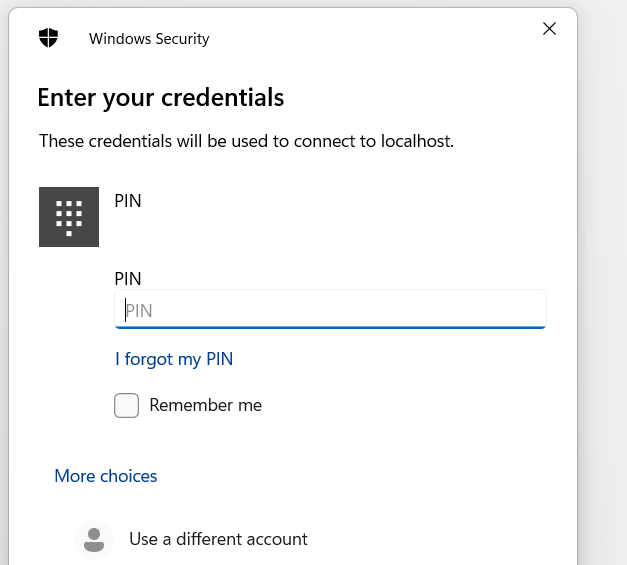 Connect through bastion to Azure machines via RDP. The only login option is to use a PIN.
Is there a way to automate this so that I don't have to enter it every time I want to connect to a VM?
00c19fa6-93b7-4ad0-a7bb-9c71a7851145.png
Hello
There should be a way to achieve this now, as we have the X.509 credential type with support for storing the PIN.
Just to confirm: you're using smart card authentication?
Kind regards,
Richard Markievicz
Yes, exactly, below is a screenshot of my configuration. Can you advise how to remember the PIN for RDP connections?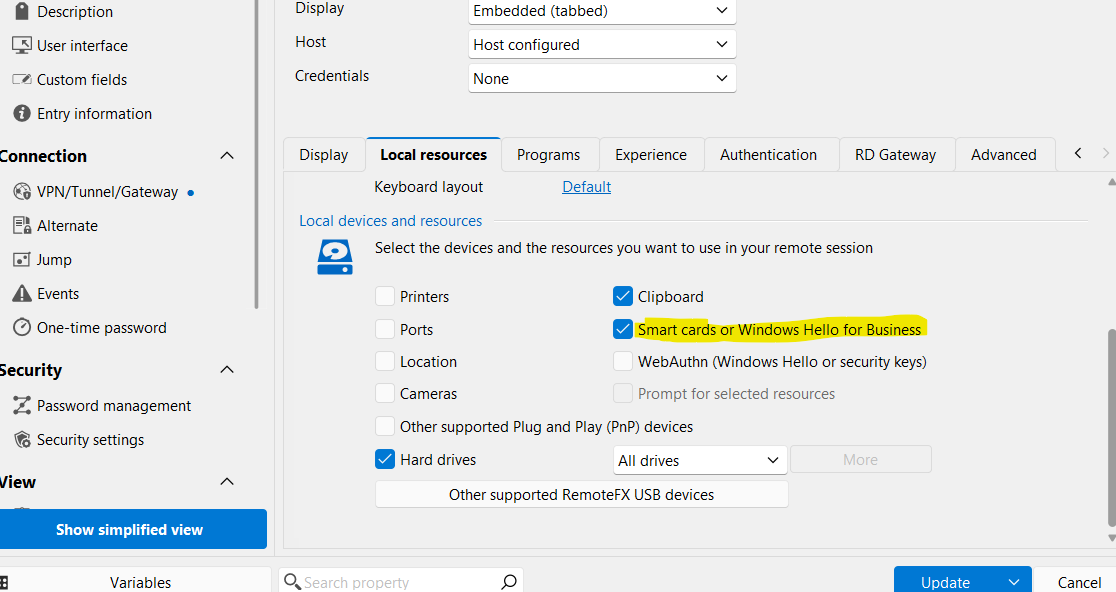
c9521f19-b68b-4243-8958-f2d5efdf747e.png
Hello
Broadly, you need to create an X.509 Credential entry that references your smart card certificate. The entry can store a copy of the certificate internally, or, preferably in this case, point to the certificate in your Windows certificate store.
There is some documentation on that here.
You can store the PIN in the credential entry.
Then, change your RDP session to use the linked X.509 credential instead of username and password.
If something's not clear, or you have any questions, please don't hesitate to post back.
Kind regards,
Richard Markievicz
When I connect my existing certificate from Current User -> Personal -> Certificates -> Smart Card Log-on - I have the following error. 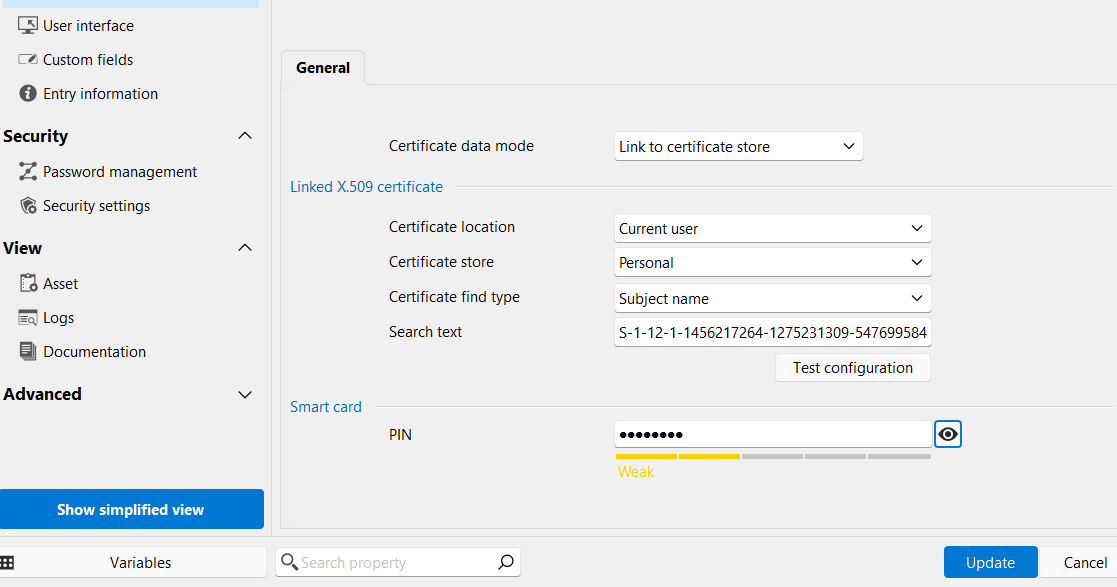
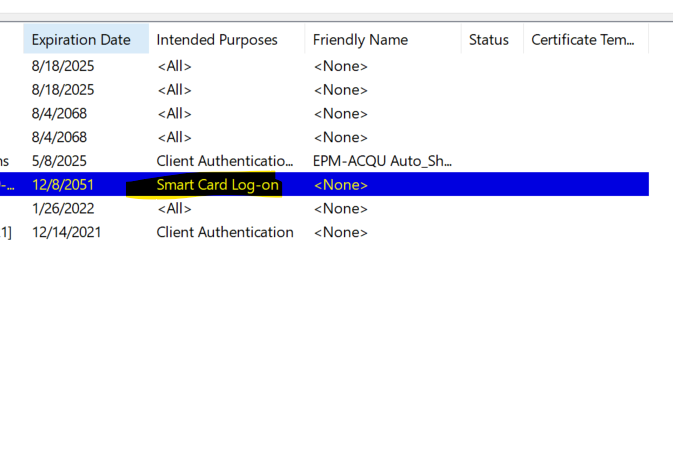
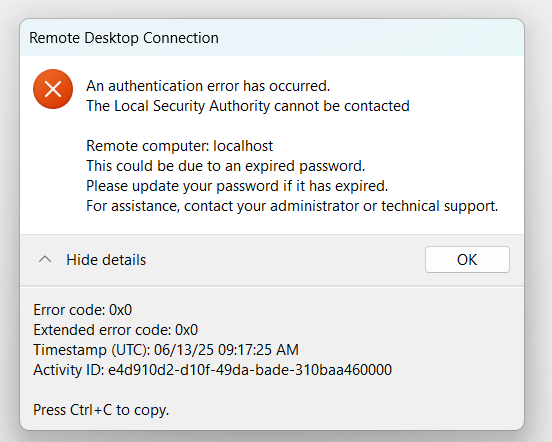
8d96cf97-8716-433e-8d0f-40d451be6d58.png
764a8649-2759-4cbf-b8d3-c64e895a1eee.png
197bc6da-61d2-431b-b8f3-ed07c89f963e.png
Hello
Ok, that's unfortunate. I'm not sure why this would be any different when using the X.509 credential entry, but obviously something is. We're using a Microsoft API to marshal the certificate-based credential to a username and password (which is all the embedded Microsoft RDP control accepts).
At a guess - I see it connecting to "localhost" which implies a TCP tunnel over Azure Bastion. Can you experiment with changing the connection mode in the Azure Bastion session settings to "RD Gateway" instead of "TCP Tunnel" and let me know if the outcome is different?
Thanks and kind regards,
Richard Markievicz
Exactly, I connect via Azure Bastion. This is what I need - this is what my environment requires.
The connections work fine in general. However, with many VMs, entering the PIN becomes a hassle
Hello
Thanks for confirming. X.509 login with Azure Bastion is not a scenario that we've tested but I don't see a reason that it shouldn't work.
Are you using the RDM Azure Bastion integration? i.e. You have an Azure Bastion VPN configured in RDM? If so, can you try the following to help narrow down the issue: switch the Azure Bastion VPN connection mode to "RD Gateway". Does it change something?
Thanks and kind regards,
Richard Markievicz
In the window below I have configured bastion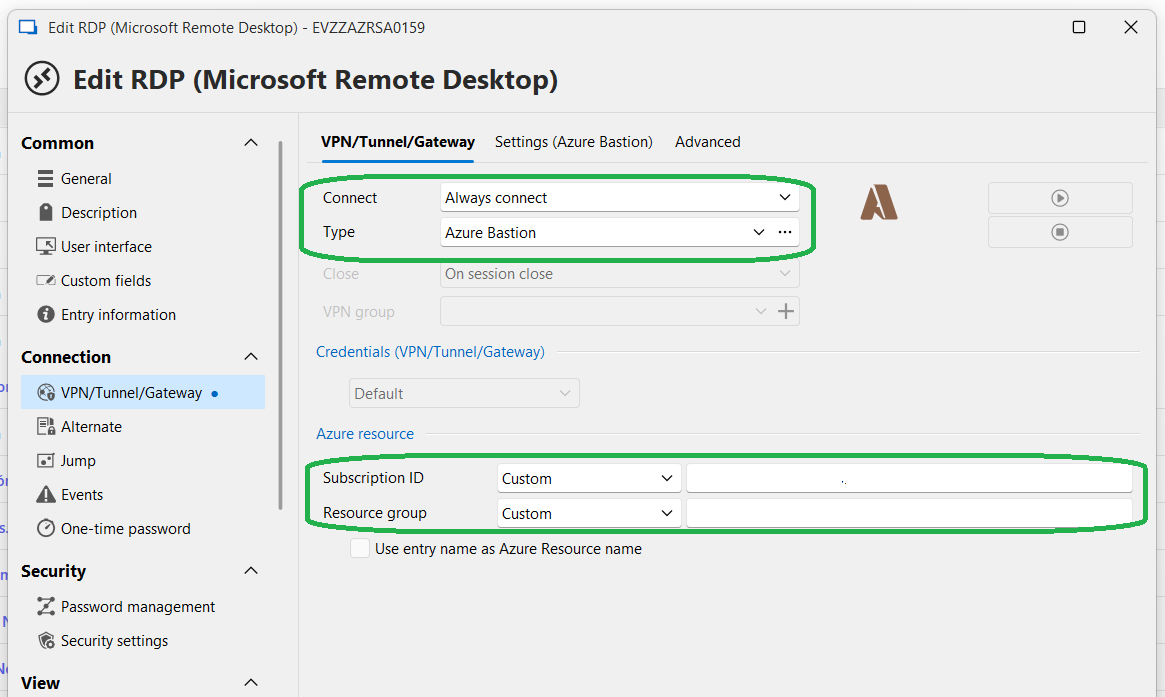
Here I have all the details of the bastion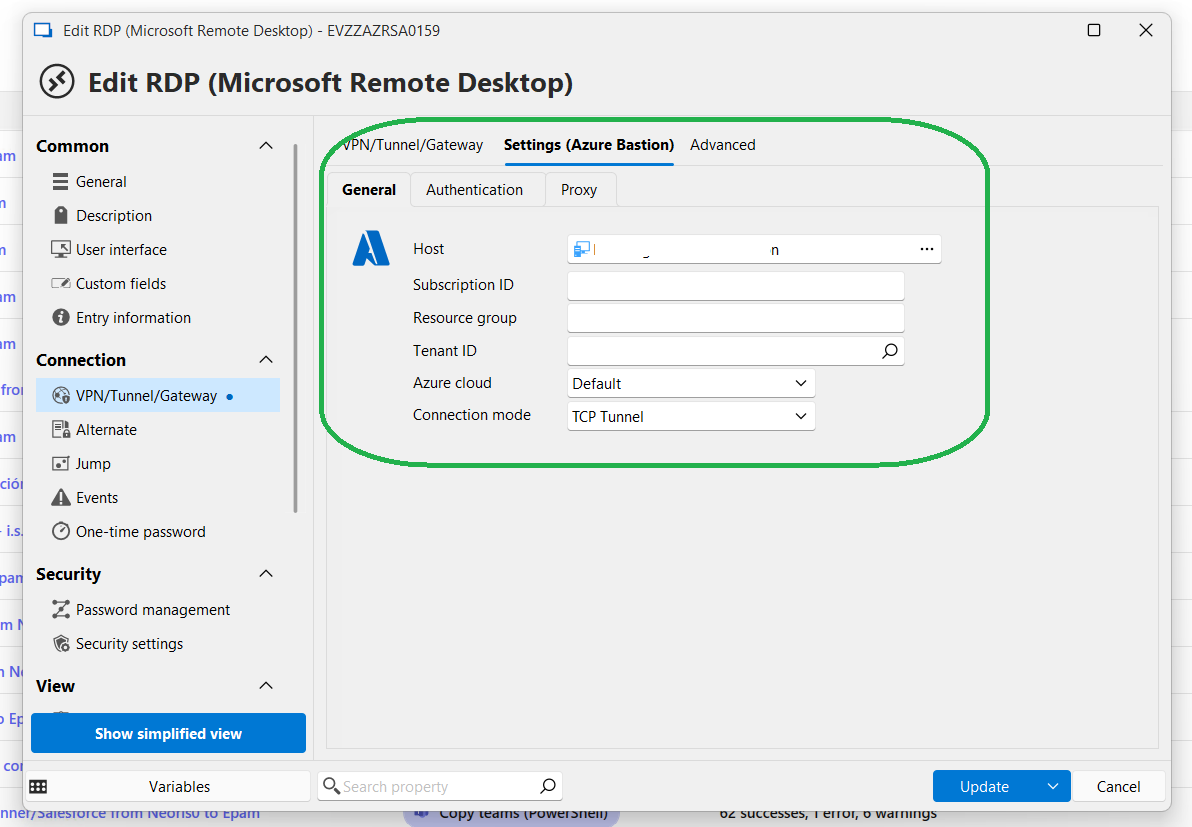
839968e8-4a09-4490-892e-207051a167e2.png
645dff8b-94d3-4605-b501-8b2cb00f88d2.png
Hello
Thanks. And if you change the last setting ("Connection Mode") to "RD Gateway", does it change something?
Kind regards,
Richard Markievicz
Unfortunately, switching to RD Gateway does not make a difference.
Still, I see: 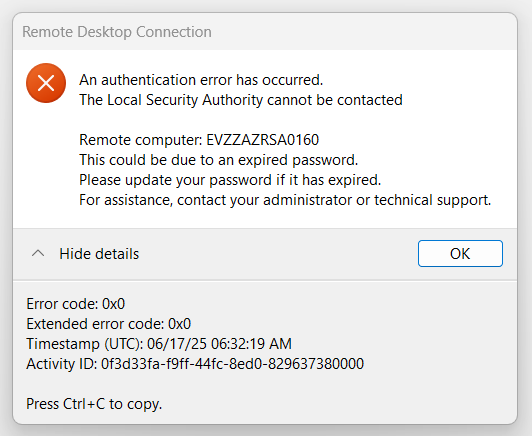
020882be-03d8-4330-ba57-99e565e3084a.png
Hello
Ok, I'm afraid I don't have any good news. I don't think this can work with Azure Bastion. I don't have a super clear picture because a lot of what happens here is opaque to us; but I think that when we marshal the certificate credential (which is necessary, since the MS RDP control only accepts a username/password, not a certificate). the marshalled credential is sent to the Bastion which obviously can't do anything with it (the smart card infrastructure is all client side). When we don't marshal the certificate (the scenario where we get the PIN prompt), this works because CredSSP handles the authentication client side, and then uses Kerberos constrained delegation on the Bastion to connect to the VM. The key is that while Azure Bastion feels like a VPN (RDP goes in, RDP comes out) it's not - it's an RDP proxy that terminates and relays the session. In effect, Bastion becomes the RDP client for the session.
The only suggestions I have are:
- You could try to configure the RDP session to open in external mode (mstsc.exe). It might behave differently, though I suspect not.
- Possibly, if everything is configured correctly, you can login to your client machine using smartcard and then use SSO to connect to the VMs. That's obviously predicated by everything being on the same domain, and using the same user locally as you wish to use remotely.
I apologize for the inconvenience, but sadly there is no good workaround in this scenario.
Please let me know if you have some questions or something isn't clear
Kind regards,
Richard Markievicz
Thank you for your explanations. Now I understand where the problem is.
Hello
I am sorry that I'm not able to provide an easy solution here. For anyone else following this thread, the X.509 credential entry should work in the general case for providing the smartcard login information directly within RDM.
Thanks and kind regards,
Richard Markievicz