Web Browser Inherited Authentication with Domain\User Credentials not Working
Web Browser Inherited Authentication with Domain\User Credentials not Working

Hi Team,
I'm setting up all our corporate IT web portals in Devolutions / RDM so our administrators have instant access if they have permissions to log in.
Everyone stores their Admin credentials in their private vault, and links them to our web portal folder in Devolutions using the "User Specific Settings", and all web browser sessions are set up to inherit permissions from the parent folder.
Web portals that simply ask for "username" and "password" work fine, however where the username format needs to be "domain\username" is not working, the Devolutions Web Logon chrome extension is only filling in "username" and "password", the "domain" component is missing.
I've gone to the Properties page (Advanced) and changed "Username format == {Domain}\{User}", but it still only populates as "username".
The credentials are working with RDP sessions, currently using 12.0.15.0 Beta, and trying to authenticate admins with vCenter.
On a side note, I've also noticed the "Auto fill logon" and "Auto submit" options are greyed out and cannot be adjusted.
Also, I cannot search anything in the the web logon Chrome addin, it only tells me a credential is available if I manually browse to the URL in one of the web enabled entries in RDM / Devolutions, should I be able to search, click, and autologin to web portals I've enabled? running latest version of addin.
TIA
All Comments (6)
Hello,
In regard of the first part of your post :
''I'm setting up all our corporate IT web portals in Devolutions / RDM so our administrators have instant access if they have permissions to log in. Everyone stores their Admin credentials in their private vault, and links them to our web portal folder in Devolutions using the "User Specific Settings", and all web browser sessions are set up to inherit permissions from the parent folder. Web portals that simply ask for "username" and "password" work fine, however where the username format needs to be "domain\username" is not working, the Devolutions Web Logon chrome extension is only filling in "username" and "password", the "domain" component is missing. I've gone to the Properties page (Advanced) and changed "Username format == {Domain}\{User}", but it still only populates as "username".''
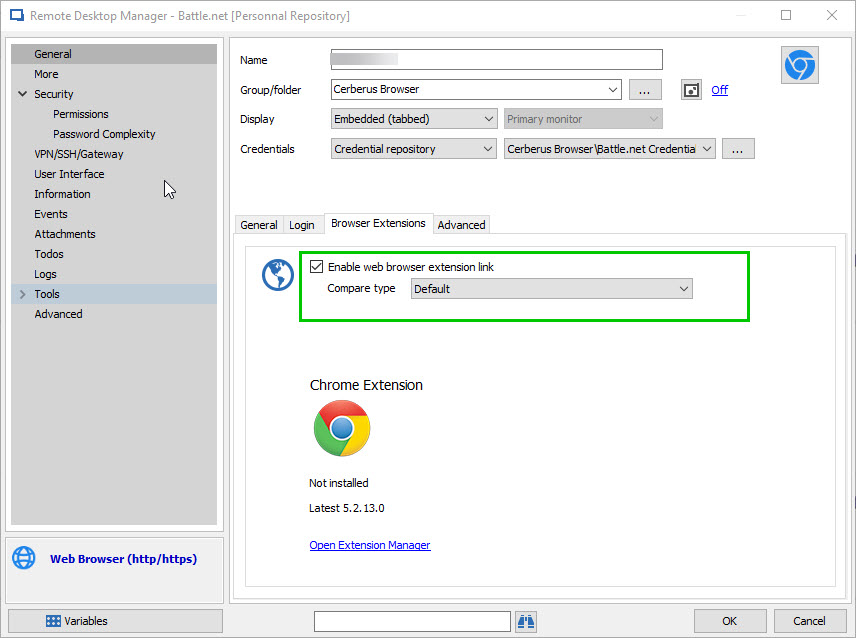
Would it be possible for you to send a print screen of your Web Browser properties to support@devolutions.net , we would like to see the General, the Login and Browser Extensions tab to be able to reproduce the issue in our environment.
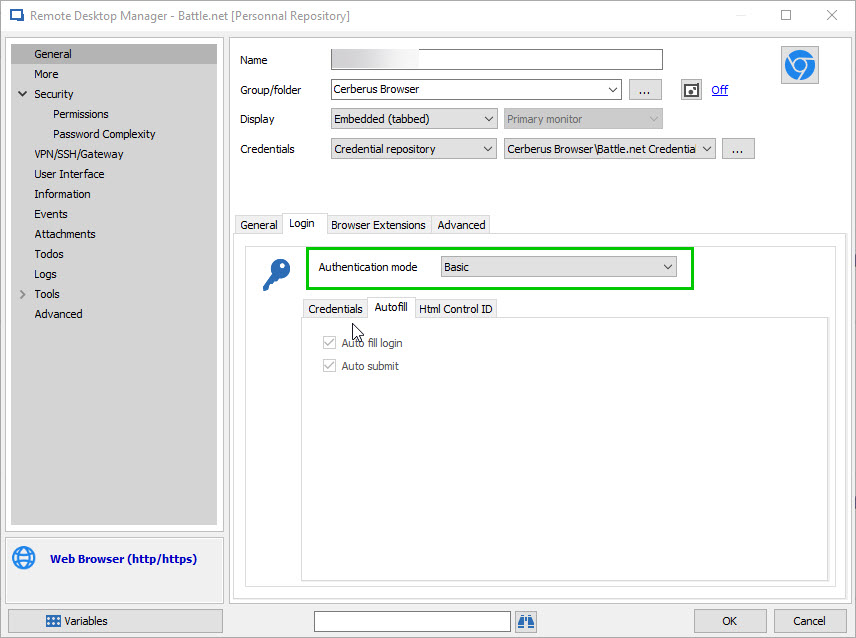
In regard of the ''Auto fill login'' and ''Auto submit'' being grayed out in your Web Browser entry, could you please see if the 'Authentication mode'' in General - Login is set to either ''Basic'' or ''Digest''
For the Devolutions Web Login issue, could you please post a print screen of the issue and could you please make sure that the ''Enable web browser extension link'' is checked in your Web Browser entry?
Best regards,
James Lafleur
webBrowser2.jpg
webBrowser.jpg
Hi James, I've sent an email through with the details.
Thanks.
As per attached screenshot, the "Auto fill login" and "Auto submit" are greyed out, whether we choose "Form" or "Basic" authentication modes.
Can't seem to change these options.
snip.JPG
Hi,
The "Auto fill login" and "auto submit" are greyed out because the display is set to external.
These properties are not currently used by Devolutions Web Login which uses its options to know if it should auto fill and auto submit
Best regards,
Olivier Désalliers
Hi Olivier,
Yes can see now that "auto fill login" and "auto submit" are only available when "Display == Embedded", so if I want to auto fill / submit in Chrome, I need to use Web Logon and "Display == External". I've sent email to support, as there are still a lot of issues with this.
However, when I set "Display == Embedded", then the URL opens internally, but no credentials are added into the web pages - auto fill / submit does not seem to work for embedded.
Also I want my team to be able to click "Open (External)" or "Open (Embedded/Tab" to access the web page internally or in a web browser, however they feel like doing their Admin... Does it matter if Display == Embedded / External, or should their credentials get passed depending on with way they chose to open the web page?
Regards.
Hi,
When you open the URL internally in RDM, you must specify the HTML Control IDs in the session under login -> Html Control ID.
The Display is to decide the behaviour when clicking on "Open Session". You are still able to click on "Open (External)" and Open "Embedded tab" whatever the display type the session has.
The open embedded uses the .Net Web Browser when the type is Internet Explorer and a third party that is wrapping Chromium when selecting Chrome.
When opening externally, it opens the browser at the URL specified in the browser specified in the session. Devolutions Web Login, unlike the embedded mode, doesn't need the HTML Control IDs.
Best regards,
Olivier Désalliers