CSV-Import support for Password-List
0 vote

I want to import my Credentials from documentation into a password-list-entry.
it would be very helpful if we can do that from csv
Kind Regards
Markus
======================
All Comments (46)
Do you have an idea of the CSV format you would like?
Regards
David Hervieux
Hi,
Relating to you Online-Help and CSV-Examples I attached you a possible exampe-csv.
Importing this CSV-File should create 3 Password-List-Entries in 3 different Customer-Folders.
Kind Regards
Markus
======================
PWdList.csv
Thank you. I think that would be very useful.
Regards
David Hervieux
Was this implemented? We also have a need for this.
Hello,
I don't believe this was implemented yet. We'll move up the priority for this feature.
Regards,
Hubert Mireault
We are so much looking forward to this implementation, it would make our automation-procedure complete. Is there an ETA for this?
Hello,
We've slowed down due to the holiday season but this feature is in our priorities. Hopefully within 1-2 weeks we should have something internally.
Regards,
Hubert Mireault
Hi,
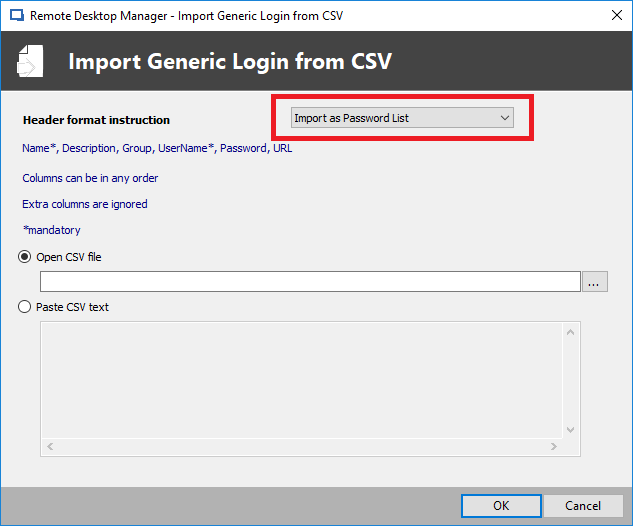
We've added the password list import feature it will be available in the next patch. To use it go to import/Import Login CSV Wizard and set it to "Import as Password list"
The name and group will be used to group each entry in the same password list so you can import multiple password list at the same time.
Regards,
Samuel Baker
Import PasswordList CSV.png
Super-impressed! Thanks so much! This helps us a lot! :D
Hello, when importing from CSV, no values from host strings are imported.
When i import this:
Host, User, Password, Name
SWITCH01, admin, password123, List1
SWITCH02, administrator, passwordQWERT, List1
List1 pwd list is created, it consists of two records... but without hostnames.
devo2.png
Hello Martin,
The issue has been reproduced and a ticket has been opened to the engineering department.
Best regards,
Antoine Mauger
Hi Martin, if you want the host field to be filled you'll have to use the "URL" header for now.
Regards,
Samuel Baker
Hi, I´m not sure, if I understand you very well... could you give me a little example?
BR
Martin
Hi Martin, I've attached a .csv file you can use as reference.
Regards,
Samuel Baker
PasswordListImport.csv
I'm still missing this and every other "import to password list" feature on macOS. After seeing here that my work on the Windows version would have been much easier for three years, I wonder when it will be ready on macOS.
Regards,
Niklas
Hi,
At the moment, the "Import as Password list" option is only available in RDM Windows in the deprecated "Import Login Csv Wizard". We will need to add it in both RDM Windows and RDM Mac in the "Import Generic Csv Wizard".
We will post back when this is available.
Best regards,
Xavier Fortin
Hi mrathmer,
I've been informed that the Import Generic Csv Wizard already support importing as a Password List. So long as the CSV was previously exported from a Password List. What are the sources of your CSV files?
We will not be adding the other import CSV wizards as those are deprecated in RDM Windows.
Best regards,
Xavier Fortin
Hi Xavier,
it is supported, but only on the windows client. I work on macOS. The import manager on macOS creates single "Username/Password" entries for every single colum in my csv. I already tried exporting a csv from RDM and reimporting it, but I always get single entries, never a list.
Greetings,
Niklas
Just to confirm, we are both talking about the following wizard?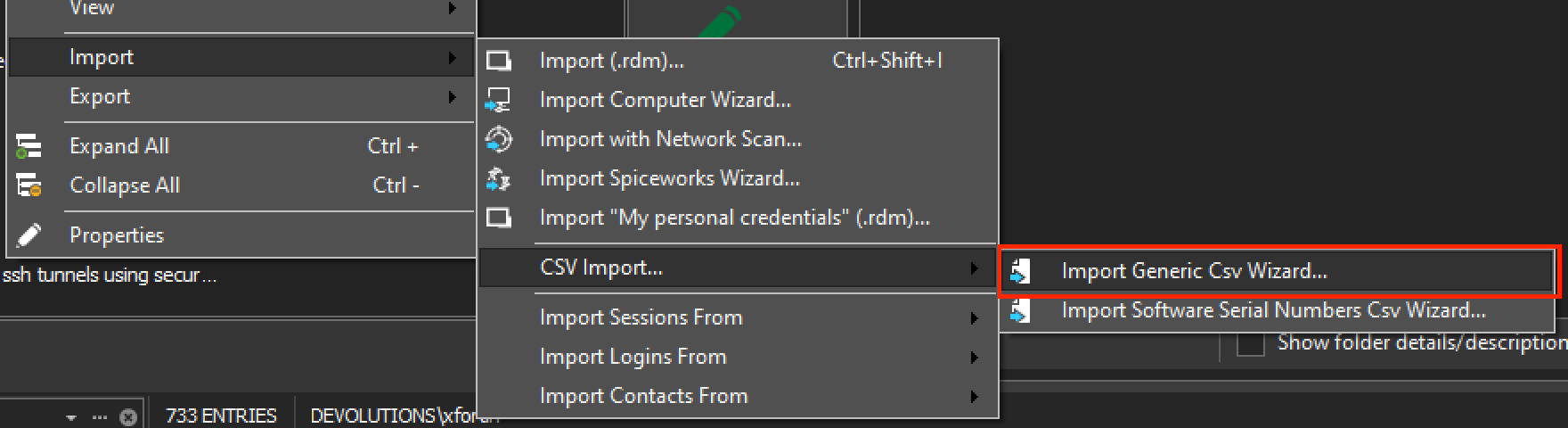
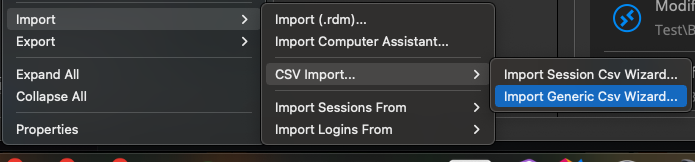
If so, with the same CSV file, in Windows, it creates a Password List, but in Mac it creates individual sessions?
Best regards,
Xavier Fortin
WizardMac.png
WizardWindows.png
Yes we are and yes it does :)
Perfect, we'll check what is up on our side.
Best regards,
Xavier Fortin
Here are some screenshots for you: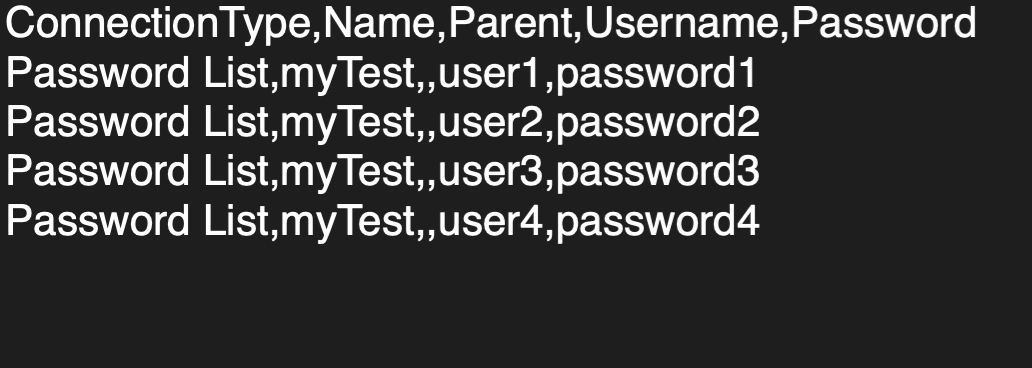
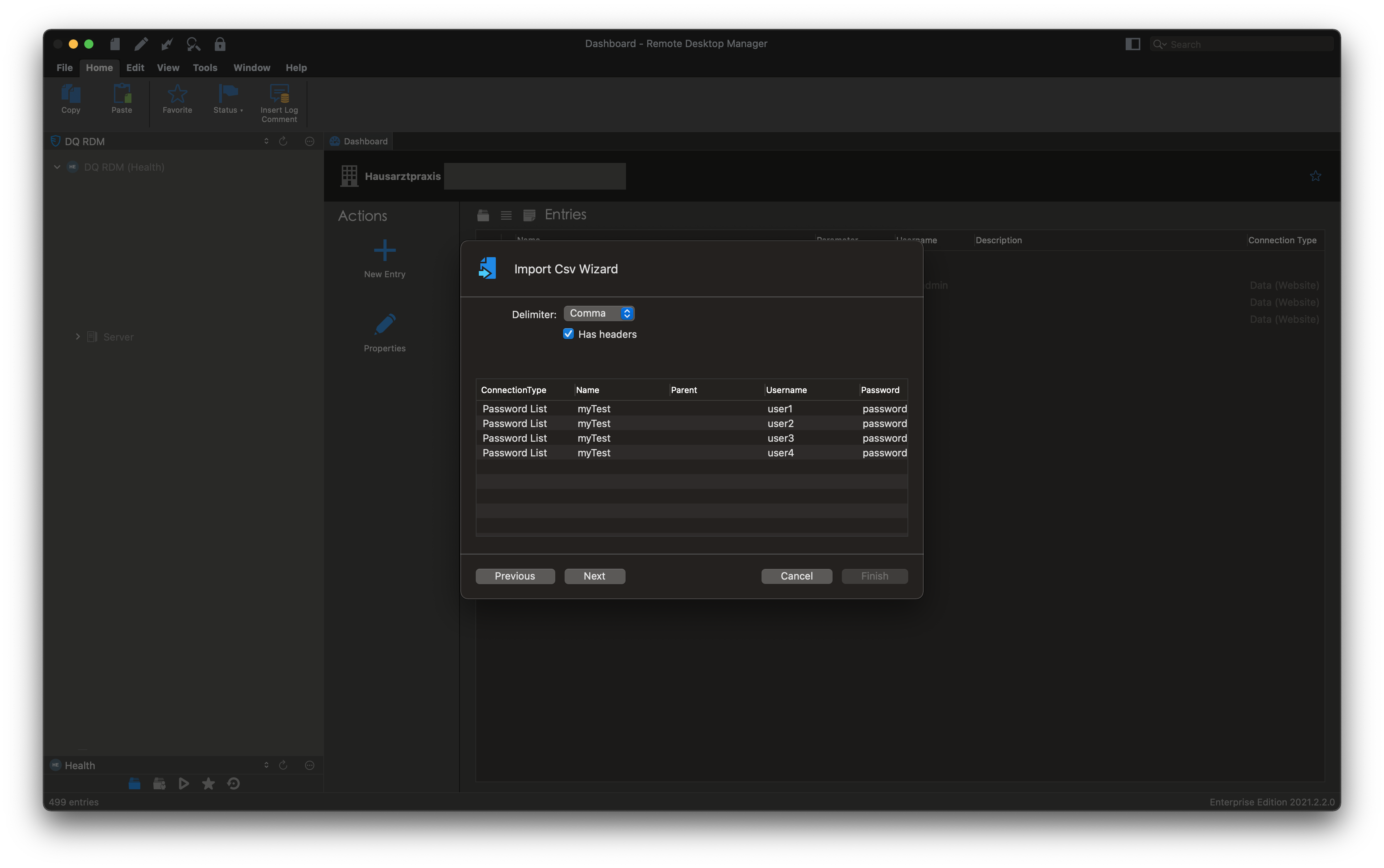
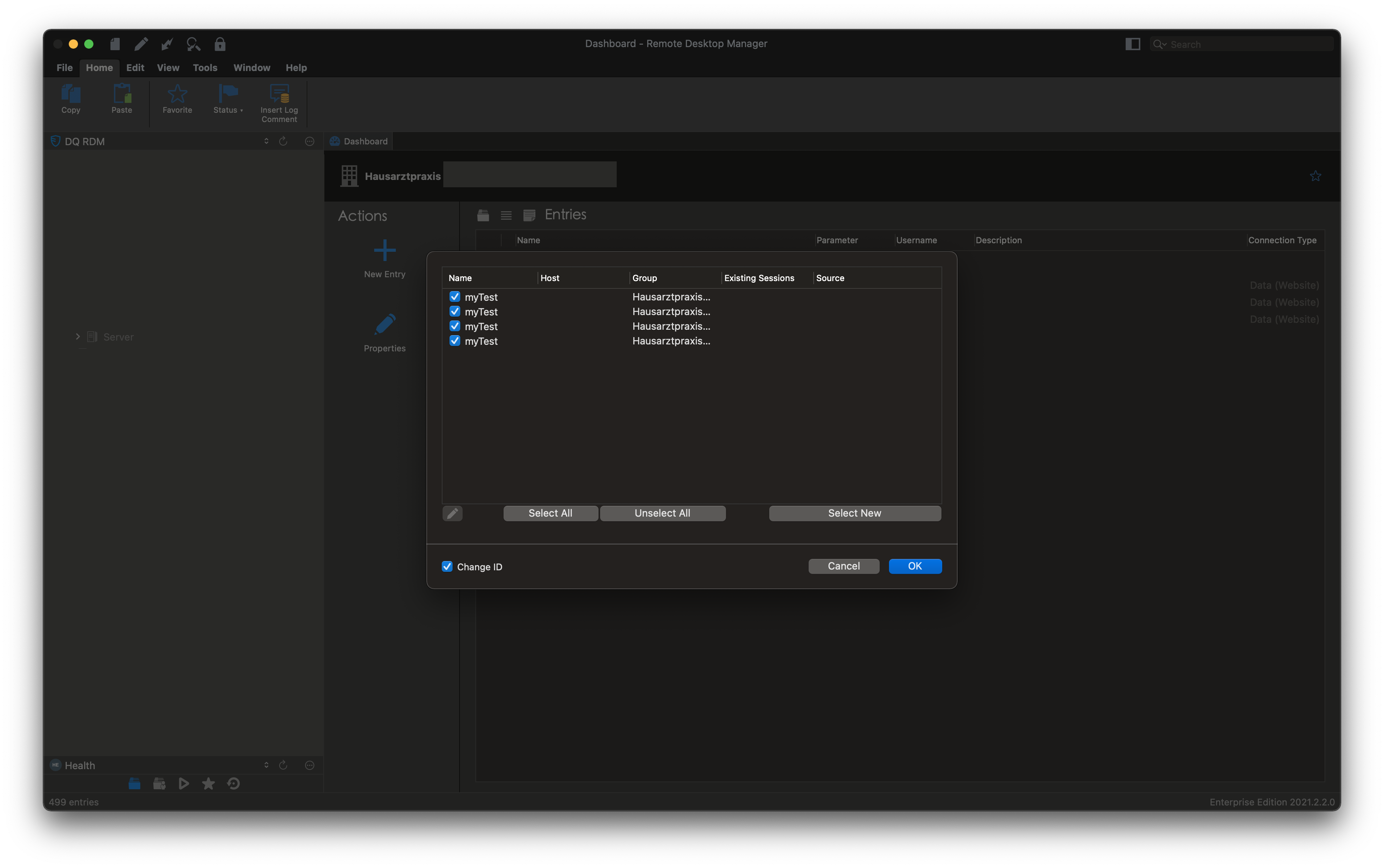
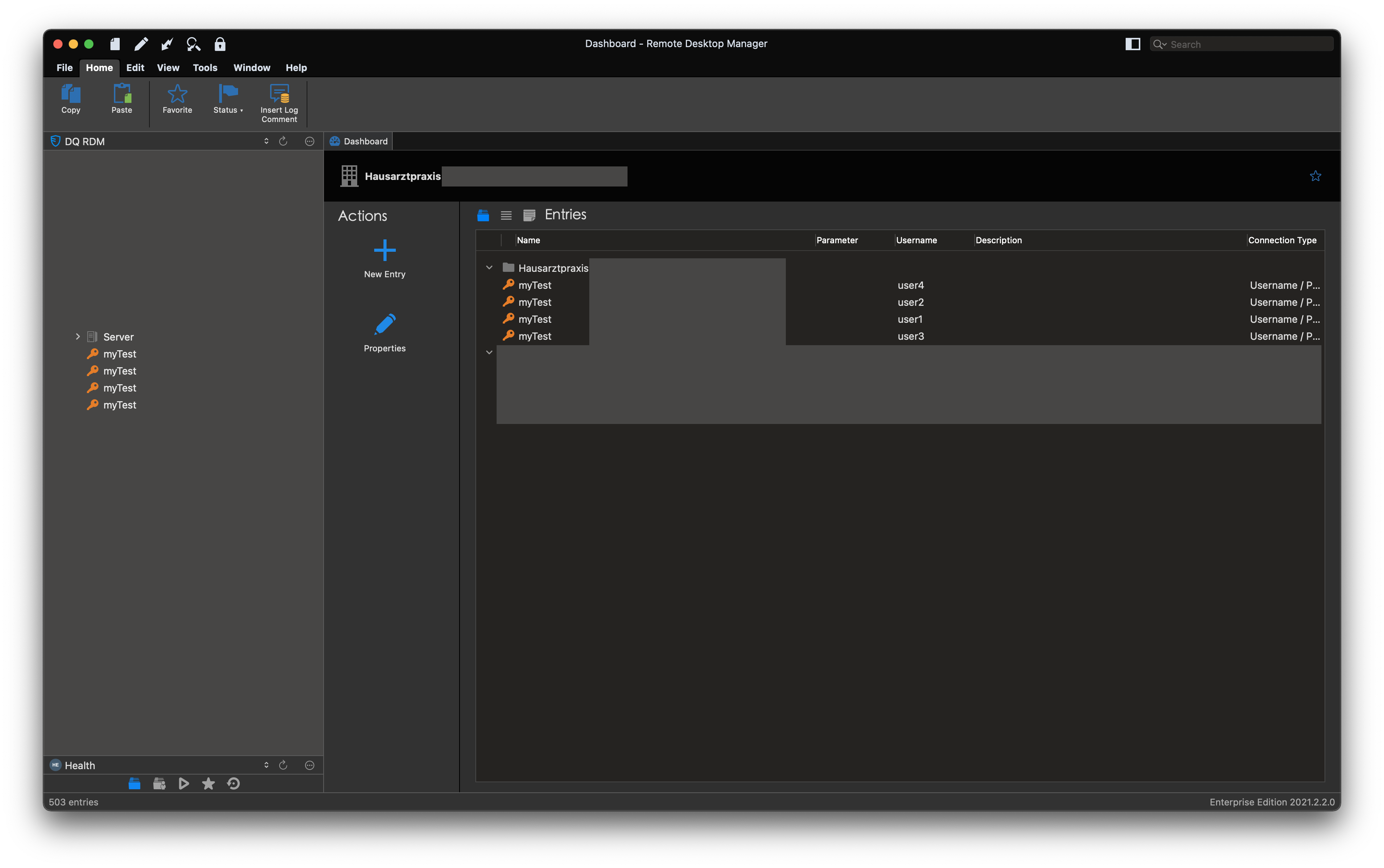
Bildschirmfoto 2021-11-01 um 15.20.28.png
Bildschirmfoto 2021-11-01 um 15.14.29.png
Bildschirmfoto 2021-11-01 um 15.14.19.png
Bildschirmfoto 2021-11-01 um 15.14.06.png
Hi nrathmer,
I was working on implementing this feature to RDM Mac, but I realized that it was already working.
In RDM Mac our default import CSV mode is "Credential", just make sure to change the import mode to "Session" as shown in my screenshot.
It will then import as a password list!
I will change the default import mode to "Session", in the mean time, you will have to change it manually.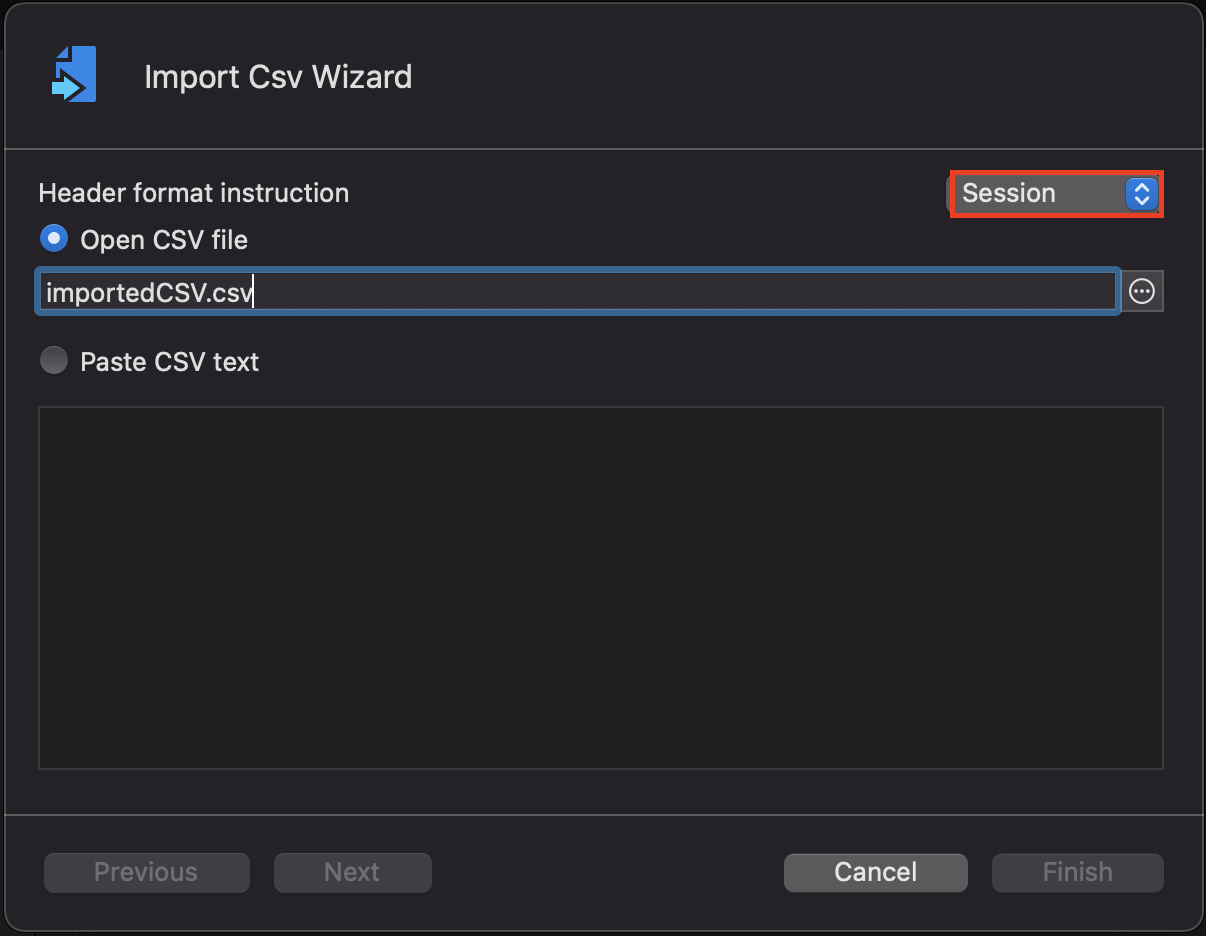
Jesse Galarneau
Screen Shot 2021-11-04 at 8.57.23 AM.png
Hi Jesse,
I had time to try it now, and it worked. Thanks! Sadly it won't accept a parent, is there a way to make a subconncetion?
Greetings,
Niklas
Hi nrathmer,
I am not sure what you mean by making a subconnection.
Do you mean importing it in a folder, or importing as a subconnection of another connection?
Jesse Galarneau
Hi Jesse,
I mean importing as a subconnection :)
I always select the Website entry for each file server, where I then adjust the icon and enter the admin login data. Under this entry I then create a subconnection in which I record all standard users.
The same applies to the Microsoft 365 portal. I create a website entry with the admin login. Underneath then a subconnection in which all the other users are listed so that everything is together.
An import button for a csv within an existing password list would be nice :)
Greetings,
Niklas
Hi nrathmer,
I have looked into it, as of currently, you cannot import a CSV PasswordList directly as a subconnection.
However, you can import the CSV, then right click it and under "Edit" the menu "Parent" is a way to make your freshly imported CSV Password List a subconnection to any connection in your vault.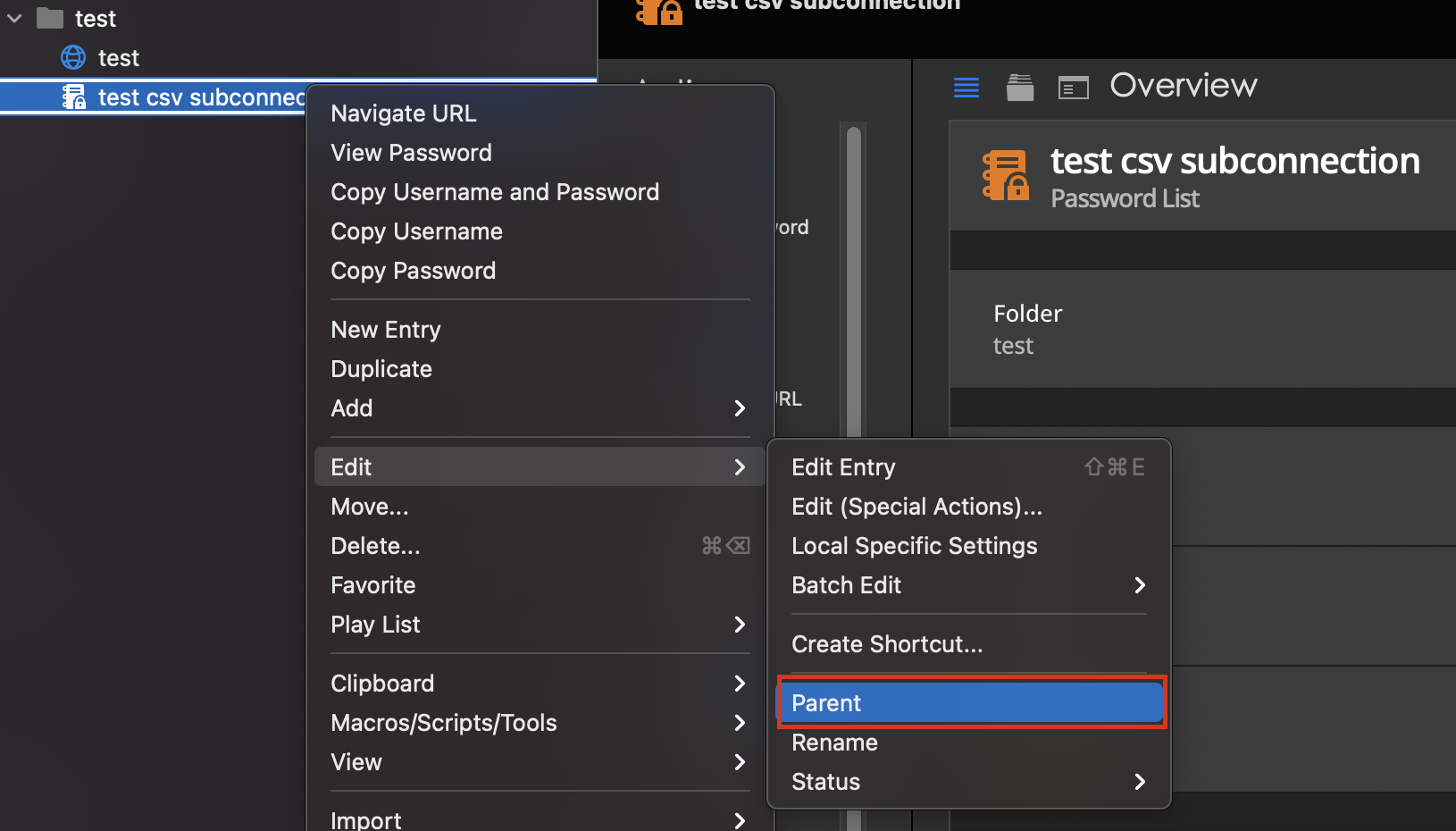
I have opened tickets to improve the feature and for your suggestion, I will get back to you whenever there is an update.
Jesse Galarneau
csvSubConnection.png
Hi Jesse,
I don't have this option... See attached file.
Do we need to enable it somewhere?
Greetings,
Niklas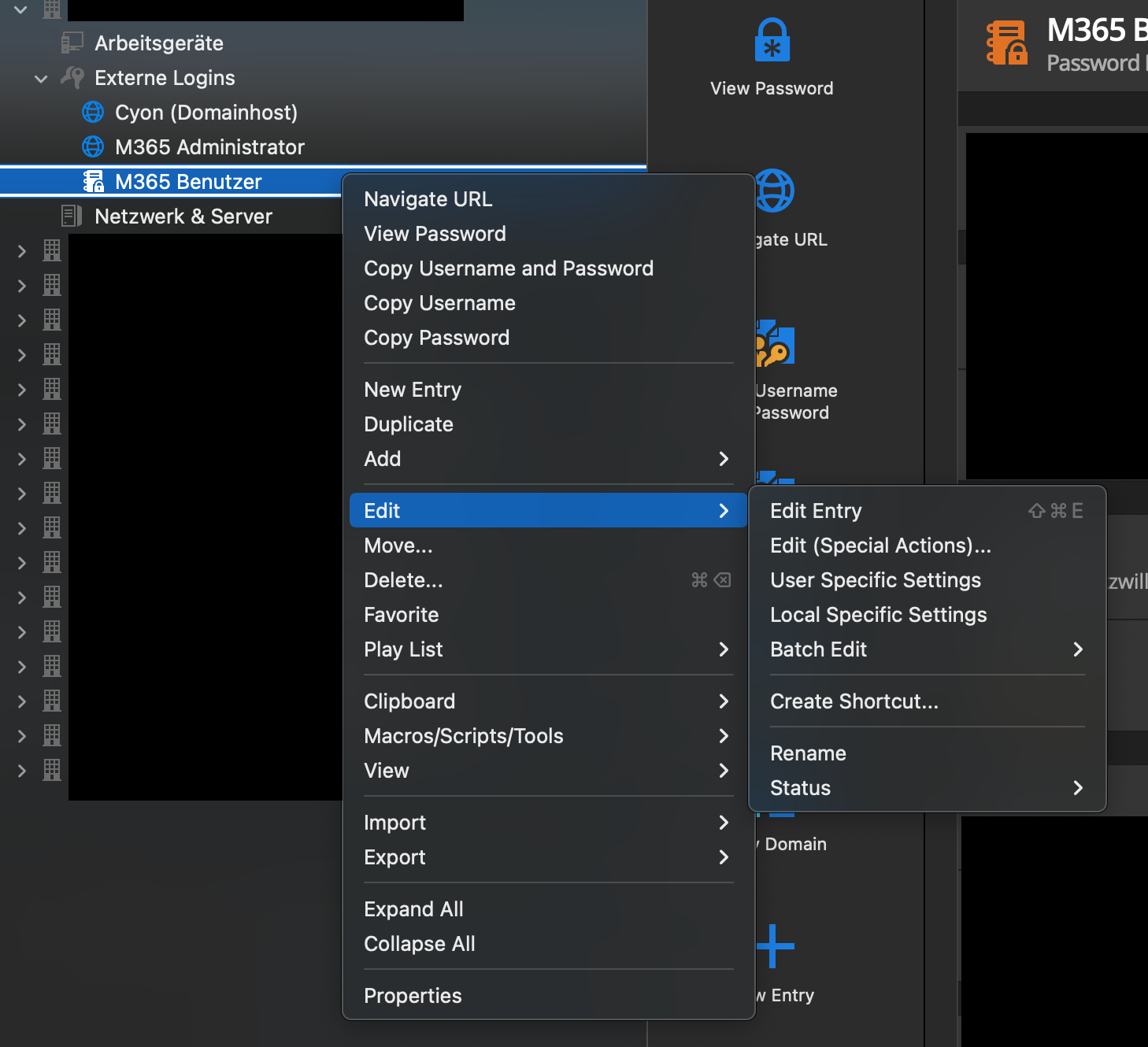
Bildschirmfoto 2021-12-01 um 15.01.58.png
Hi nrathmer,
I have investigated and found that only Admin users can see those buttons.
Do you have a user that is admin in that datasource just to make sure that this is the problem.
Jesse Galarneau
Good day Jesse,
sorry for the late reply, unfortunately I had to wait for our admin. You were right, with admin permission it works as I had hoped. Now we would only need this function for normal users :)
Greetings,
Niklas
Hi nrathmer,
A fix is being worked on, I will get back to you as soon as it is released.
Jesse Galarneau
Hi nrathmer,
The parent/unparent buttons will now be available for users that aren't admin in the next version of RDM Mac.
Best regards,
Jesse Galarneau
Hi Jesse,
there were two updates since ur post. Sadly the feature is still missing :(
Instead a new bug occurred...
Since the last update, if you select the entry 'Website' (or wireless router), the overview on the right side only shows a documentation section and no longer the actual entry. Is that intentional? I want to see my login entrys again please...
Greetings,
Niklas
Hi nrathmer,
The 2 updates were small hotfixes.
The parent/unparent buttons will be available mid February, with the new release of RDM. Sorry for being unclear.
To get your overview back, just select another tab as shown in my screenshot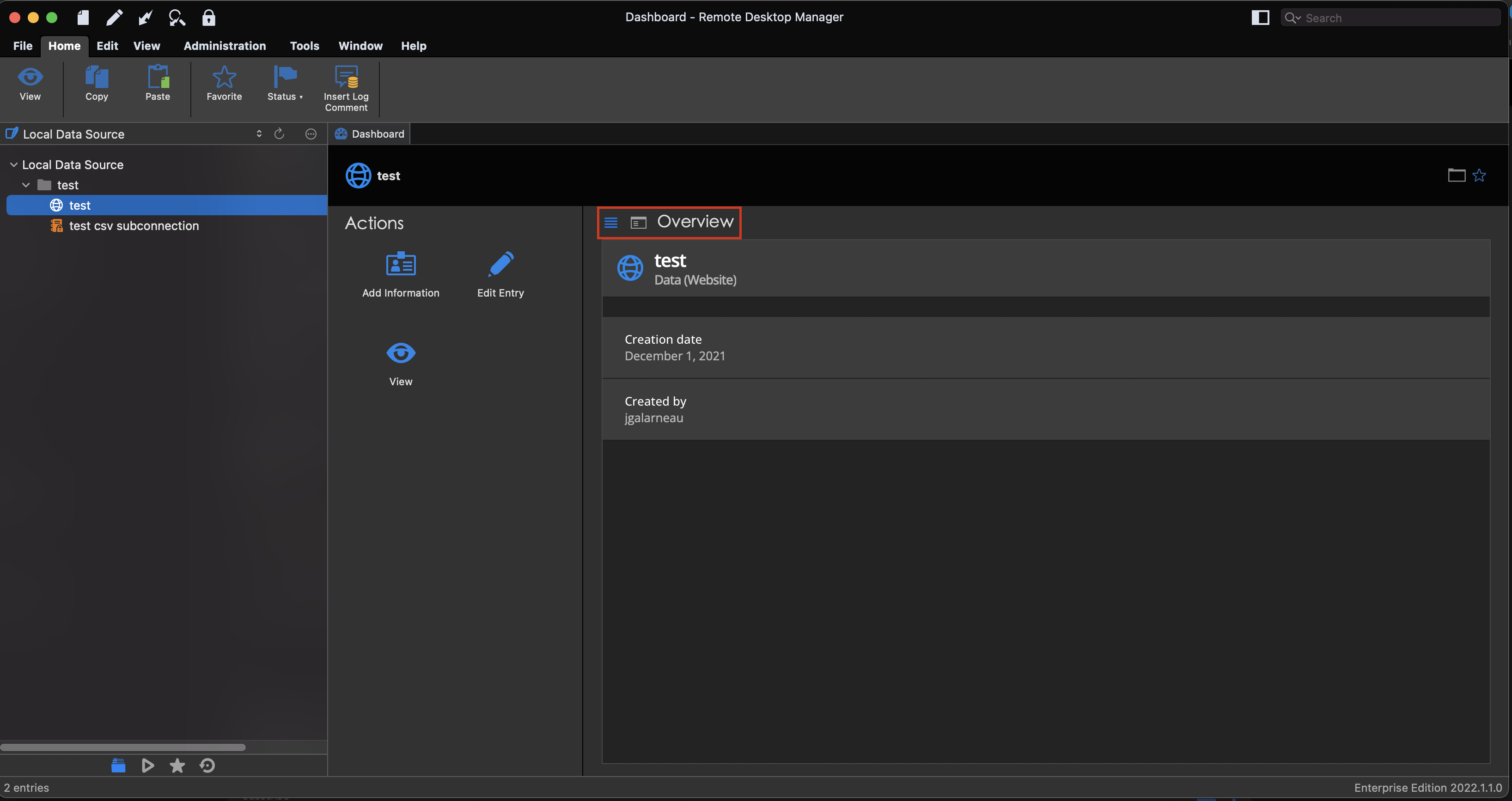
Best regards,
Jesse Galarneau
Screen Shot 2022-01-26 at 9.41.30 AM.png
Oh wow, now I feel stupid :(
Thx for the quick help...
Hi nrahthmer,
the parent/unparent buttons fix has been implemented in the latest release of RDM Mac 2022.1.3.0.
Best regards,
Jesse Galarneau
Hi nrathmer,
The ability to import a CSV directly as a subconnection has been added internally and will be available in the next release of RDM Mac 2022.2.2.0.
Best regards,
Jesse Galarneau
Hi,
The ability to import a CSV directly as a subconnection should now be available in the current version of RDM Mac (2022.2.5.0).
We should have posted an update earlier, it slipped through the cracks. Sorry for that.
Best regards,
Xavier Fortin
Oh! And so is the feature to import a CSV directly into a password list.
Xavier Fortin
Is the Import-feature an admin-only option?
Or can i turn this on somewhere?
Hello jakobbrandt,
The menu should be visible by default. As shown in my screenshot.
Do you not have it on your side?
Jesse Galarneau
I do, but I am admin.
However users in my org does not, or it is greyed out. The same menu on File > Import is empty.
This is how it looks like on a non-admin user. 
We use DPS as a datasource if that makes any difference.
Seems like your users might be missing some permissions.
You can access them in the vault settings:
Your users might not be able to add?
Jesse Galarneau
Seems like your users might be missing some permissions.
You can access them in the vault settings:
Your users might not be able to add?
Yes our users have the add permission.
Almost all permissions is custom and specified to one/two groups and the only one not allowed is delete. 
Hello,
Could you please verify the Import permission in Administration - System Permissions?
Best regards,
Érica Poirier
Hello,
Could you please verify the Import permission in Administration - System Permissions?
Best regards,
Thank you!!
Problem solved :)