Certificate expiration alerts
0 vote
At this moment we use Devolutions to store Certificates. We also add the expiration date to the certificate but it would be very efficient if Devolutions would send an alert email 6 to 8 weeks before the certificate does expire so a replacement can be requested in time. It would also be a great addition if people could edit the discription in from a shortcut so people can keep logging of the installation of certain certificates without the possibility to edit the primary entry.
All Comments (10)
Hi,
That something we could do with DVLS (Devolutions Server). Without a server or a service, it would be hard to do.
Regards
David Hervieux
Hi David,
Thank you for your reply. We are using DVLS. After I viewed the forum better I saw I created it under RDM but it had to be underneed DVLS.
So it is possible to add this feature in DVLS?
Regards,
Stijn Vagevuur
Hi,
I will make sure to add this to the DVLS feature list.
Regards
David Hervieux
Hi David, would you be able to provide me with a status update? Do you know when this feature will be available?
This summer.
Regards
David Hervieux
Hi David,
Could you please provide me a status update? Do you know if the feature was implemented in DVLS?
This will be in DPS 6.0. This version will be released by the end of September.
Regards
David Hervieux
Hi David,
We are testing the latest DPS version, version 6.0.2.0, in combination with RDM 14.0.4.0 64-bit. Can you tell me where I can set the notification for expiring certificates?

Hi,
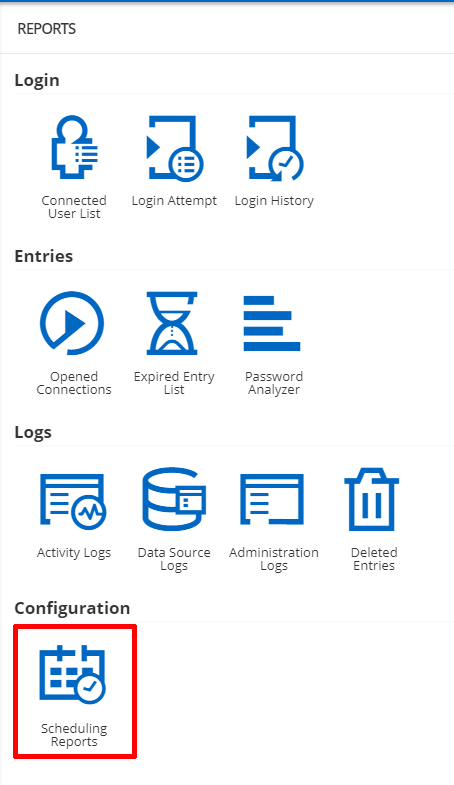
at the moment the way to accomplish this would be to create a "Scheduling Report" of type "Expired Entry List". This does not allow you to choose a specific entry type for the report for the time being and so the report will contain all entries that correspond to the filter requirements of the report which can be:
- Include expired entries
- Include manually flagged expired entries
- Include entries expiring in X days
The report can also be configured with recurrence, so you could have a weekly report of the entries expiring in the coming week.
Here are some screenshots to show you where and how to configure it from the "Reports" section, this must be done by an administrator.
Best regards,
Luc Lemieux, Software developper DPS


Luc Lemieux
Software Developper DPS
ReportFilter.png
Calendar.png
Reports.png
Dear Luc,
Thank you for your reply. We are going to test it.