Active Directory Console - Disabled checkbox for user doesn't work
Active Directory Console - Disabled checkbox for user doesn't work

In the Active Directory Console, when viewing a user's properties and checking the "Disabled" checkbox, the account is not disabled in Active Directory.
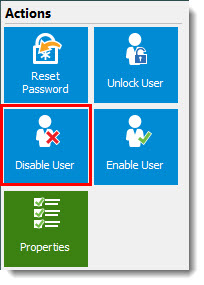
The "Disable User" Action button behaves correctly.
All Comments (9)
Hello Austin,
I tested with RDM 13.0.4 with AD 2012 and when I check the "Disable" checkbox, the user is disable in Active Directory,
What version of RDM are you running and what is your OS version?
Best regards,
David Grandolfo
RDM 13.0.4.0 64-bit
Originally tested with:
RDM 13.0.3.0 64-bit
Domain controllers:
Windows Server 2008 R2, fully updated
Domain Functional Level:
Windows Server 2008 R2
I've again verified the problem is occurring as described above. Oddly enough enabling a user account works as expected. Only disabling fails.
Hi,
Does the disable button is working?
And does RDM 32-bit have the same issue as the 64?
Best regards,
David Grandolfo
disable_user.jpg
The Disable User button works in both 32 and 64 bit RDM.
The Disabled checkbox in User Properties does not work in either.
Of note:
When clicking the "Disable User" button I receive a message,
"The user has been successfully disabled"
When clicking the Disabled checkbox and pressing OK, I do not receive this message.
Thanks for this information, I will have a look with the engineering department for this issue.
Best regards,
David Grandolfo
Hi Austin,
I had a chat with the engineering department and the button and the check box perform the same step. For information we increase the hexadecimal value by 2 to disable the account. This step is described by Microsoft.
The issue looks to be different. Could you confirm if the issue is present in another computer?
Best regards,
David Grandolfo
Interesting.
The issue was reported to me by one of our helpdesk techs, and I verified the exact same results on my PC.
Is there any debugging or logging I can provide to help diagnose the cause?
I can provide a video too if that helps.
Unchecking the box works, checking it does not. Enabling or disabling with the button always works.
Hi Austin,
On the AD Server, please open the Event Log, under the Security tab you could find the User Account Management message. This message will inform you that the disable action has been performed or not. Do you have any error in the Security event log?
Best regards,

David Grandolfo
event_log.jpg